Time synchronization
Synchronization of the lock with the ApartX application is done so that the time of renting out the property corresponds to the selected region/country. For better operation of the lock with the application, check the date and time on the lock panel, with the time of the country/region where you rent out the property. Before starting work on synchronizing the time with the lock in the phone settings in the " Date and Time " section, click on the " Use network time" button. (see example below) 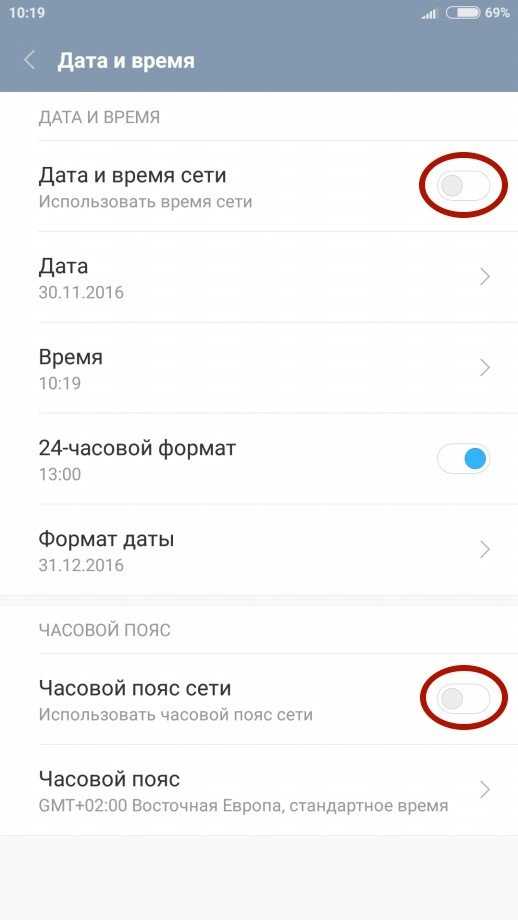
1. In the working window, click on the " Real Estate " button. Next, select the real estate in which you want to synchronize time. (see example below) 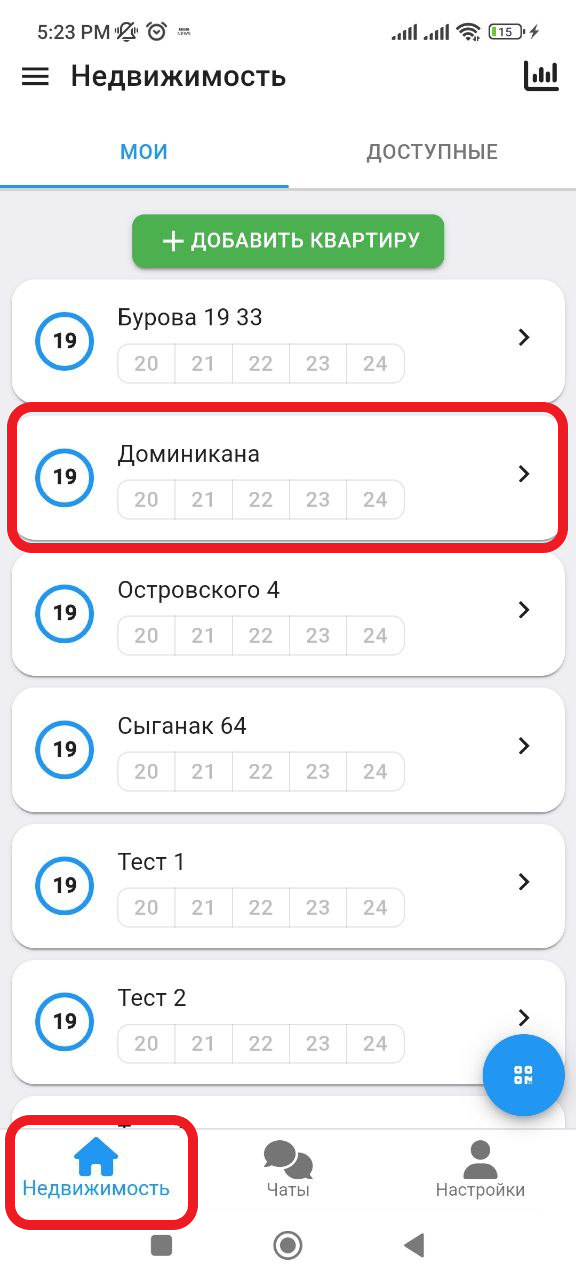
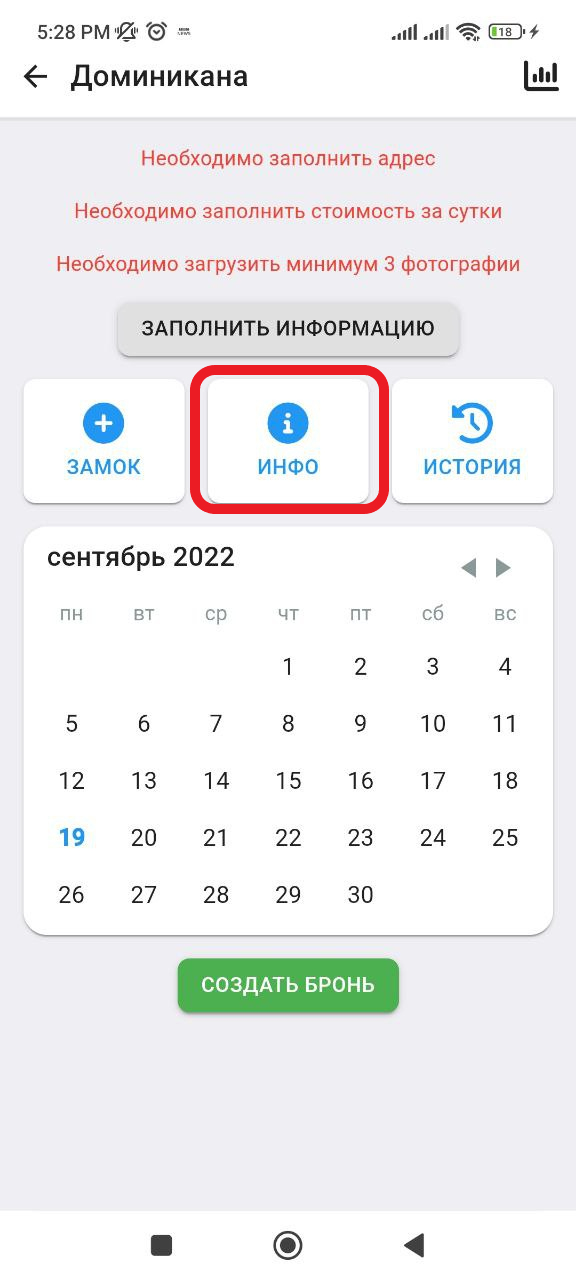
2. Next we get to the working window with real estate. Click the button " INFO ". (see example below)
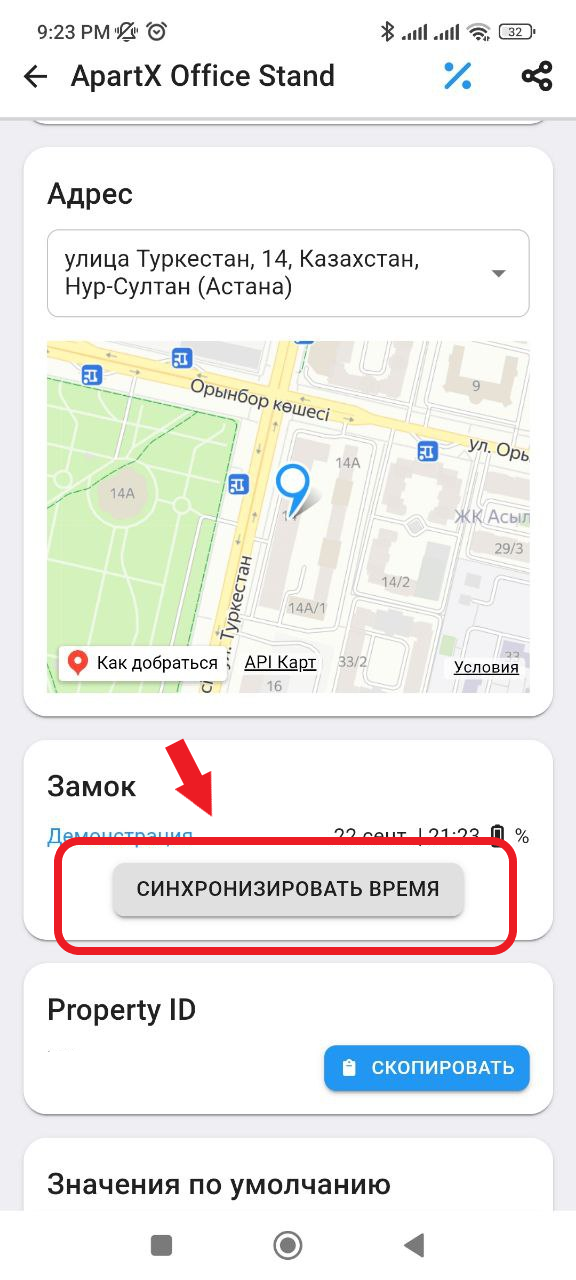
3. In the Lock column, click on the " Synchronize time " button. Next, you will receive a notification about successful synchronization. Synchronization is complete. (see example below)