Business verification for landlords
1. Before you can start verifying your business, you will need to go through identity verification.
2. In the ApartX application, click on the " Settings " button, then click on " Profile ". (See example below). In the window that appears, click on the " ApartX ID " button, in the next window, click on the " Business " button. (See example below) 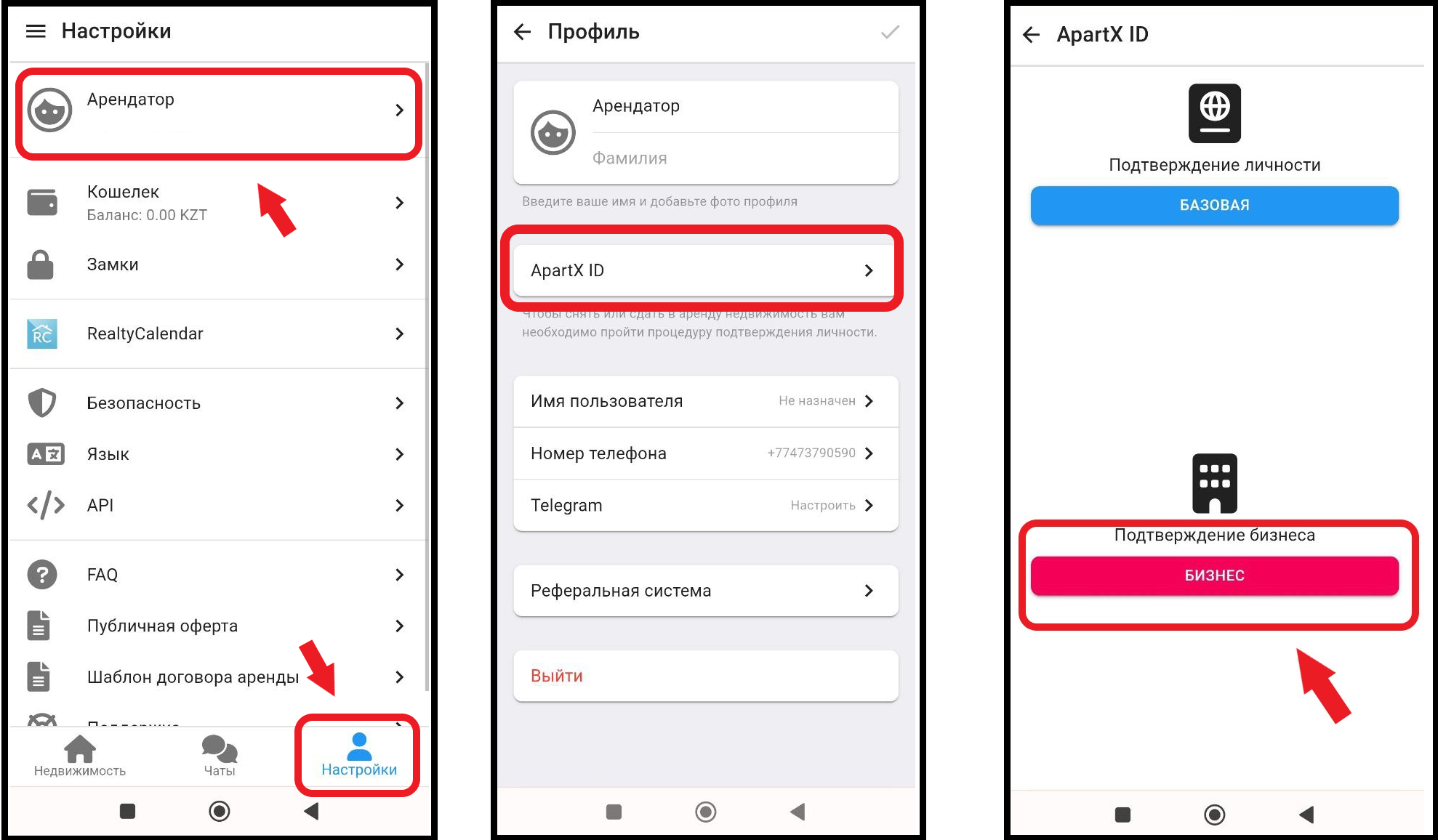
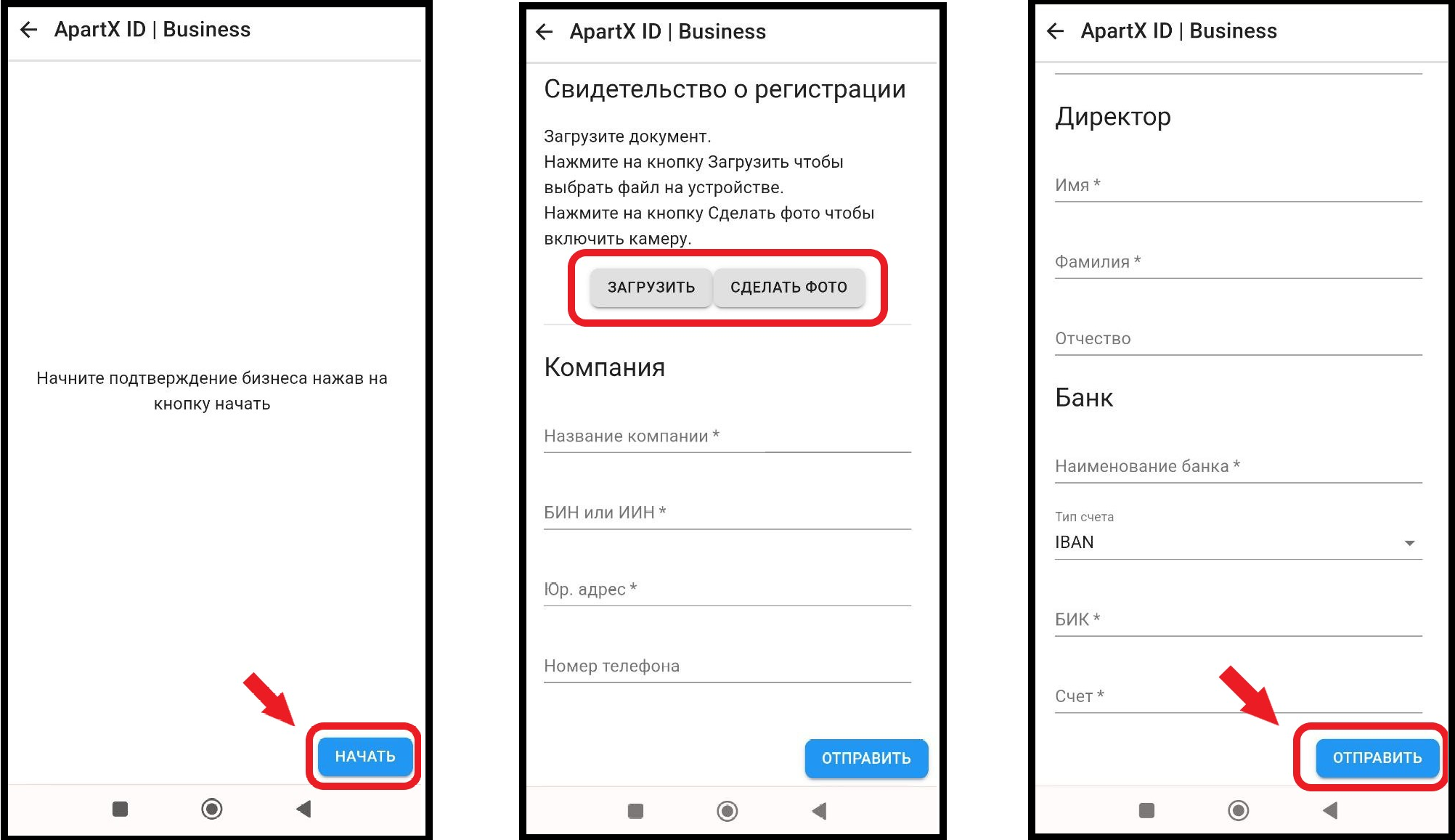
3. In the window that opens, click on the " Start " button, then you will need to fill out a form and upload documents about your company, and finally click on the " Send " button. *Business verification confirmation is carried out manually by ApartX representatives . (see example below)