How to connect to Airbnb
1. Set up a connection to Airbnb via the web version of apartx.co . In the main menu, select the apartment you want to add. (see example below) 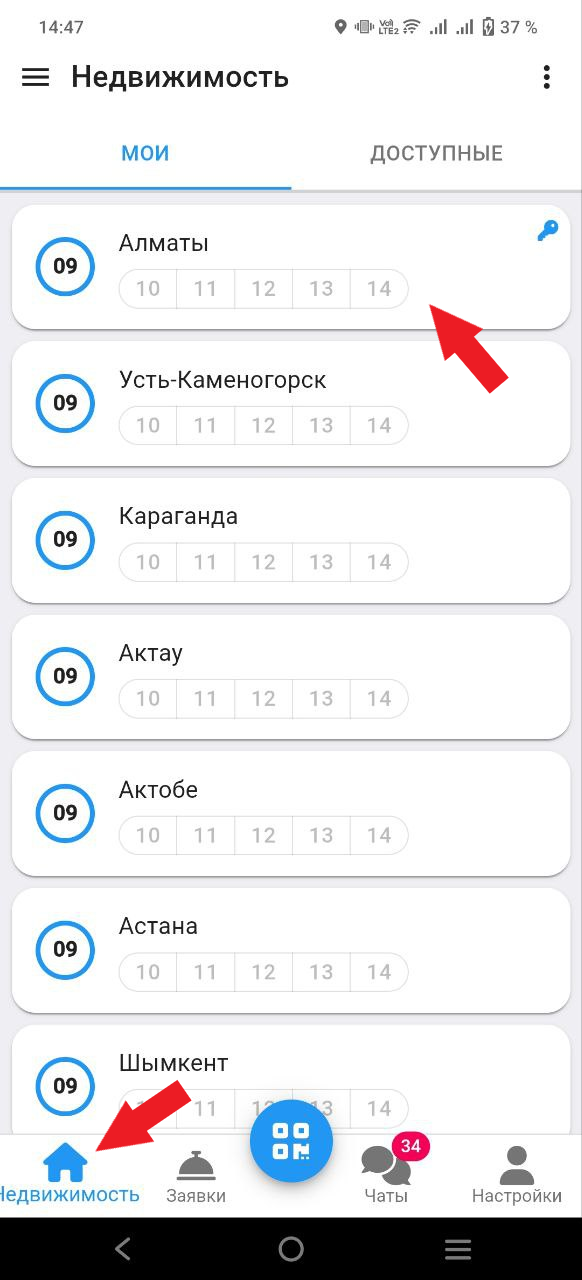
2. Click on the info button (see example below). 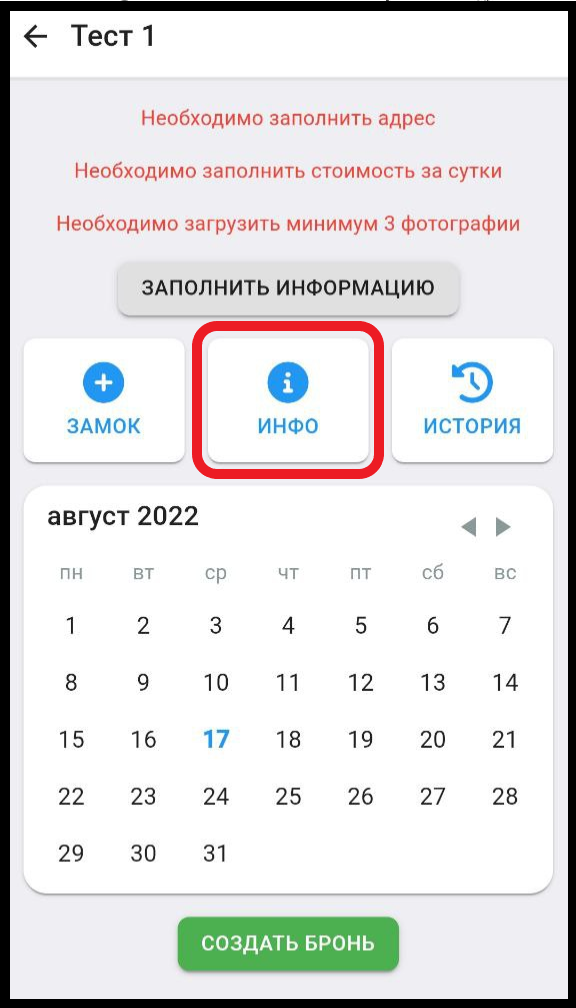
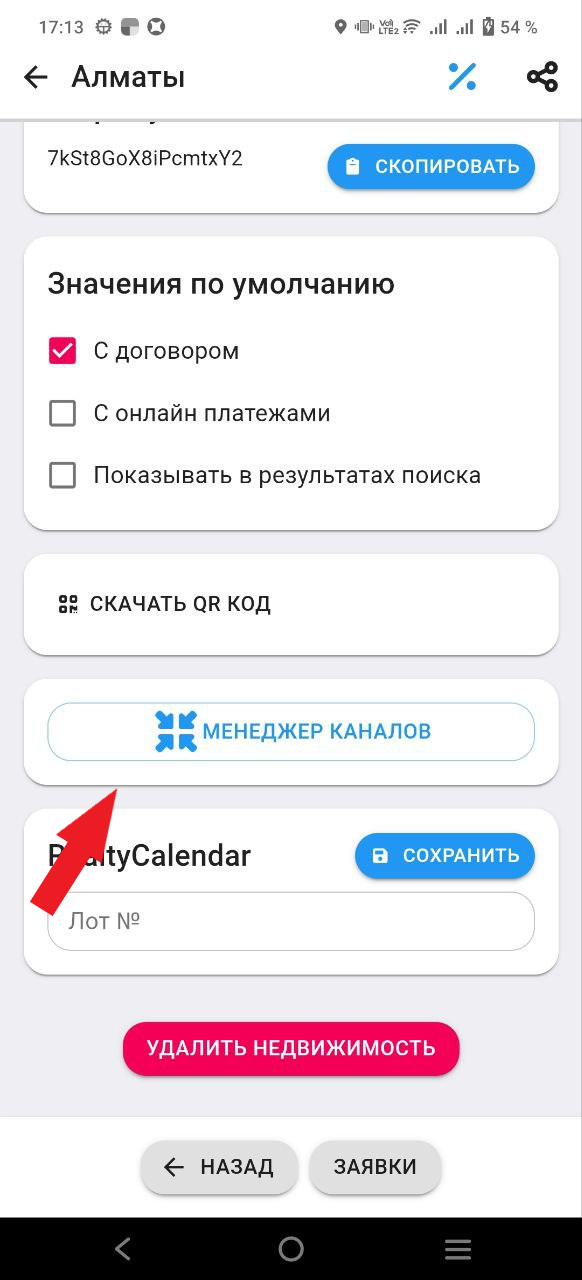
3. Click on the channel manager button. (see example below).
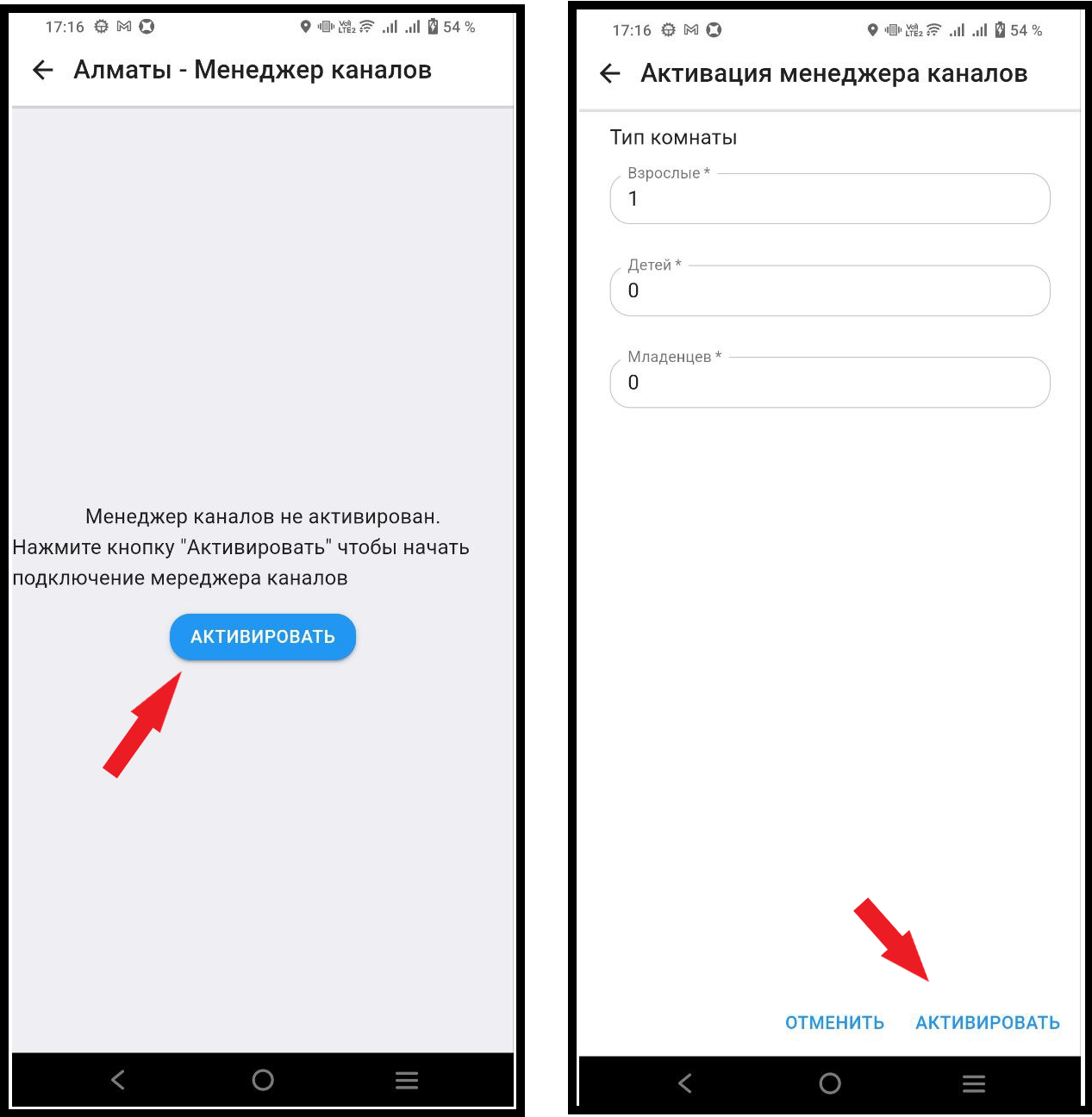
4. Click on the "Activate" button, then. Next you also need to click on the "Activate" button. (see example below)
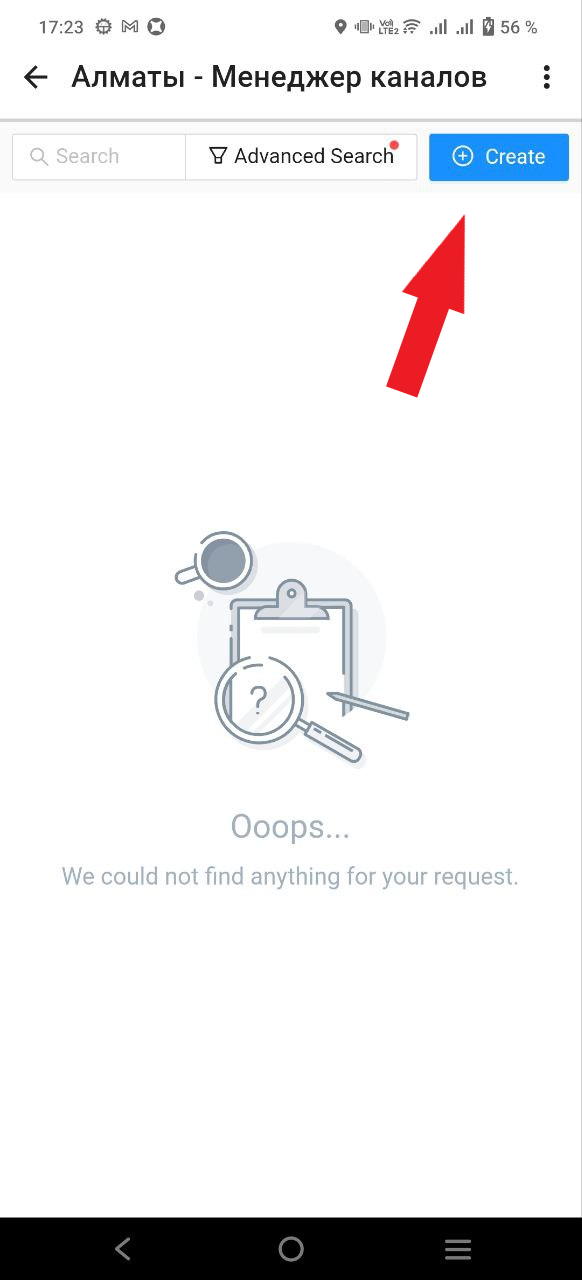
5. Next, click on the "Create" button. (See example below)
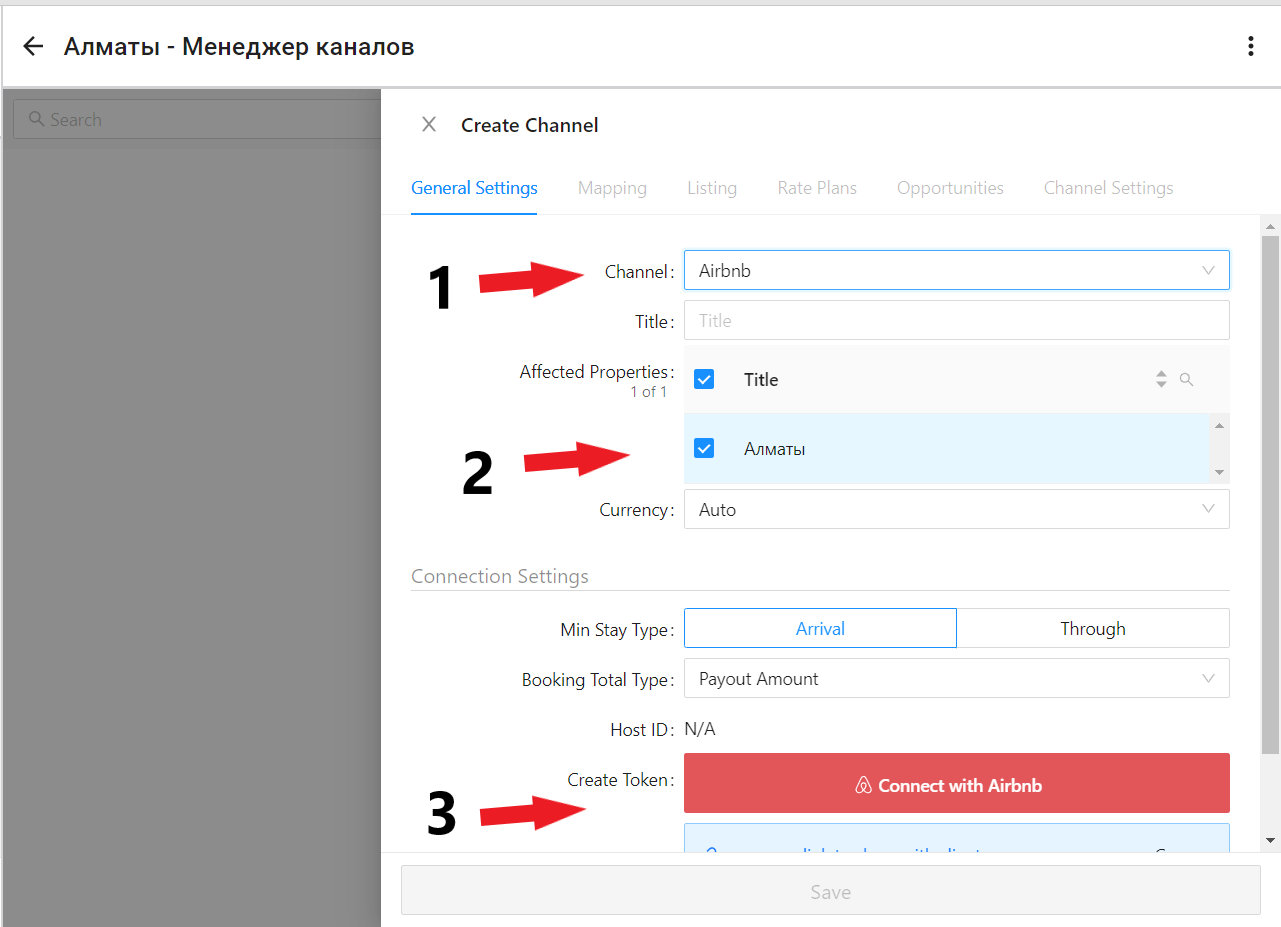
6. Select in the section "Chanell" - AIrbnb. Then in " Affected Properties" select the apartment that you want to link to the ApartX service. Then click on the button "Connect with AIrbnb" . At the end you will need to click on the button "SAVE" . (see example below)
7. Next you will be redirected to the Airbnb.com page, click on the "Allow" button.
8. Then return to the apartx page. In the window that opens, you will need to select the "Mapping" section. After that, from the list of apartments that are added to Airbnb, you will need to select the apartment that you are connecting to our service, then click on the "Not mapped" button. (see example below) 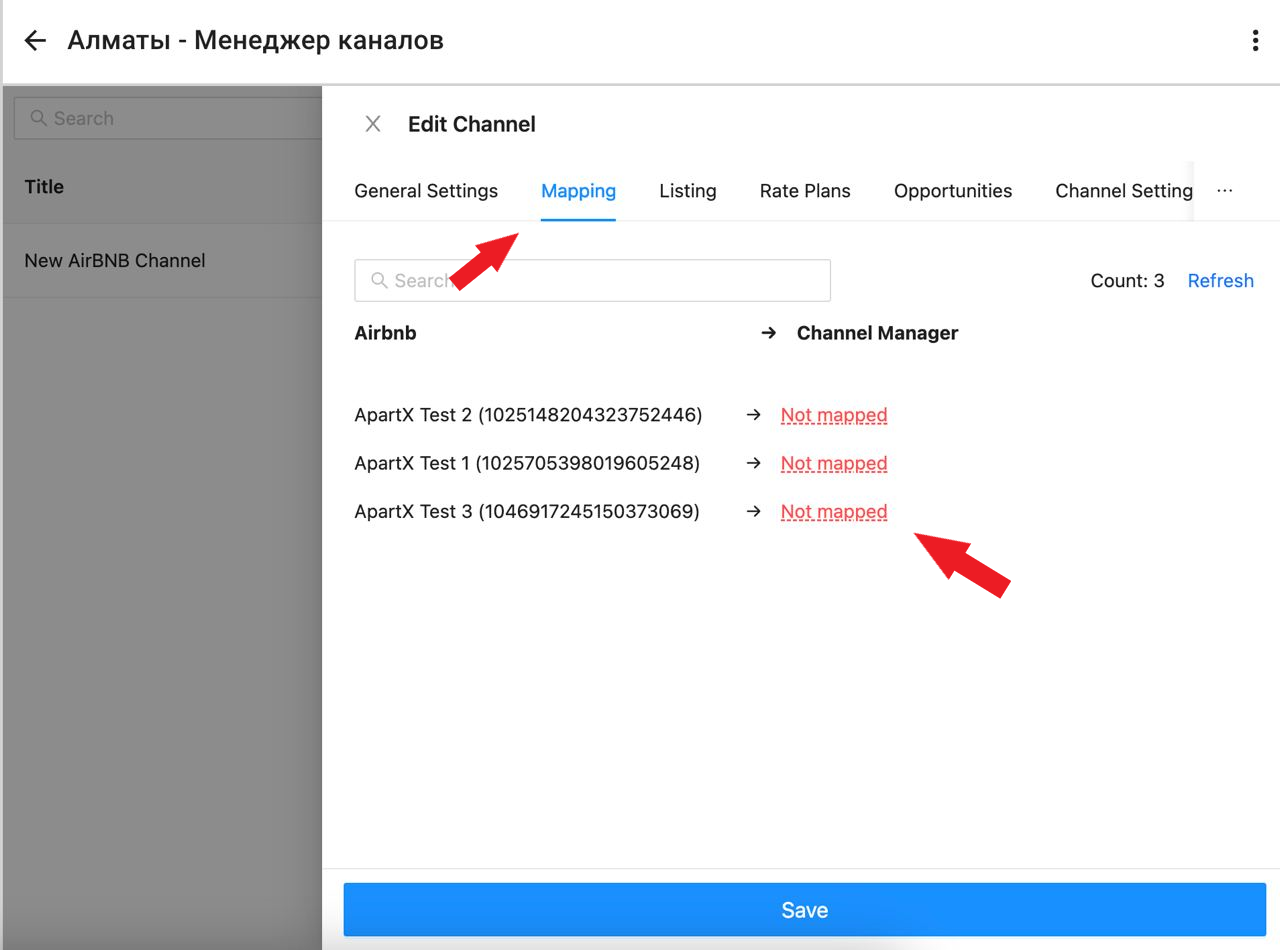
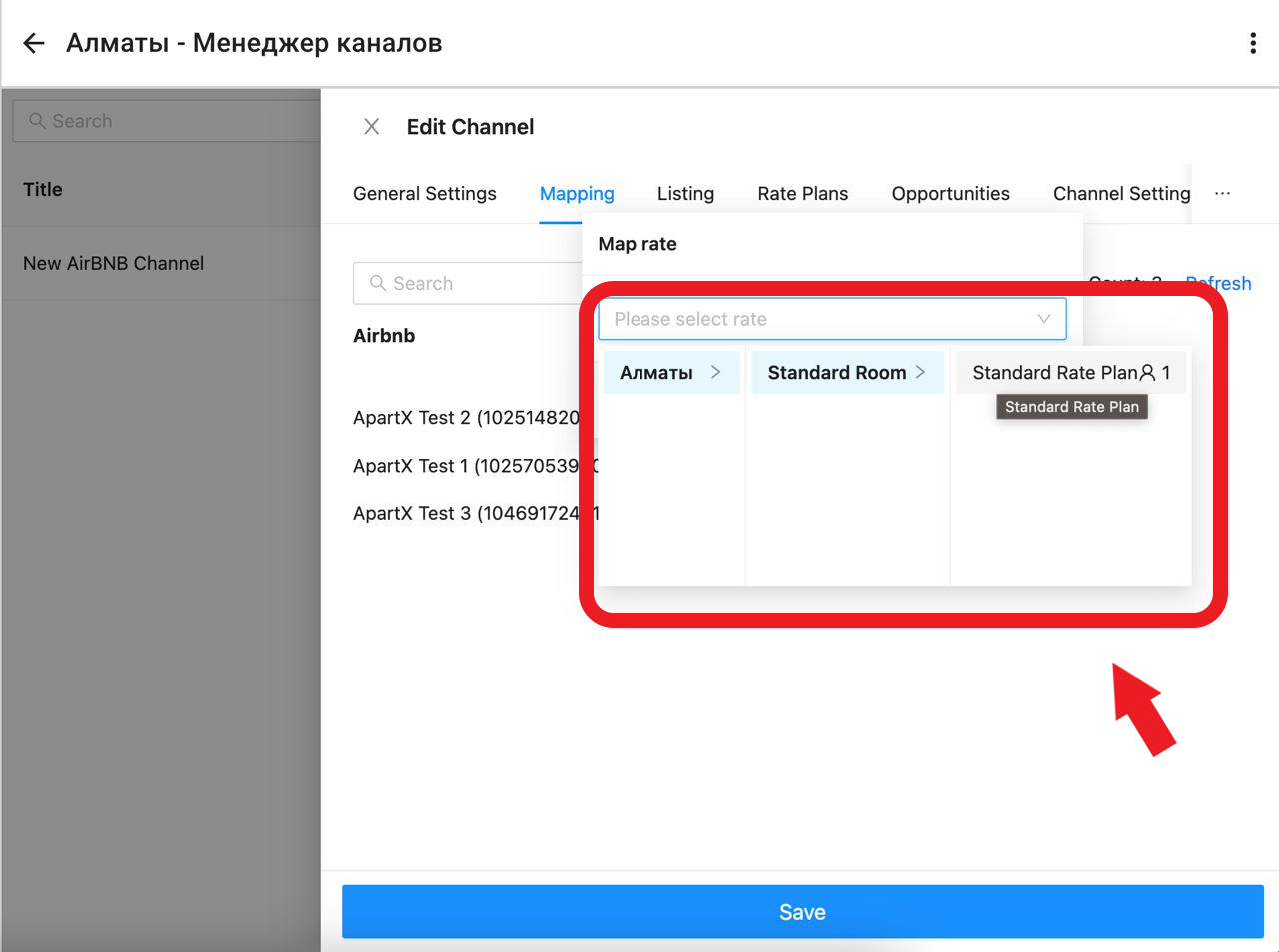
9. In the window that opens, you will need to link your tariff plan to your apartment and click the "SAVE" button. (See example below)
10. After selecting the tariff plan, in the window that appears, click on the "Action" button, in the list that opens, click on the "Activate" button. Then click on the "OK" button (see example below) 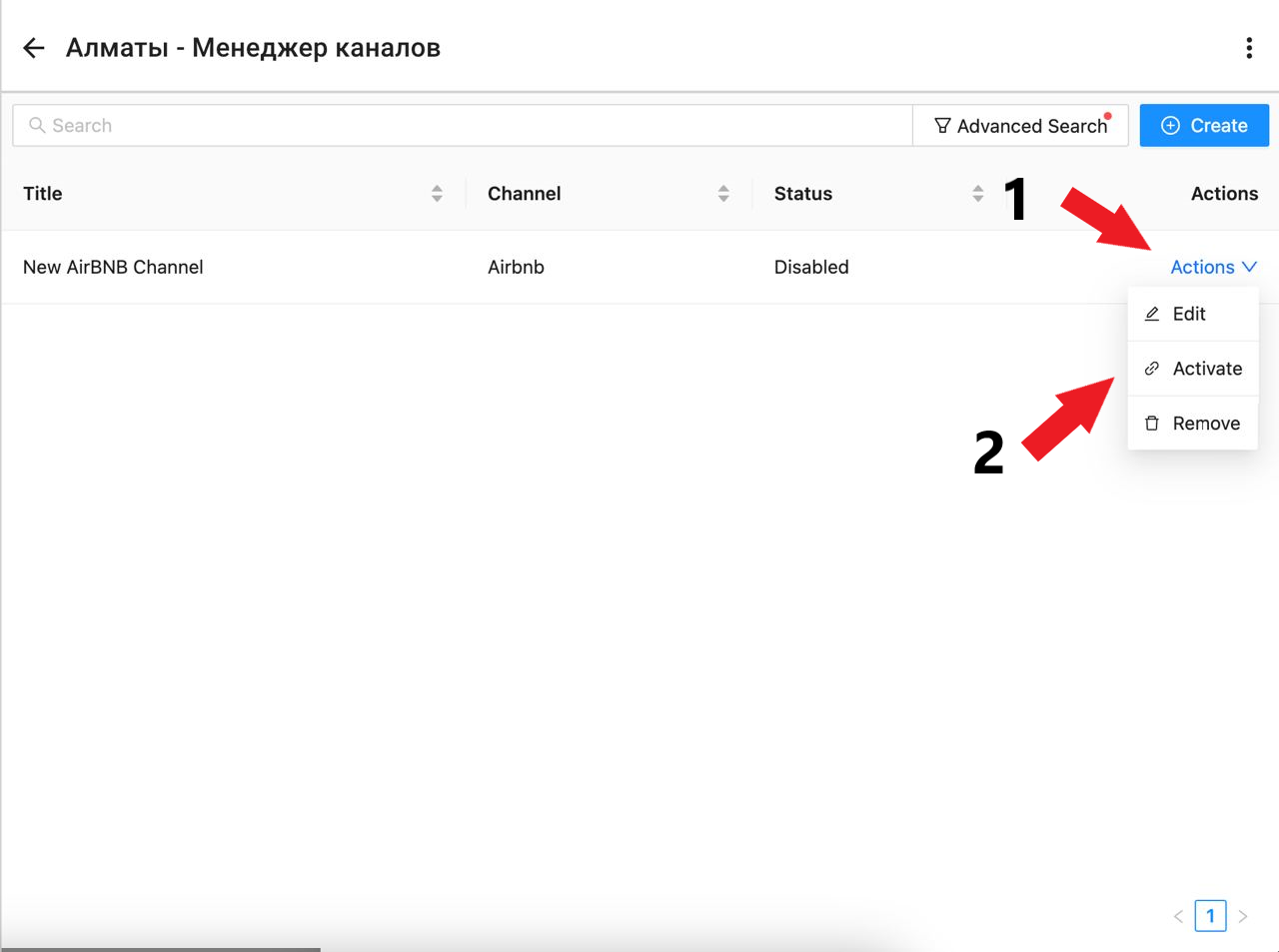
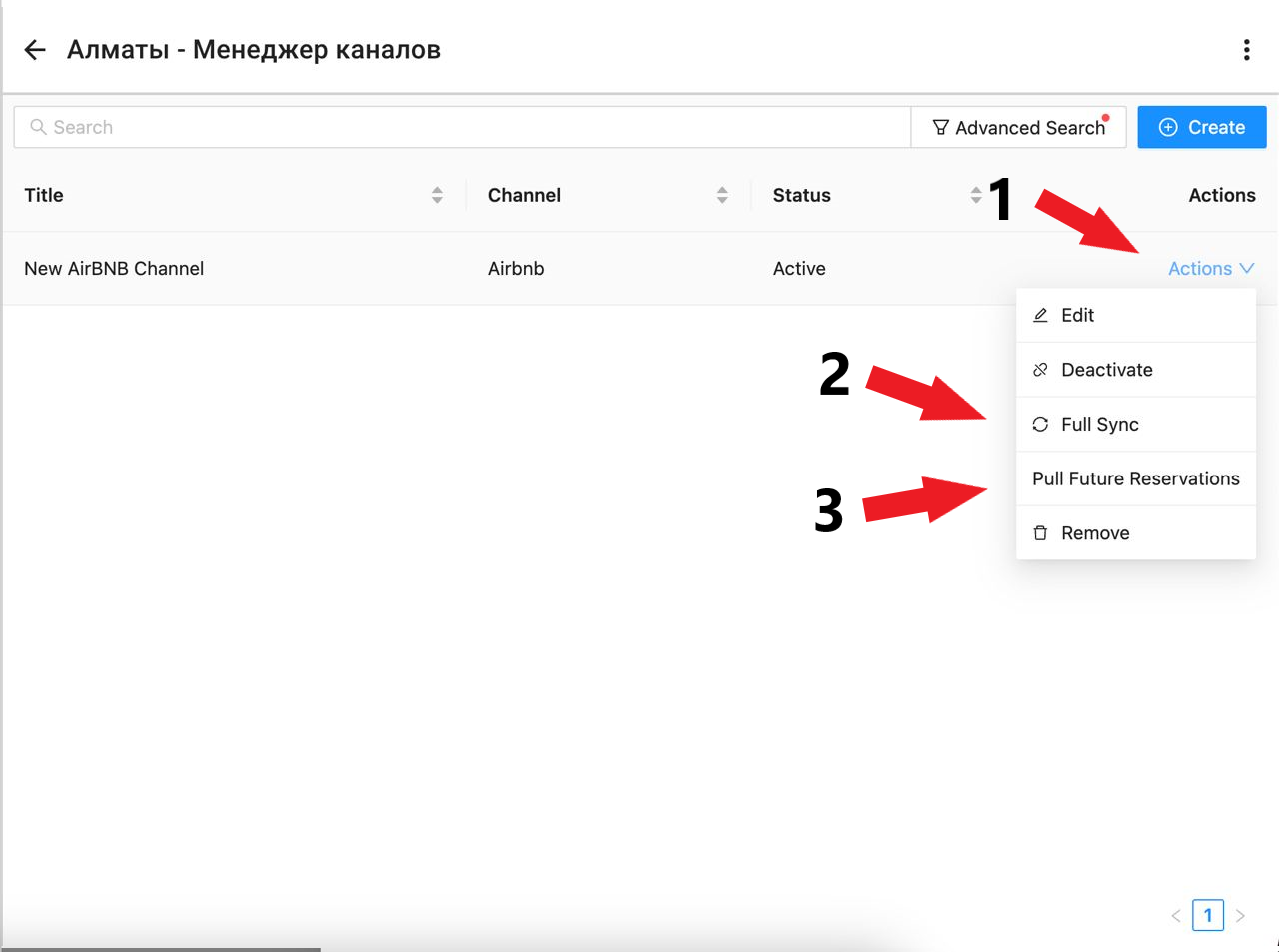
11. After that you will need to repeat the actions by clicking on the "Actions" button and selecting the "Full Sync" and "Pull Future Reservation" sections from the list one by one . Then return to the main menu of the application, synchronization with Airbnb is complete. (see example below)