Change language in the application
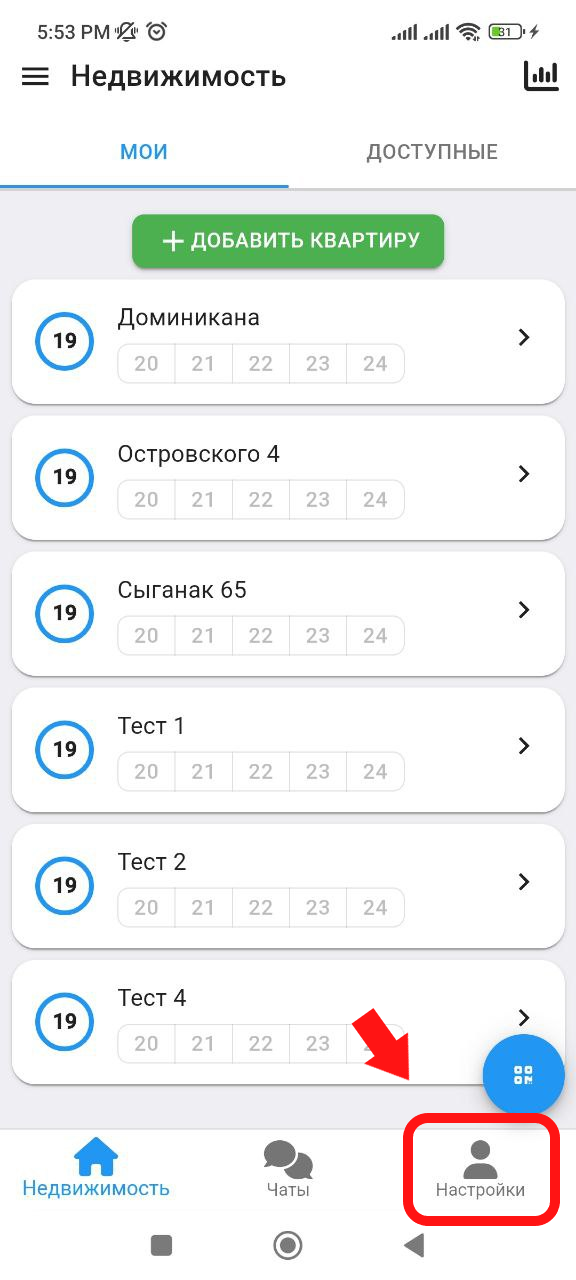
1. In the main window, click on the " Settings " button, which is located in the lower right corner. (see example below)
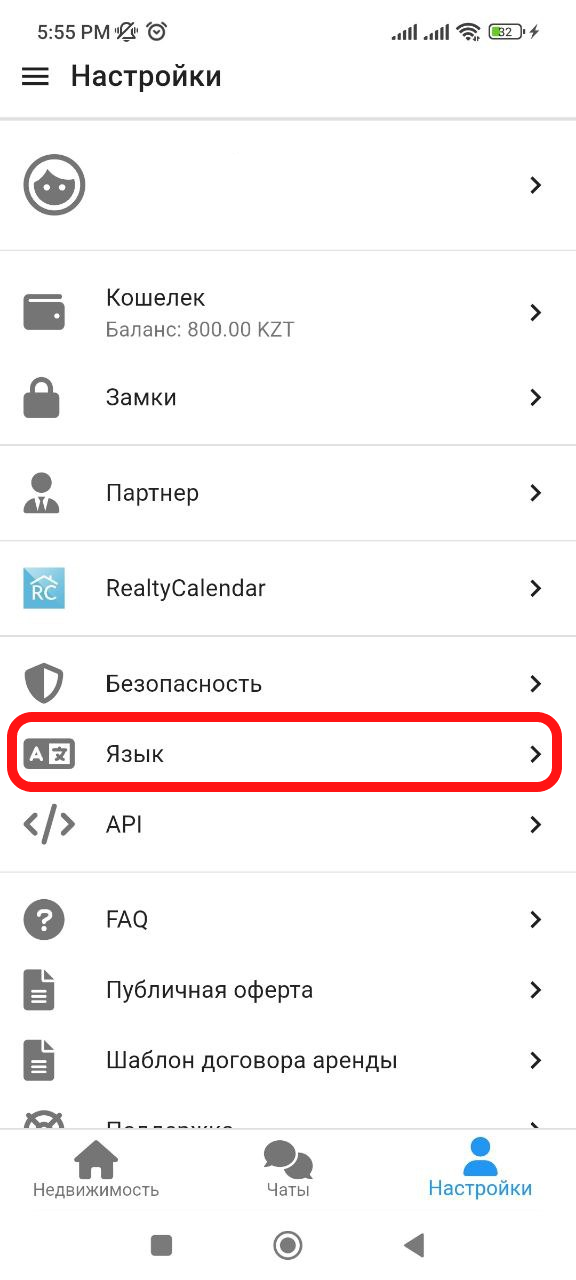
2. In the window that appears, click on the " Language " button. (See example below)
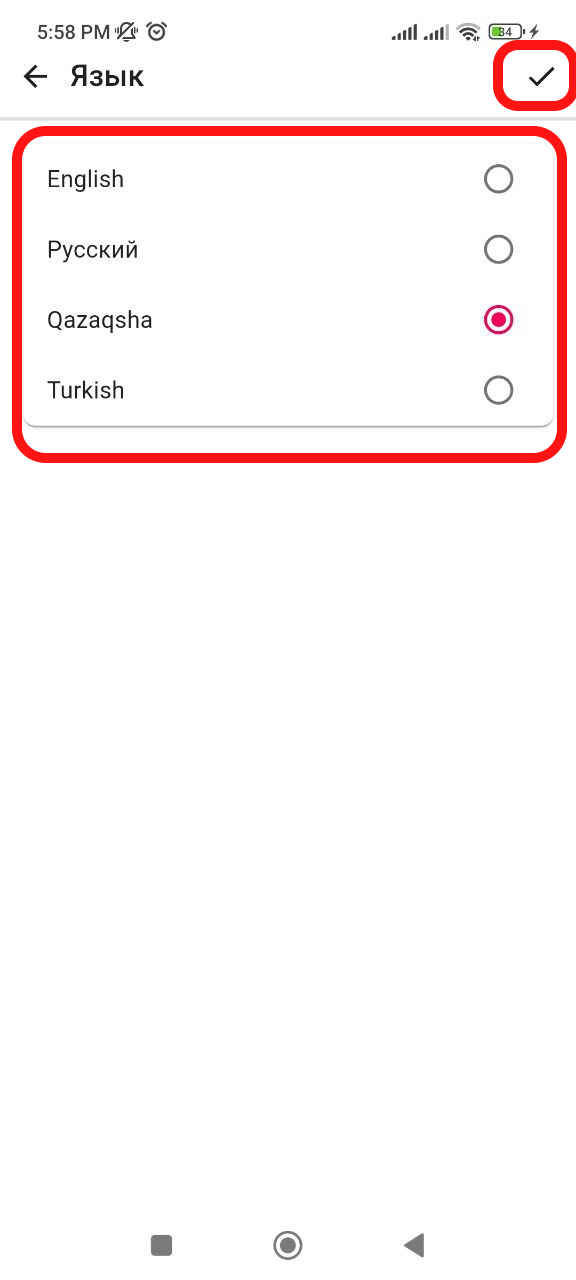
3. In the window that opens, select the language that suits you by clicking on the language itself. Then, after you have selected the system language, click on the check mark " ✔ " in the upper right. The language selection is complete.