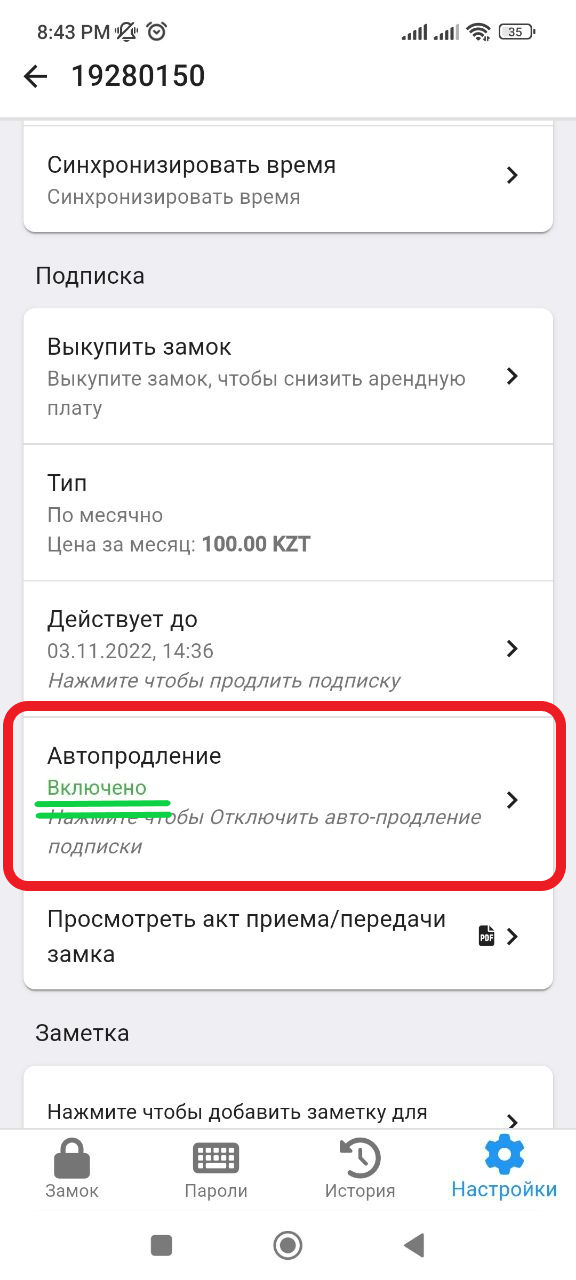
Auto-renewal of subscription
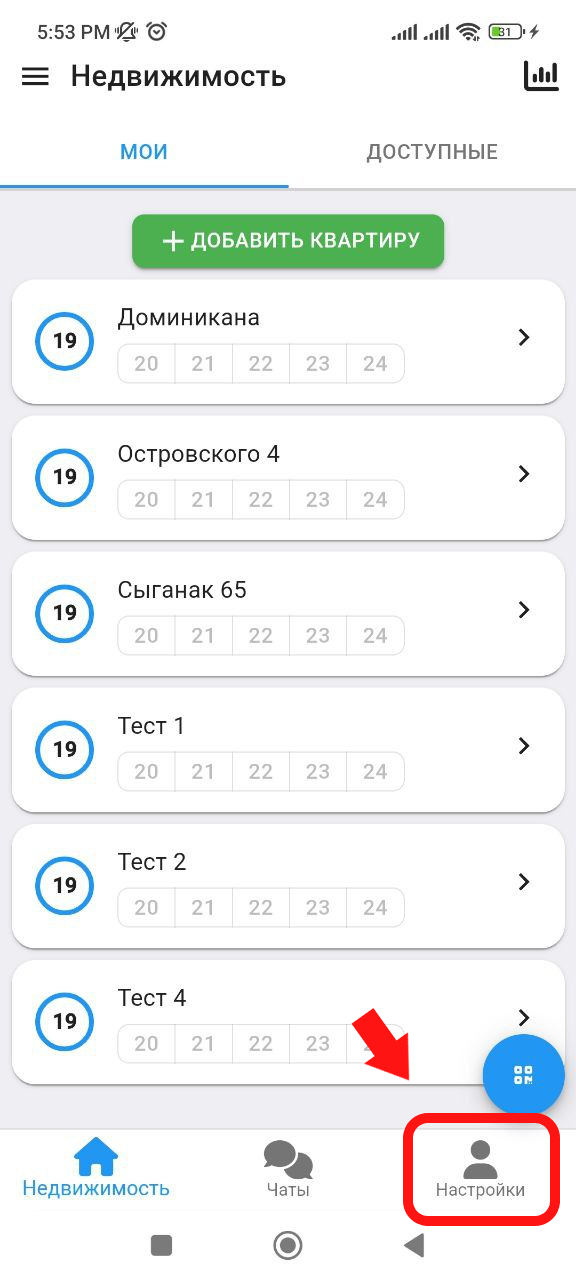
1. In the main window, click on the " Settings " button, which is located in the lower right corner. (see example below)
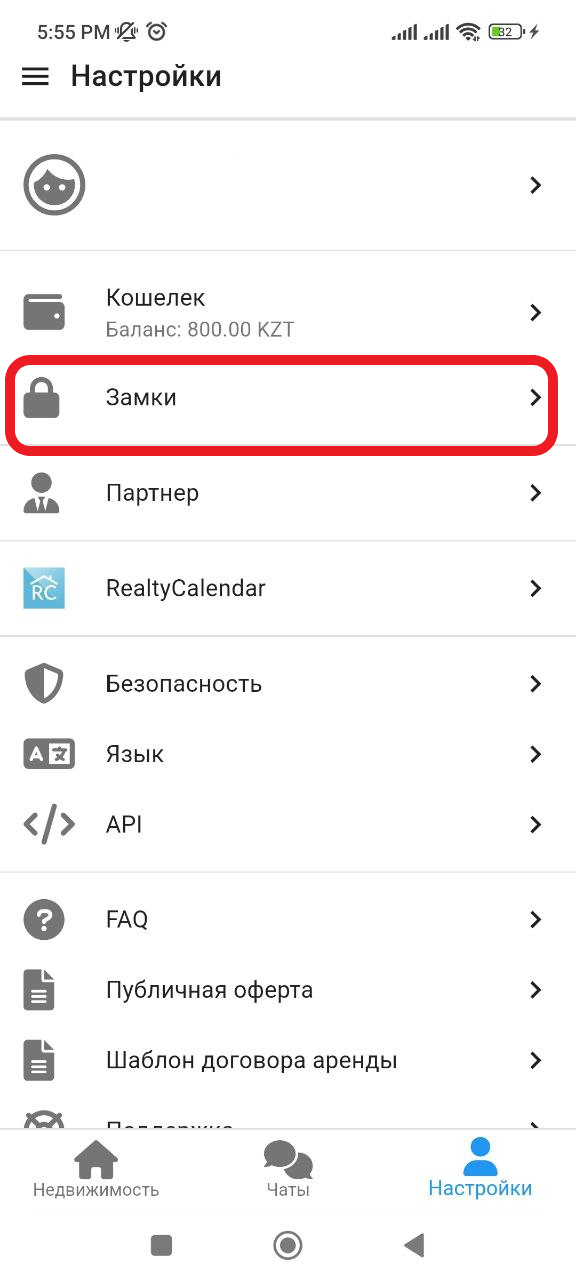
2. In the window that appears, click on the " Locks " button. (See example below)
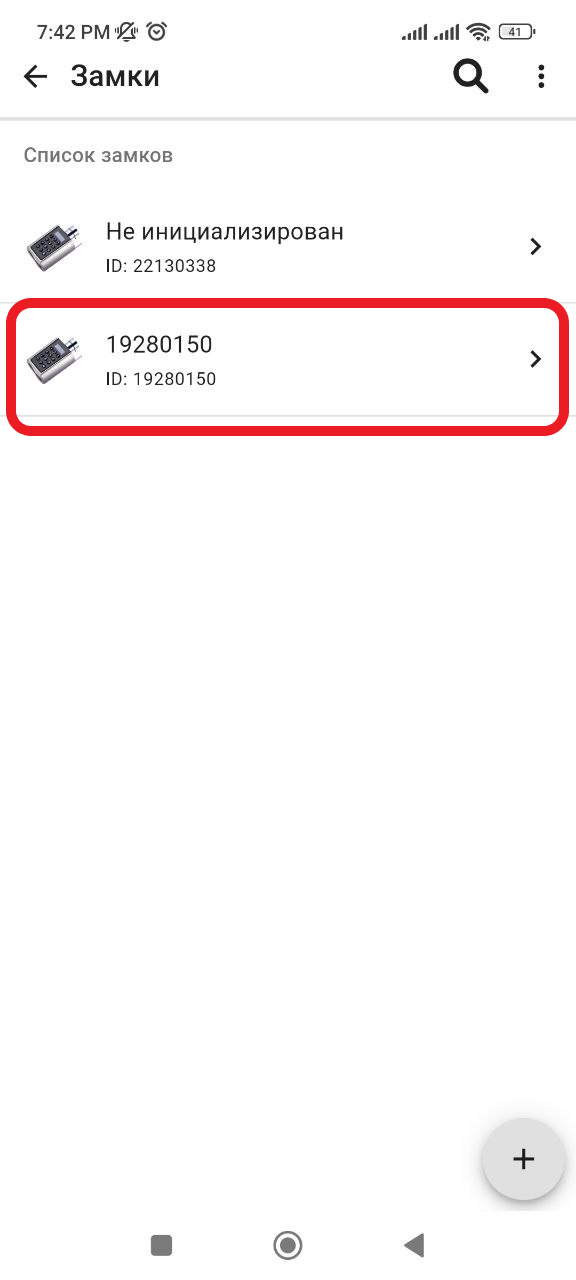
3. In the window that opens, select the lock on which you want to set the automatic renewal of the subscription. (see example below)
4. Next, click on the " Settings " button. (See example below)
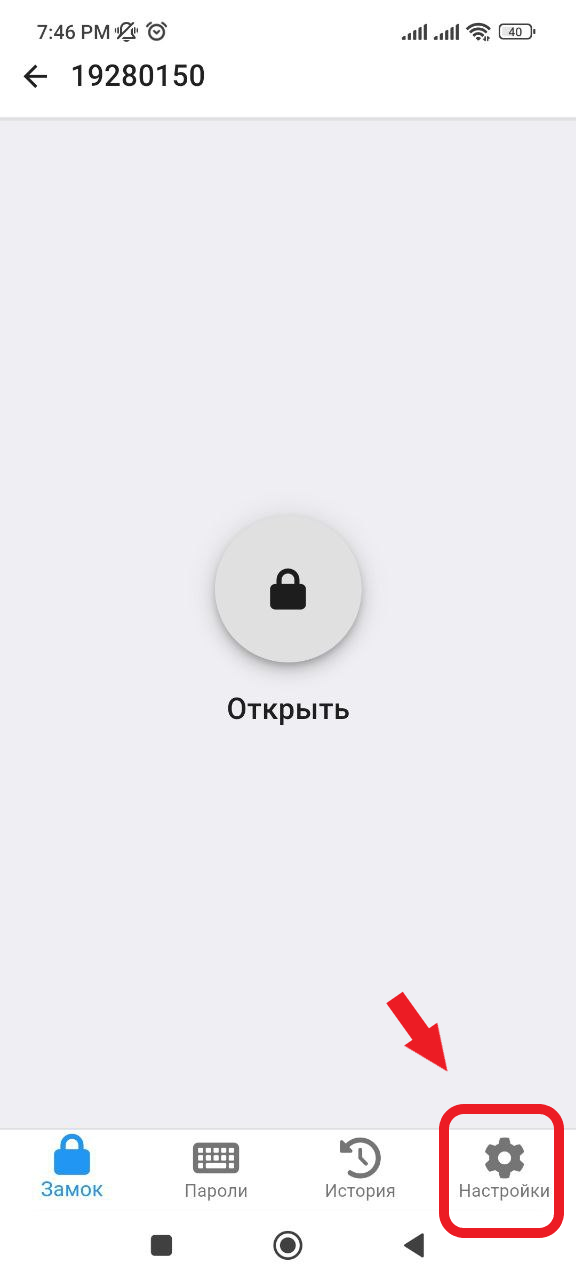
5. In the window that opens, in the Subscription section, click on the " Auto-renewal " button. (See example below) 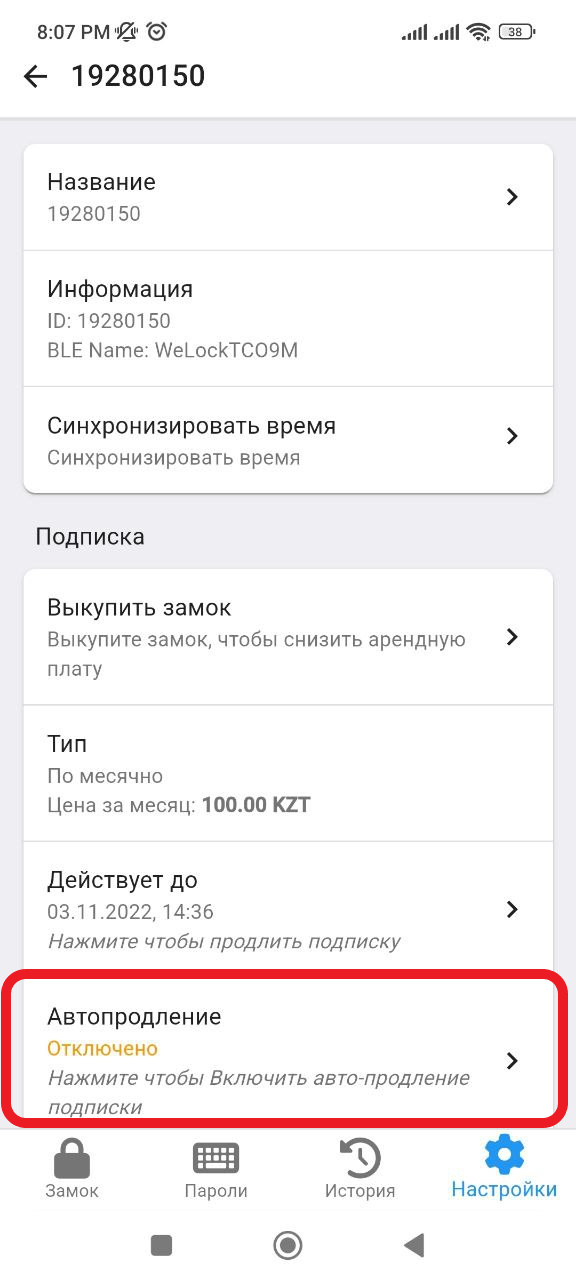
6. Then the Auto-renewal status will change to " Enabled ", thus the subscription will be written off automatically once a month. * Make sure that there is an amount in your wallet to write off the subscription. (see how to top up your wallet https://help.apartx.co/ru-RU/support/solutions/articles/150000008707-попотеполь-кочелка ) . Auto-renewal is complete.