
How to transfer a castle from a landlord?
1. After ApartX has transferred the locks to you under the acceptance certificate, you will be able to check the number of locks in the " Locks " column. (See the image below) 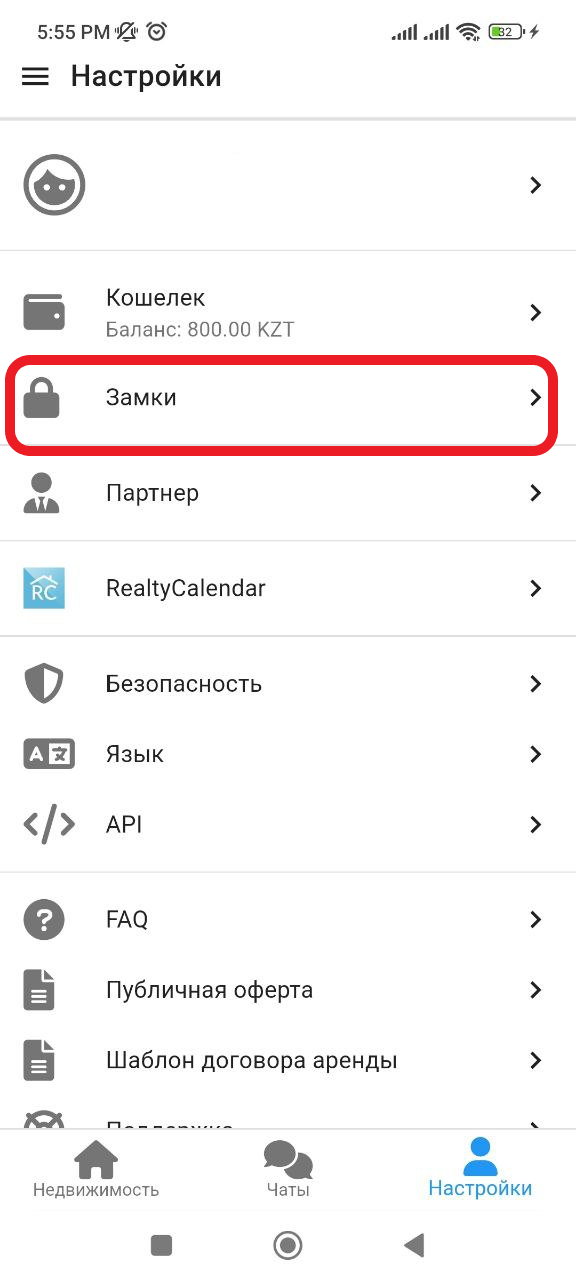
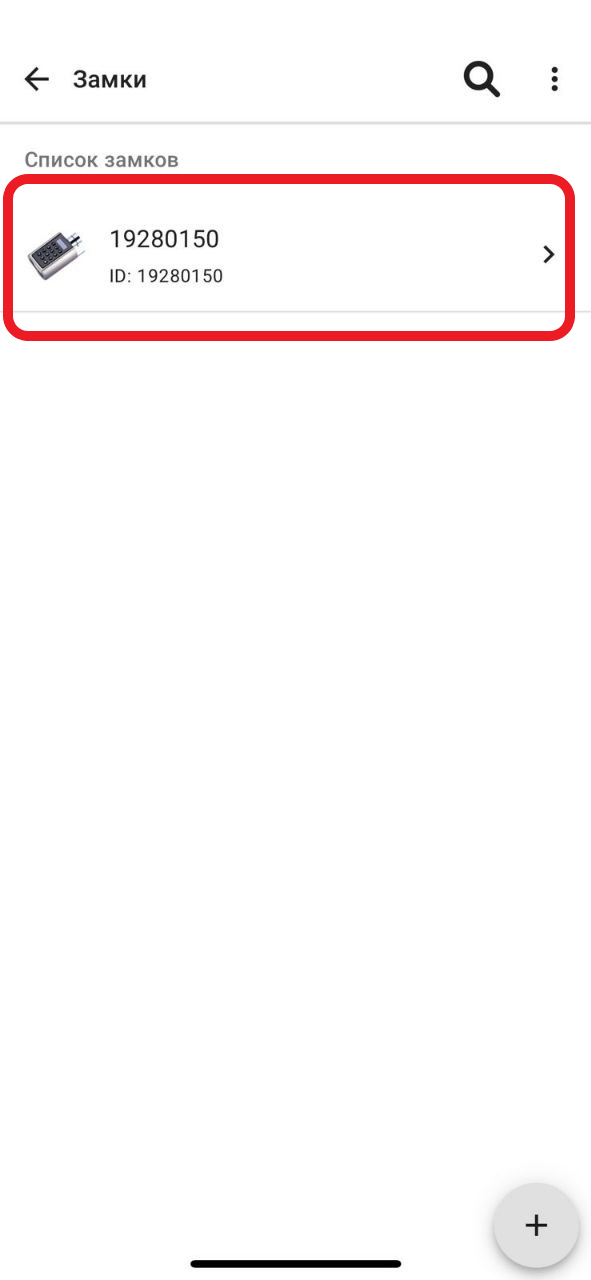
2. In the window that appears, select the lock that you want to transfer to the landlord. (See example below)
3. In the window that appears, in the " Agent's phone number " column, enter the landlord's contact information (write the phone number starting with +7 ), then in the list that opens, you will need to select it. (The landlord will need to be registered in our system and undergo identity verification.
- Registration https://apartx.freshdesk.com/ru-RU/support/solutions/articles/150000012614-registration-via-telegram-telegram-
- Identity verification https://apartx.freshdesk.com/ru-RU/support/solutions/articles/150000016209-подувжение-личии-черес-настойки ). To transfer the lock, also check the box in "  Sign the act ". At the end, click on the button " Send ". (See example below)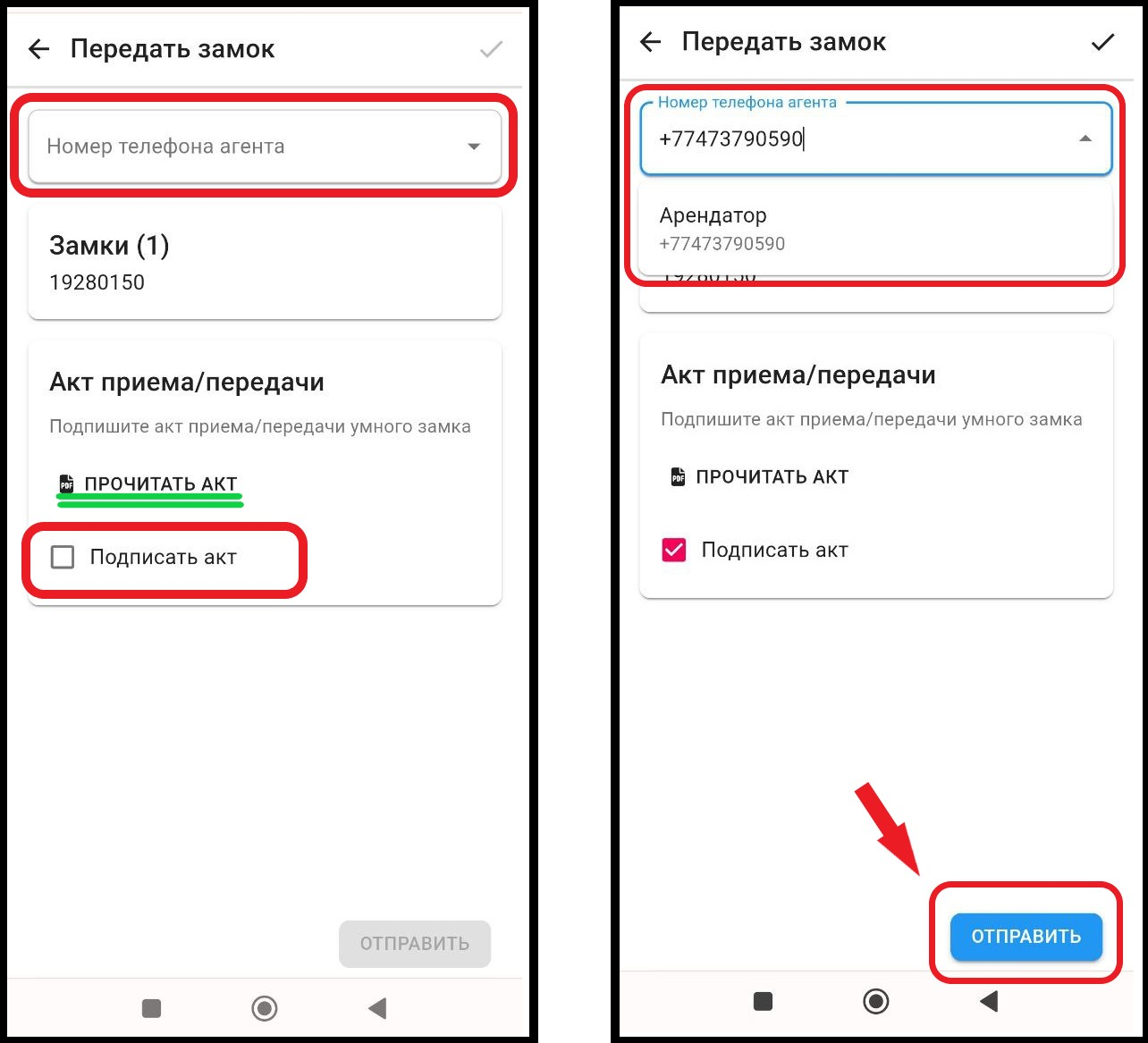
4. Next, the landlord must accept the lock by signing the acceptance certificate. ( Acceptance of the lock https://apartx.freshdesk.com/ru-RU/support/solutions/articles/150000016576-приключение-замка-от-apartx-для-ресэндодатели ). After that, you should receive a notification in Telegram about the successful transfer of the lock.