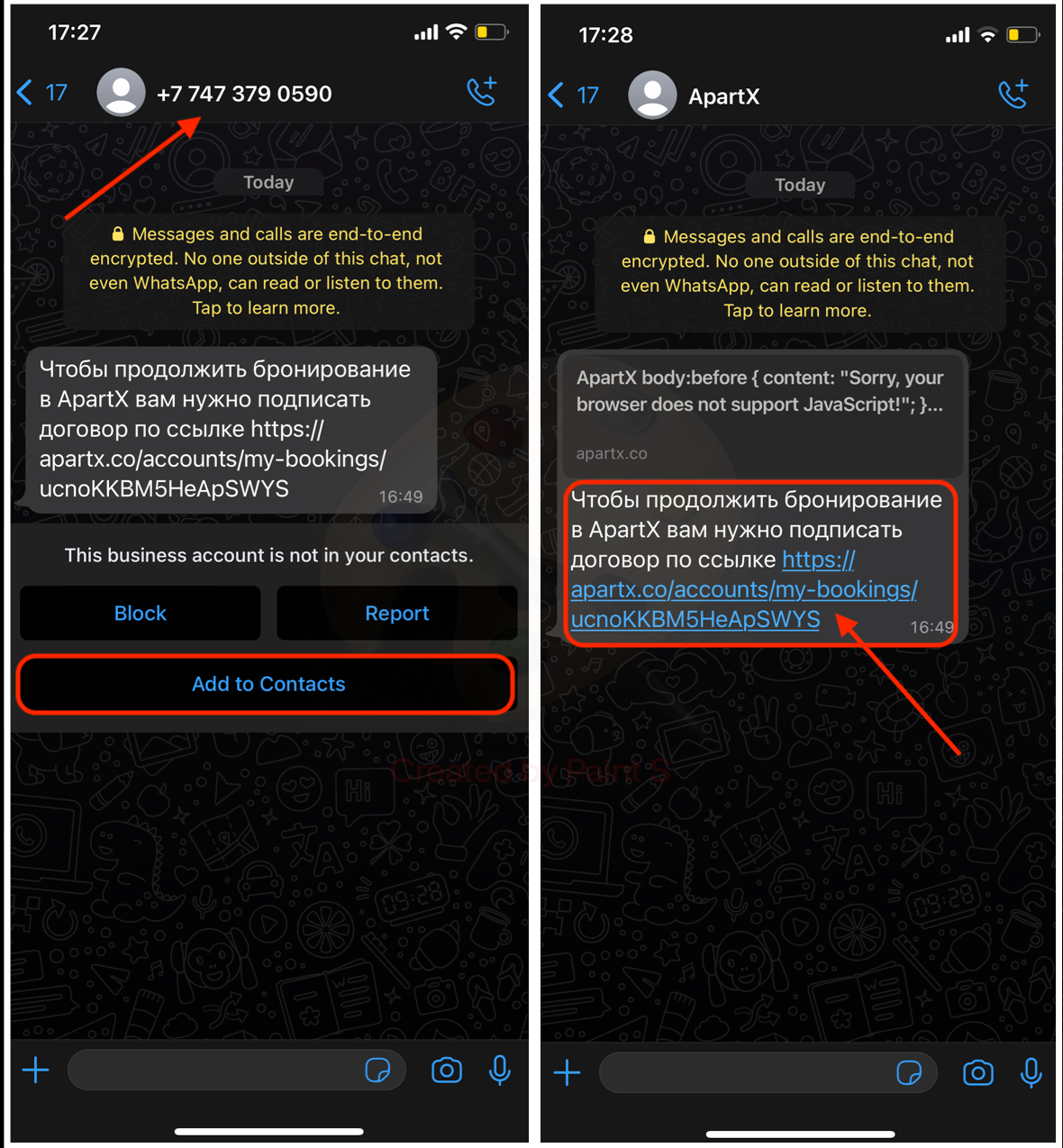
Transfer link to WhatsApp (WhatsApp)
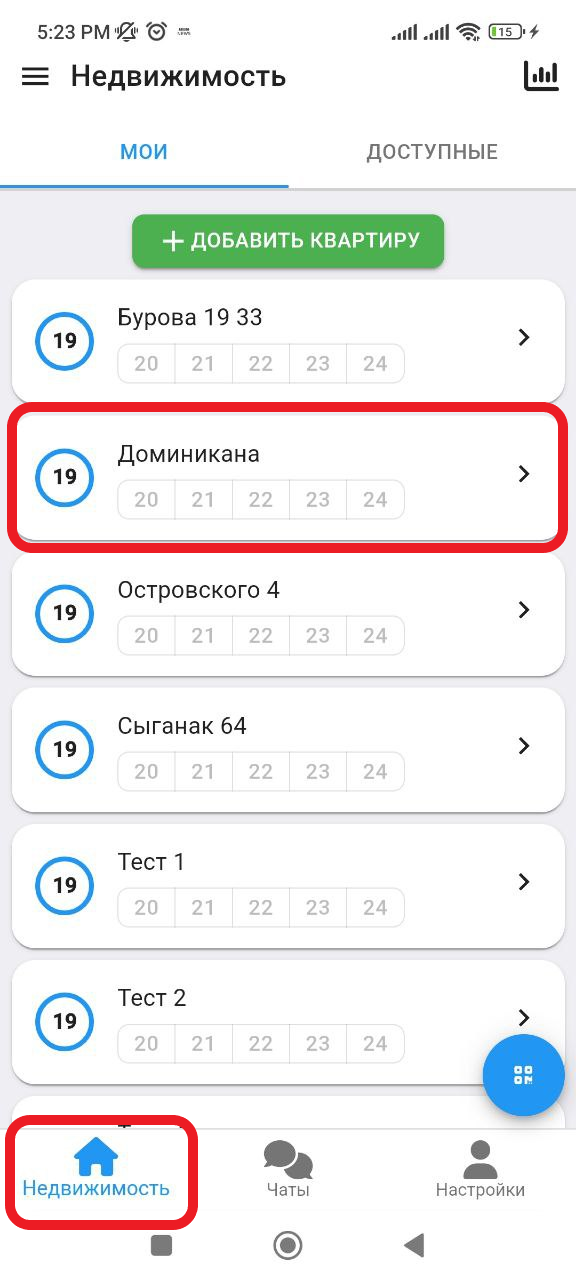
1. In the working window, click on the " Real Estate " button. Then select the real estate in which you want to create a reservation. (see example below)
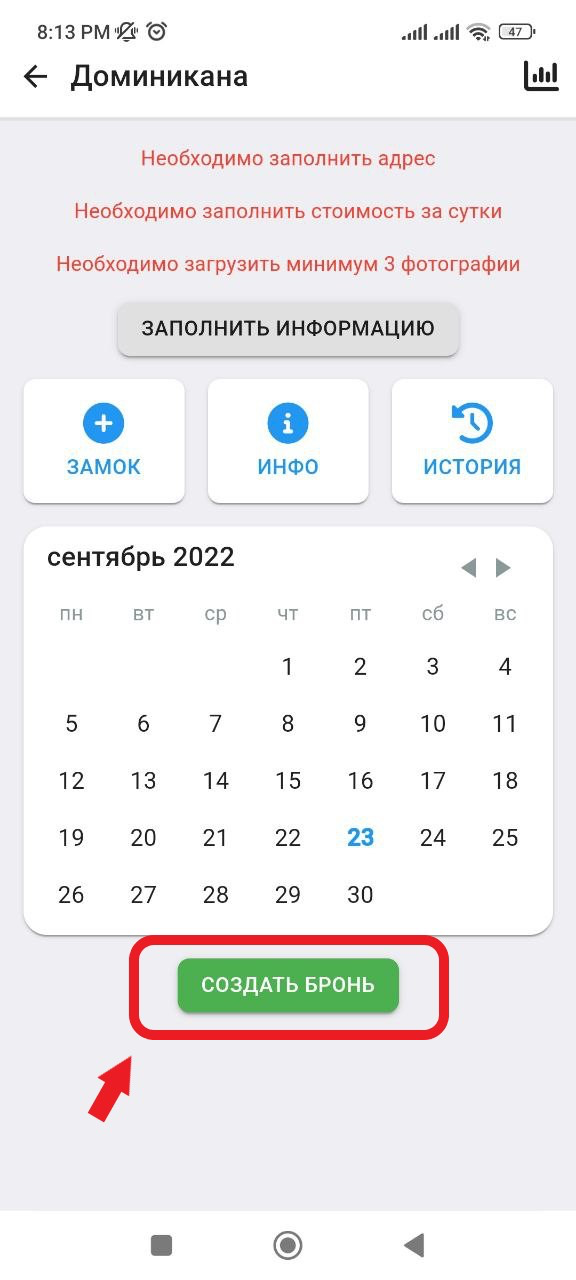
2. In the window that opens, click on the " Create a reservation " button. (See example below)
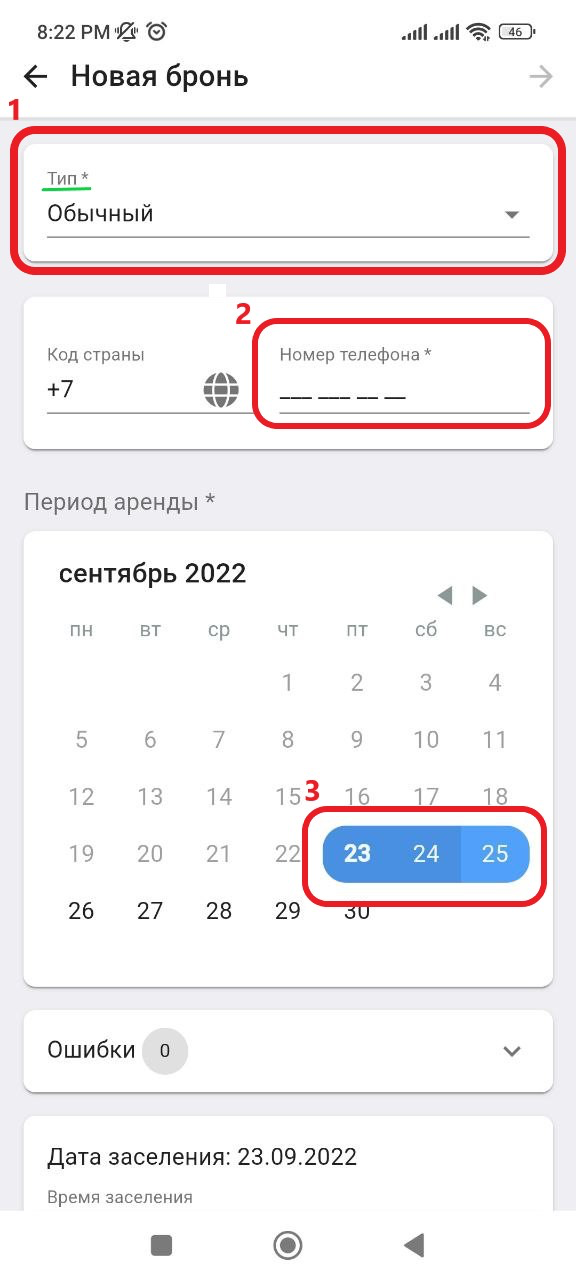
3. In the new window, in the " Type " column, select " Normal ", then enter in the " Phone number " column the contact information of the landlord for whom you are creating a reservation. Also, on the calendar, select the dates for which you want to reserve the property. (See the example below for points)
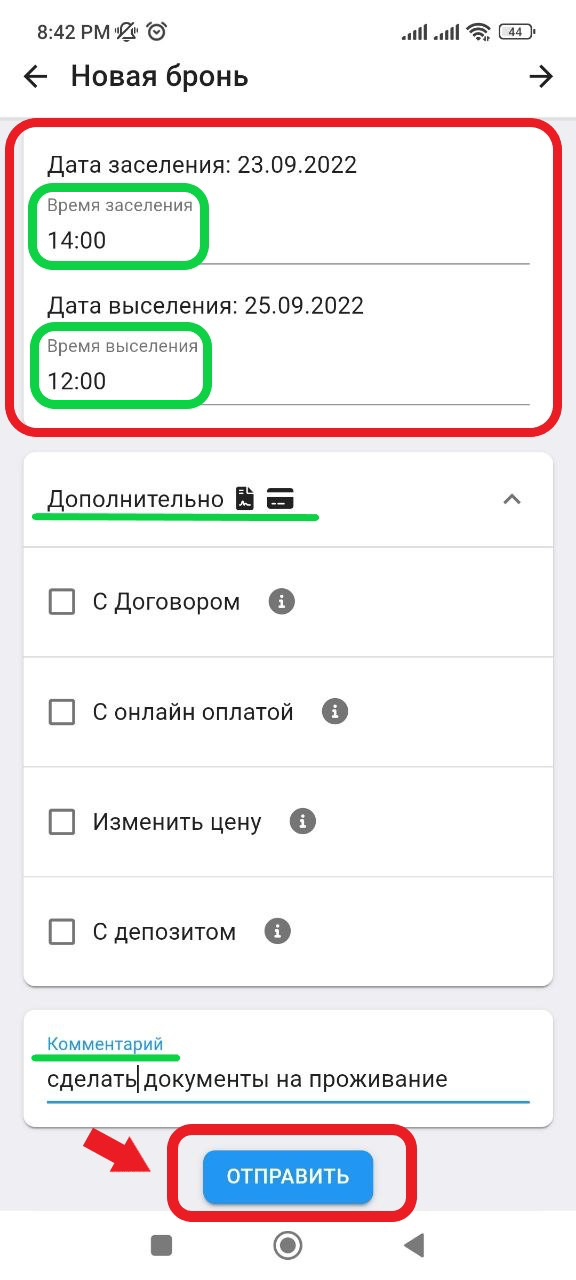
3.1 Then scroll down the page and you can change the tenant's check-in/check-out time. Also, by clicking on the " Additional " button, you can select the booking creation parameters:
- With the Agreement (link to create the agreement)
- With online payment (link to online payment)
- Change price
- With Deposit
In the " Comment " column you can write down information about this apartment or about the client. After filling in all the parameters, click on the " Send " button. (See example below)
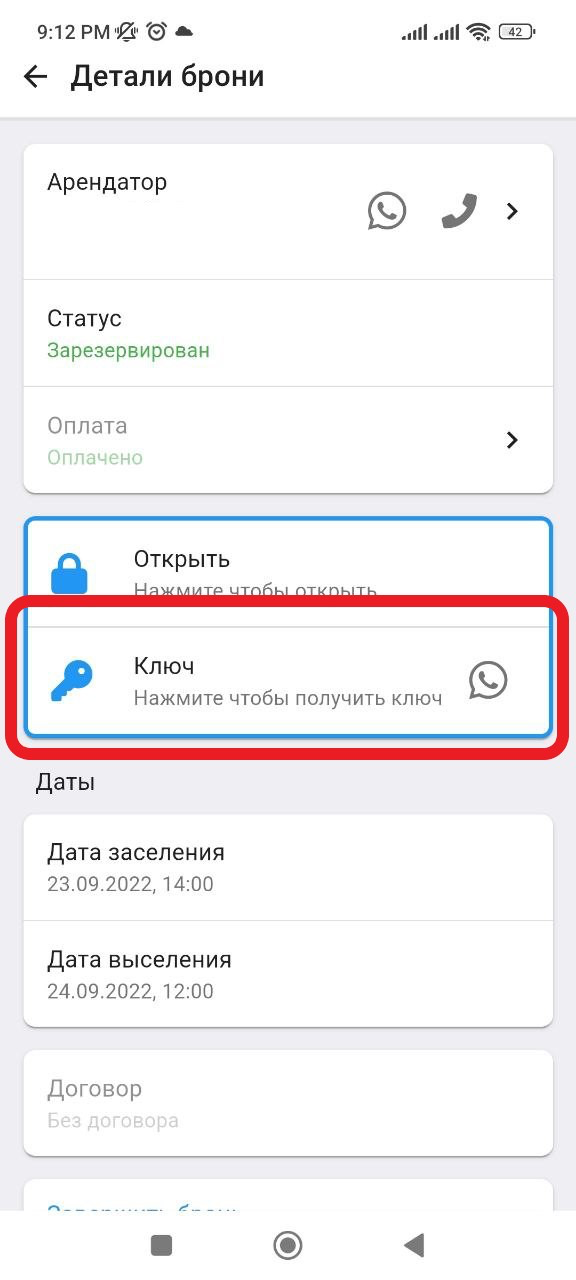
5. Next, after confirming the payment, you need to create an electronic key by clicking on the " Key " button. After you have read the warning, click on the " Key " button again. (see example below)
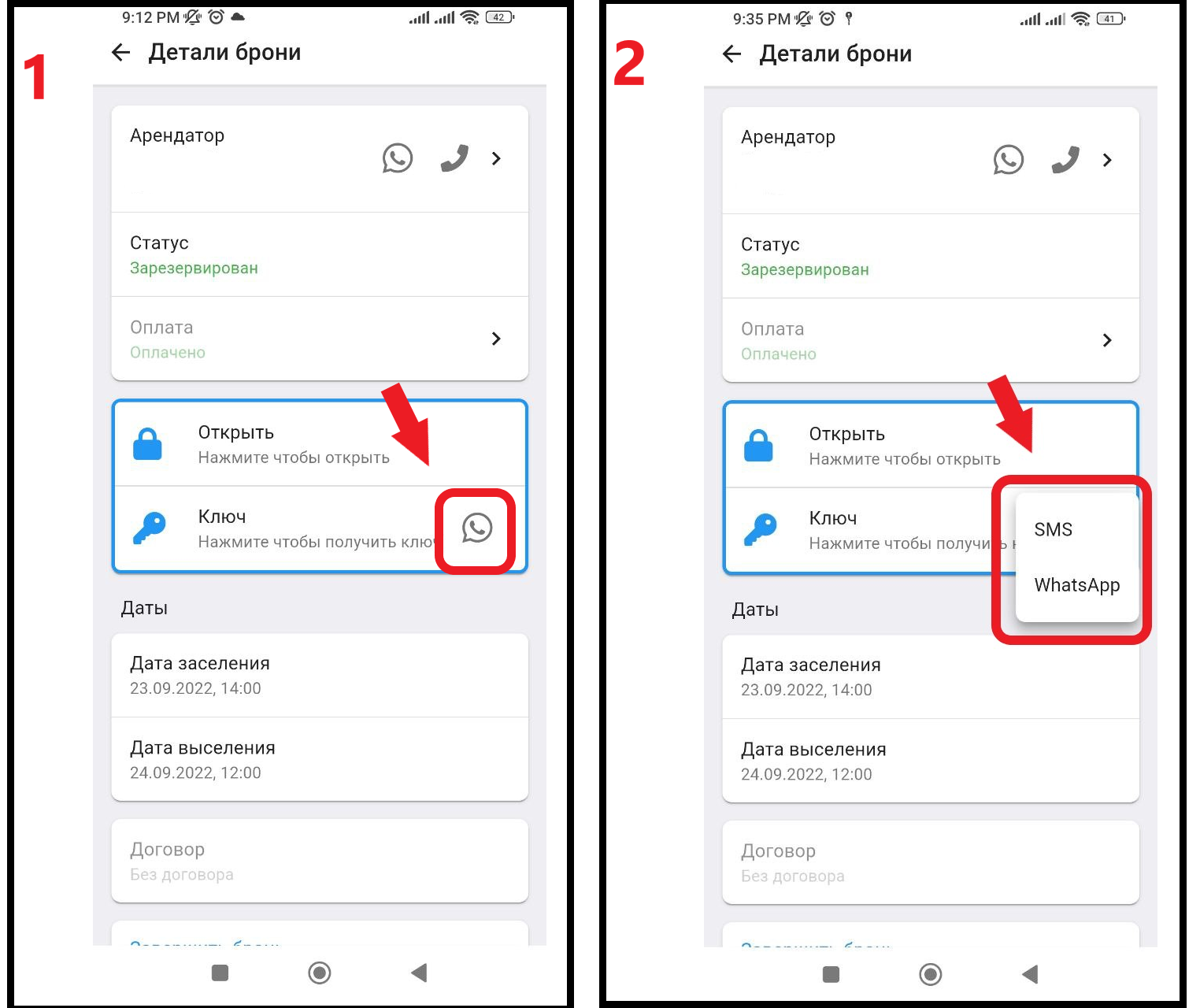
5.1 Next, you can transfer the electronic key via SMS or Whatsap by clicking on the button "  ". The armor creation is complete. (See example below)
5. For the tenant to have the link work, you need to open WhatsApp and save the contact. (See example below)