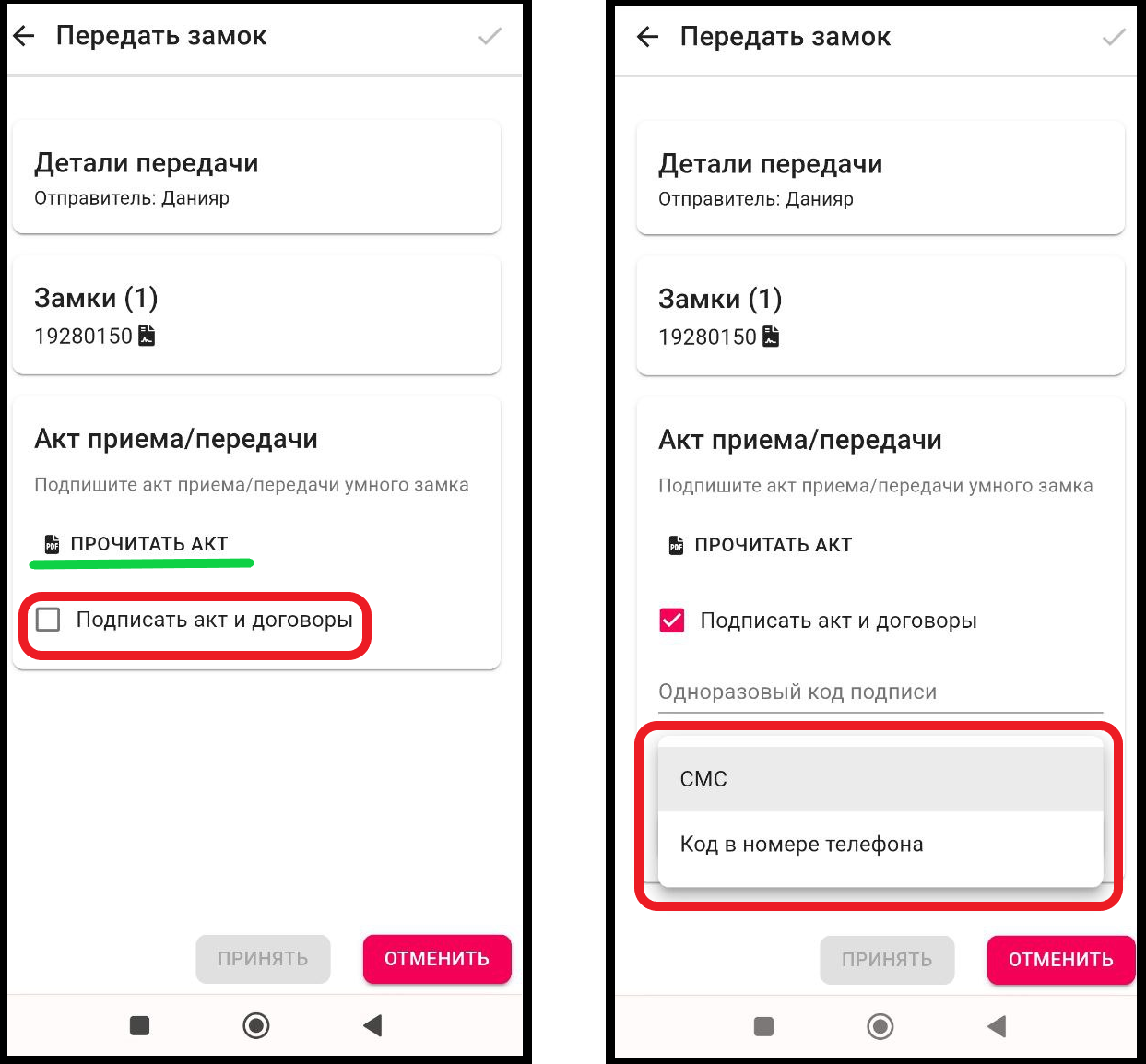
Acceptance of a lock from ApartX: for the landlord
If you are registered via telegram, you will receive a notification from ApartX about the transfer of the castle. ( Registration via telegram https://apartx.freshdesk.com/ru-RU/support/solutions/articles/150000012614-генерация-через-телиграм-telegram- )
1. In the working window, click on the " Settings " button. Then click on the " Locks " button. (See example below)
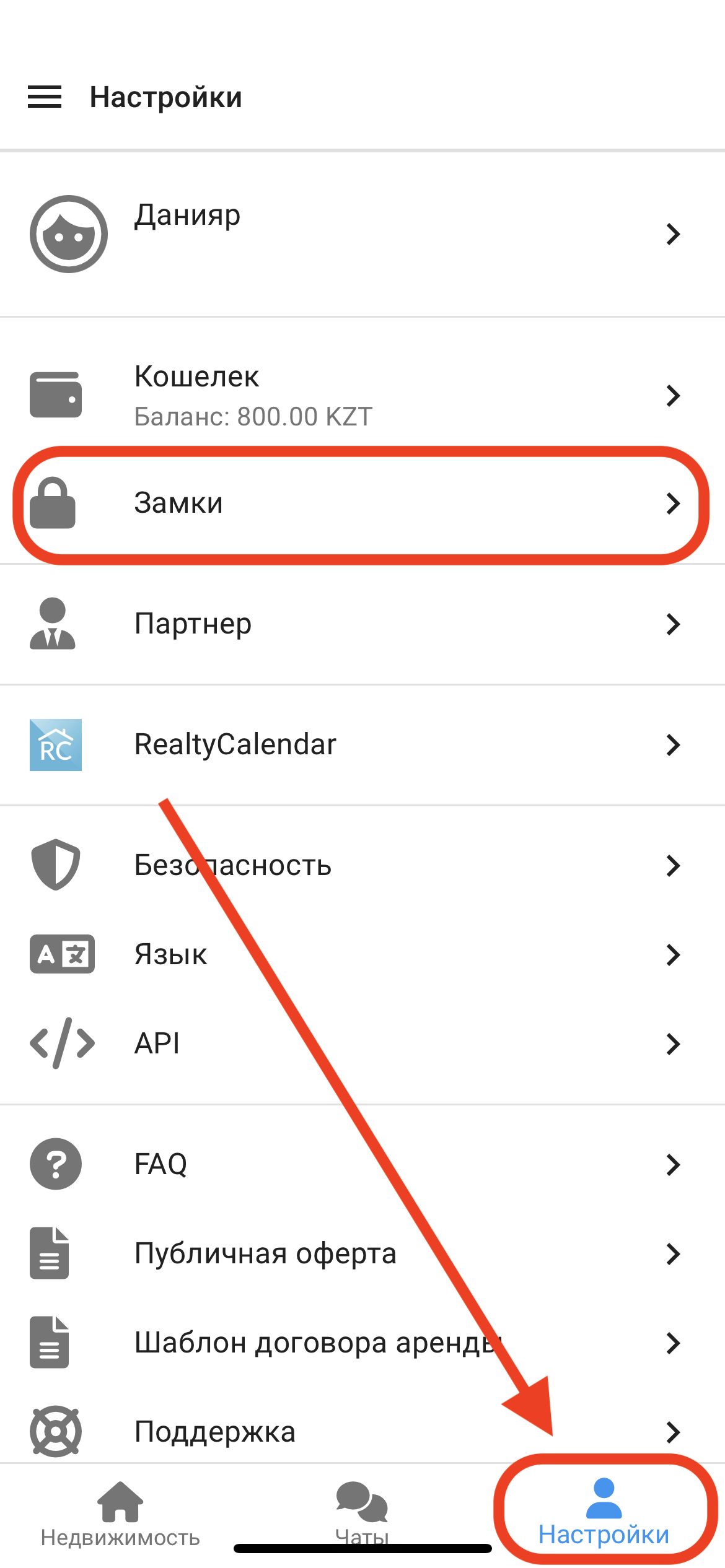
2. In the window that opens, you will see information about the Receipt/Transmission of the lock. Click on this area, as shown in the figure below. 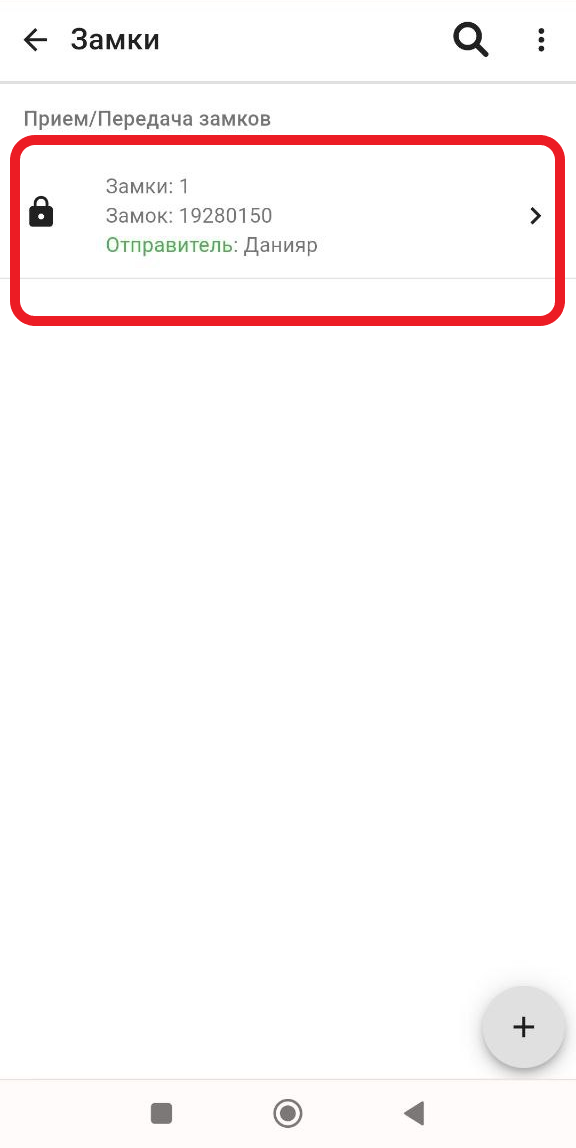
3. In the window that opens, you will need to check the box next to the button "  Sign the act and contracts ", to familiarize yourself with the documents, click on " READ THE ACT ". Next, to confirm the signature, you must select one of the methods of receiving the code via SMS or via the Code in the phone number. * For TELE2/ALTEL operators, SMS will not come, only by confirmation via a call. After you have written a one-time signature code, click the " Accept " button.