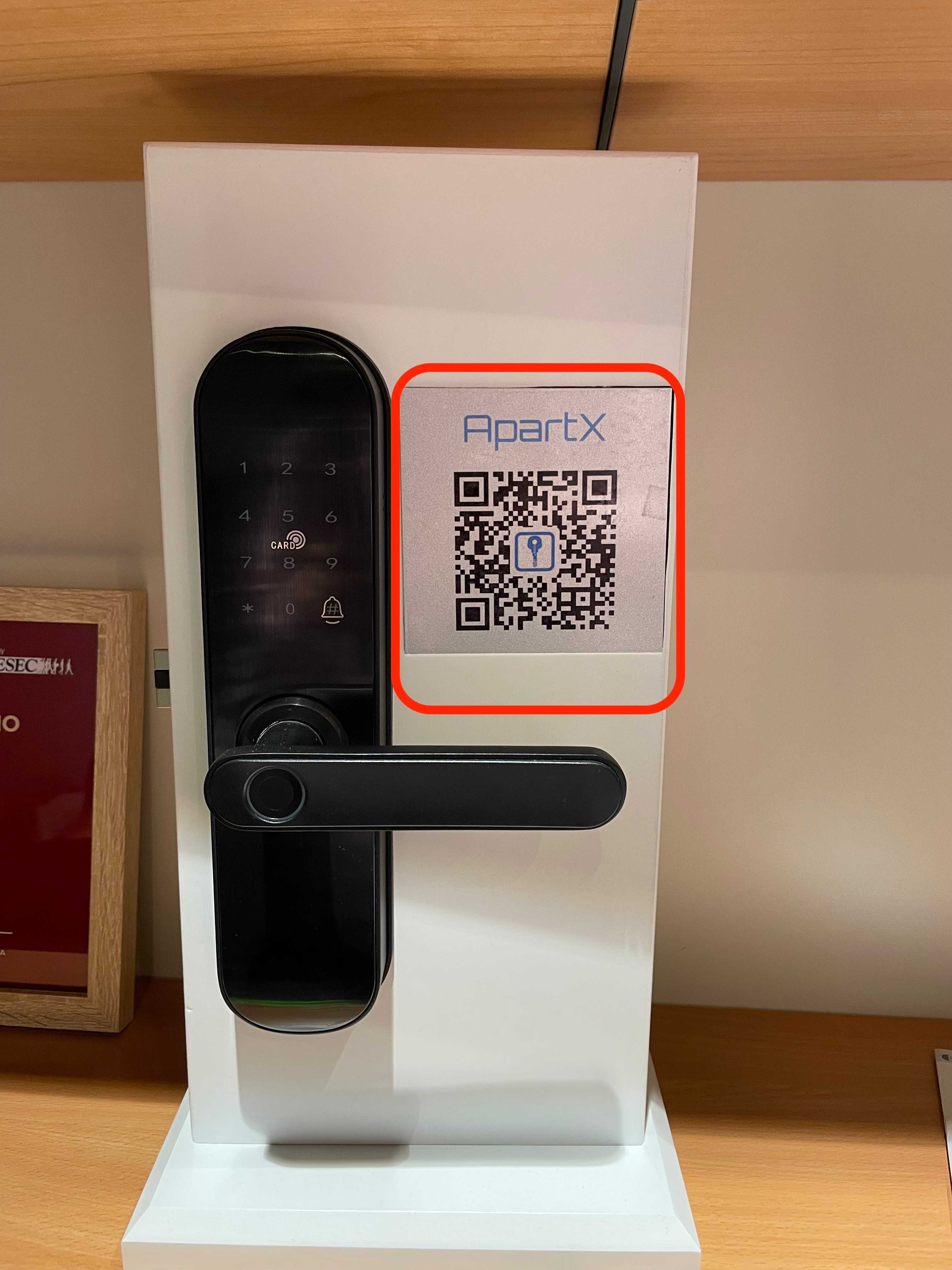
Creating access to real estate via QR code
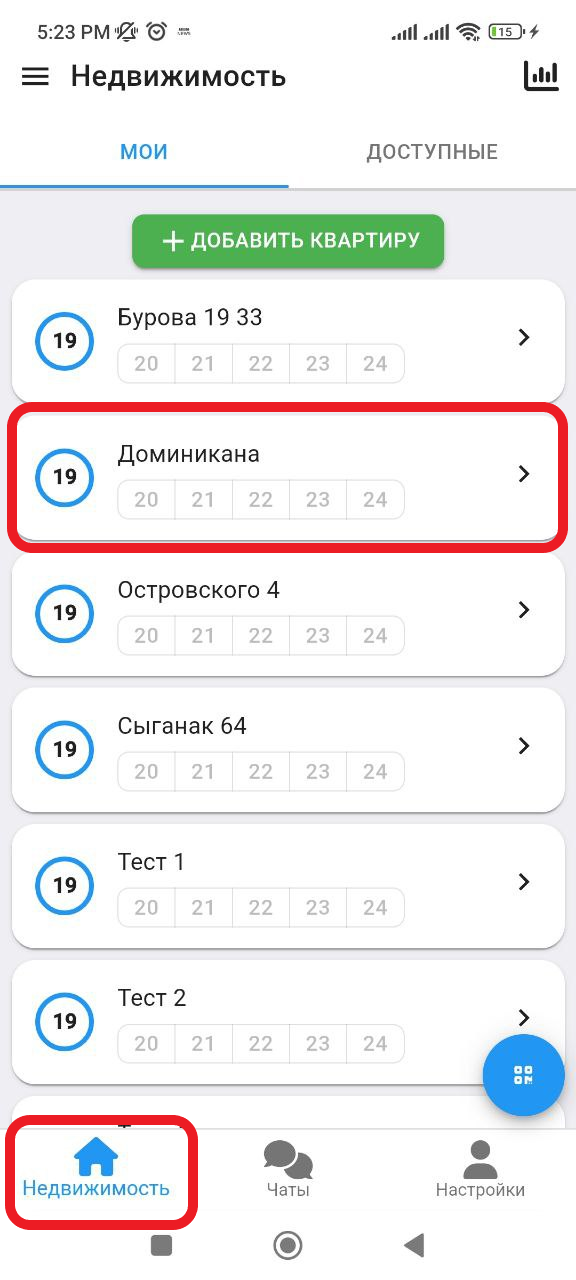
1. In the working window, click on the " Real Estate " button. Next, select the real estate in which you want to add QR. (see example below)
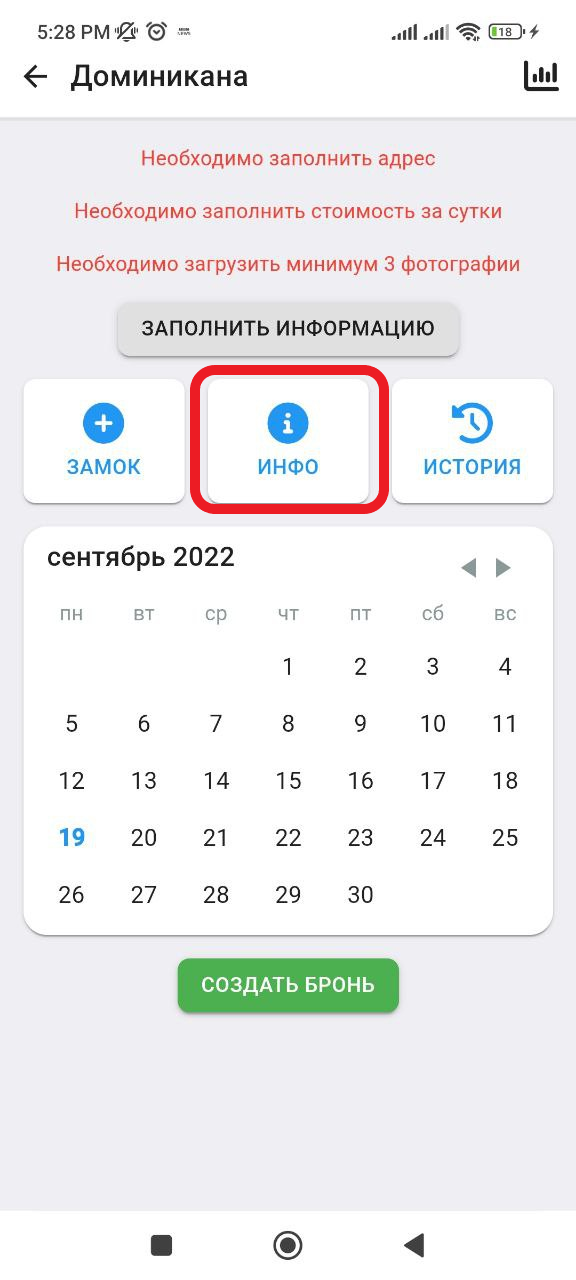
2. Next we get to the working window with real estate. Click the button " INFO ". (see example below)
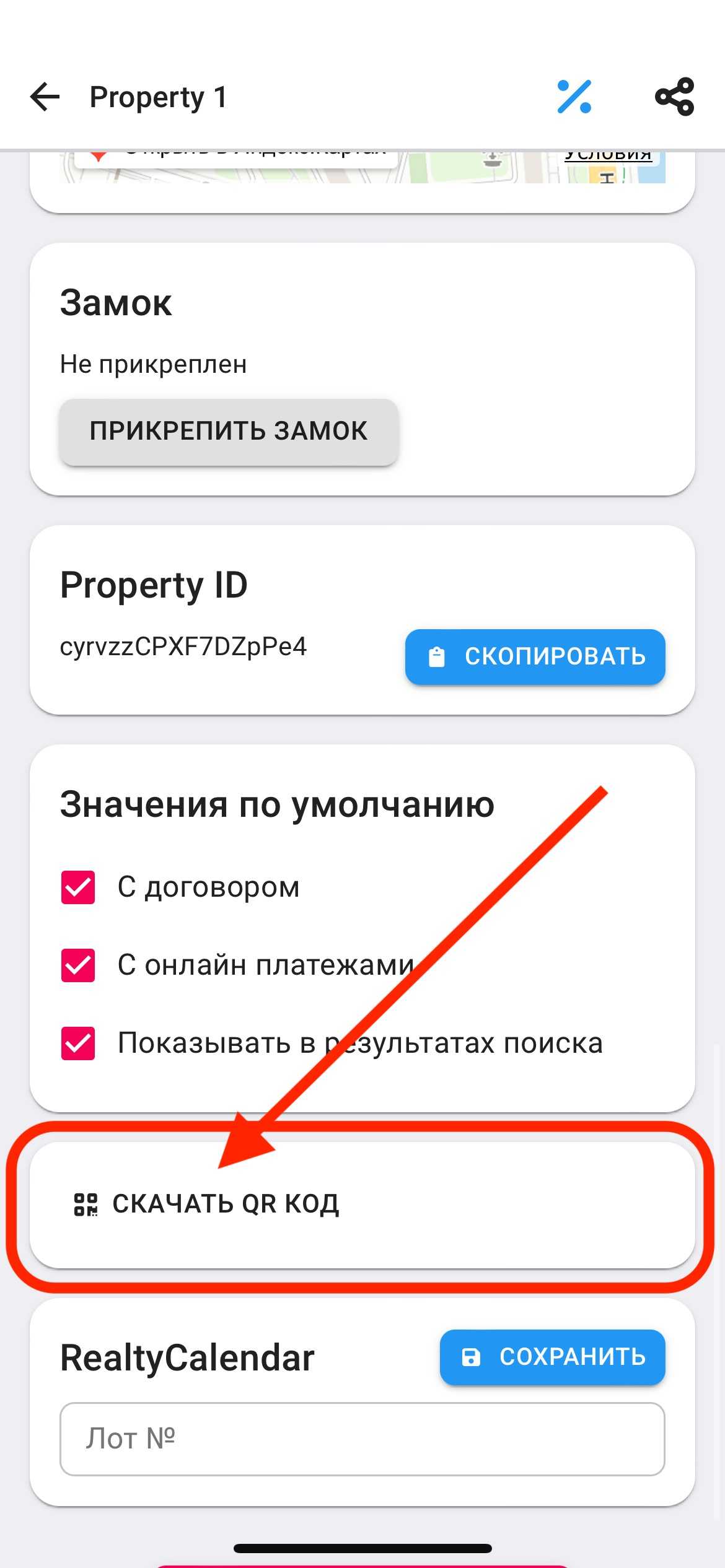
3. Next, you will get to the window with the settings for the property. At the very end of the page, you will need to click the " DOWNLOAD QR CODE " button. (See example below). You can save the image on your device or send it via messengers. From now on, you can scan this QR code to open the corresponding locks. (See example below)
3. Next, you can install or hang the QR code next to the lock in a visible place so that the user can scan it. (see example below)