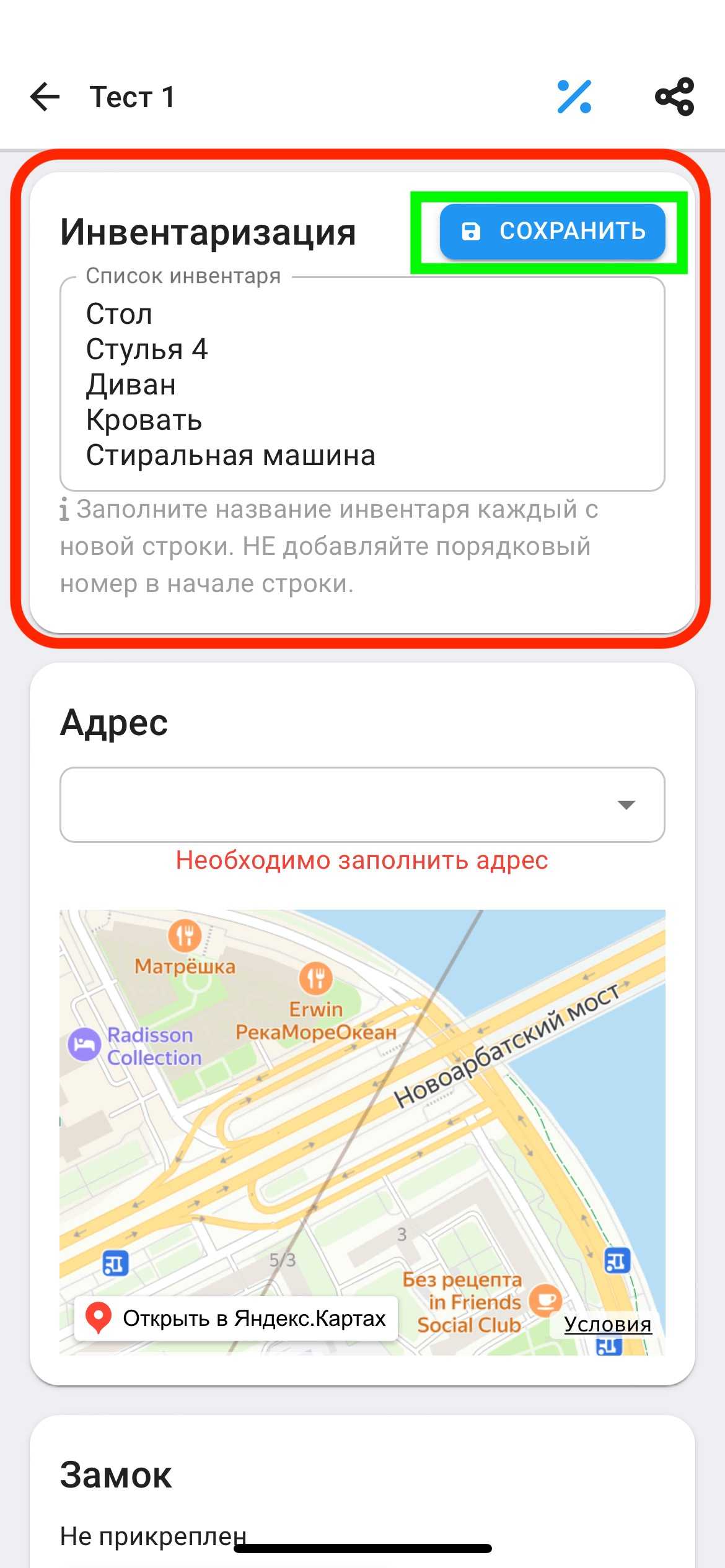
Inventory
When adding Inventories to the application, it automatically comes out in the contract for signing the transfer of the apartment for rent. This has legal force in cases of breakage, loss of property of the apartment.
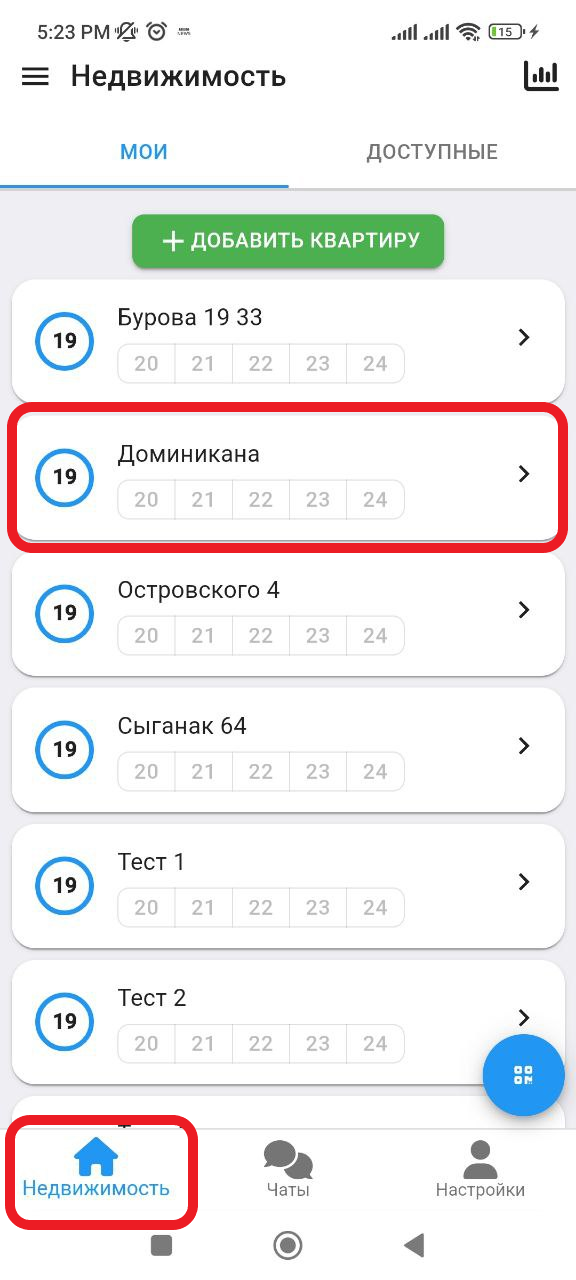
1. In the working window, click on the " Real Estate " button. Then select the real estate you want to add. (See example below)
2. After you have added the castle, you will need to fill in the information about your property. Click on the “ INFO ” button. (See example below)
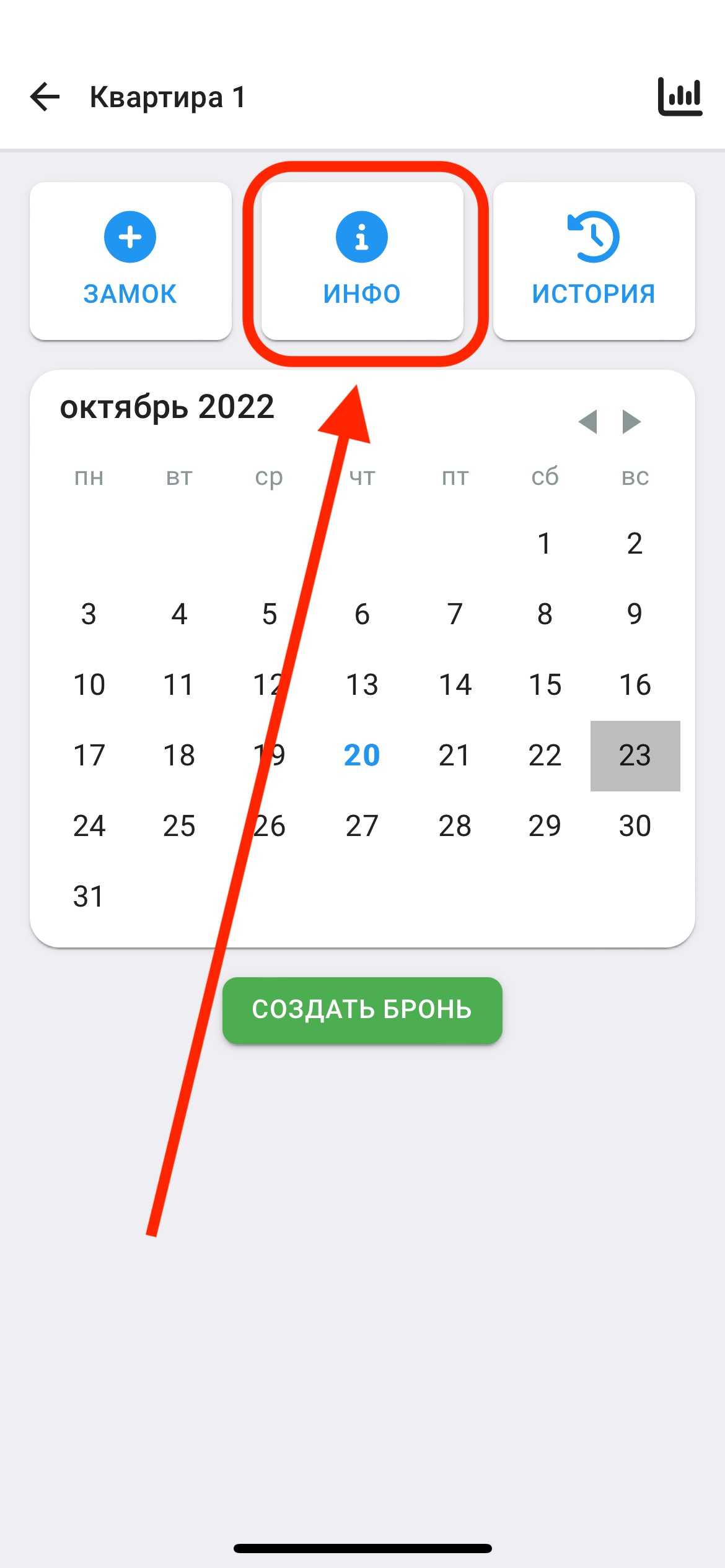
3. To add inventory, scroll down to find the "Inventory" section.
It is important when filling out not to put numbers before the name of the inventory , you can indicate the quantity after the name of the inventory. (Example: Chairs 4)
After filling in, click on the "SAVE" button. (See example below)