How to change the price in applications
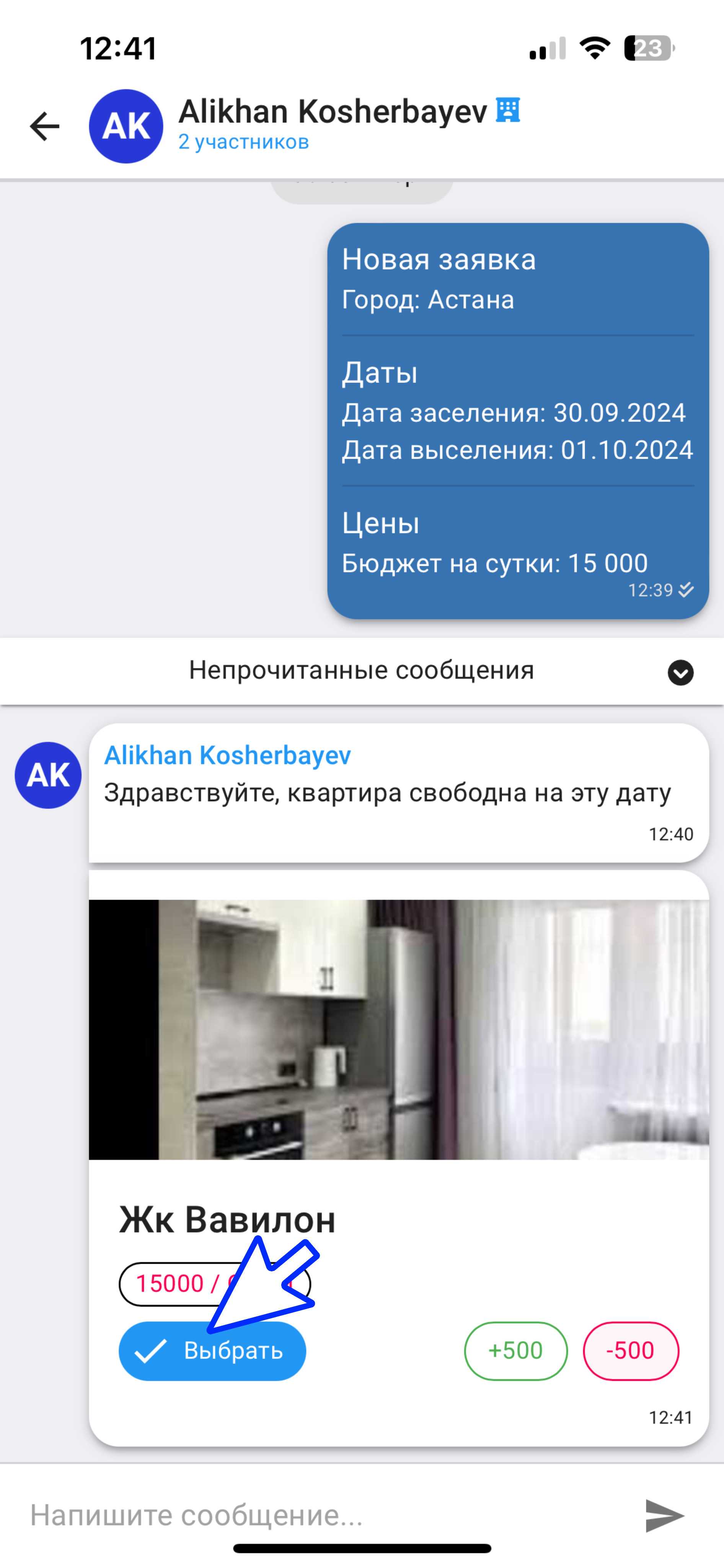
1. After you have responded to the application, go to the chat with the landlord.
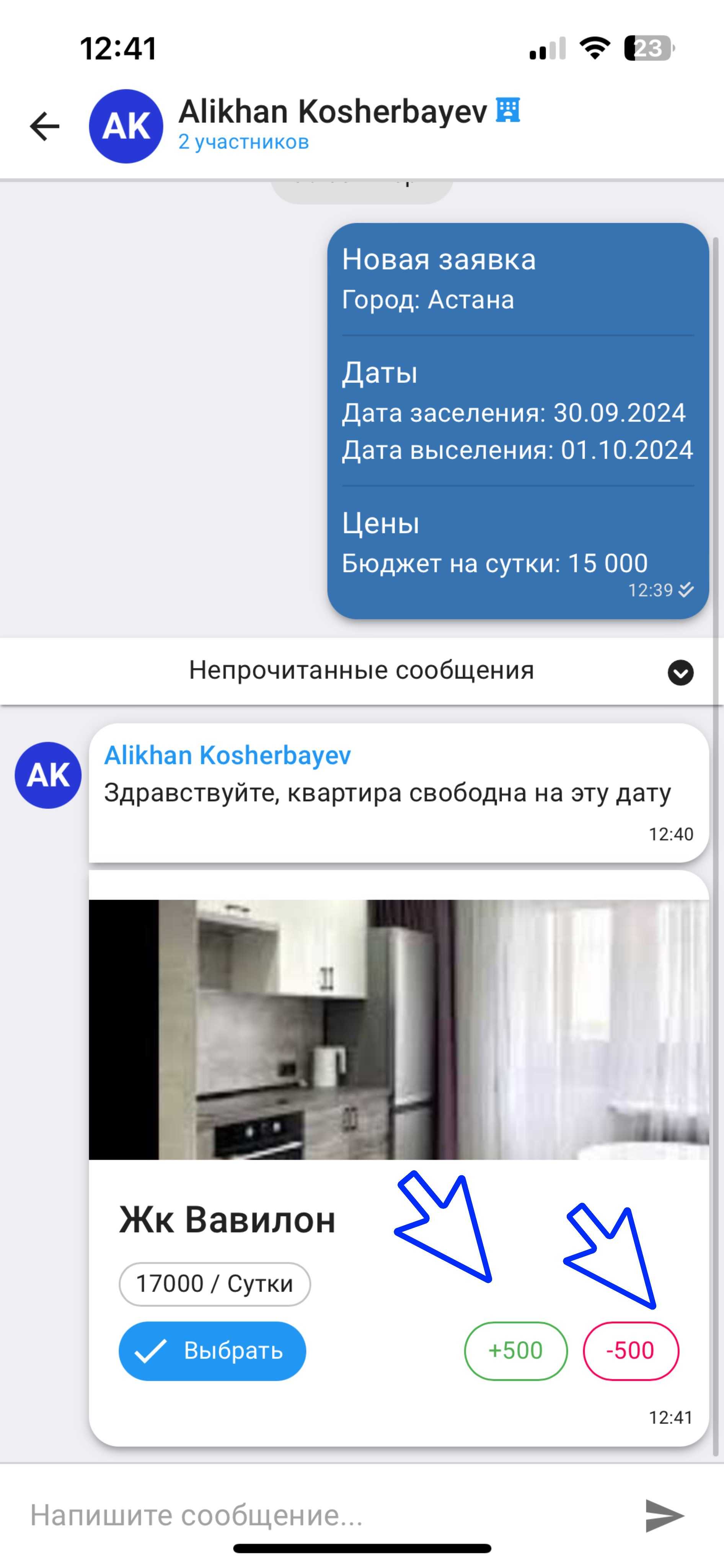
2. To change the proposed price, next to the indicated amount, click on the "+500" or "-500" buttons and then confirm by clicking "Select".
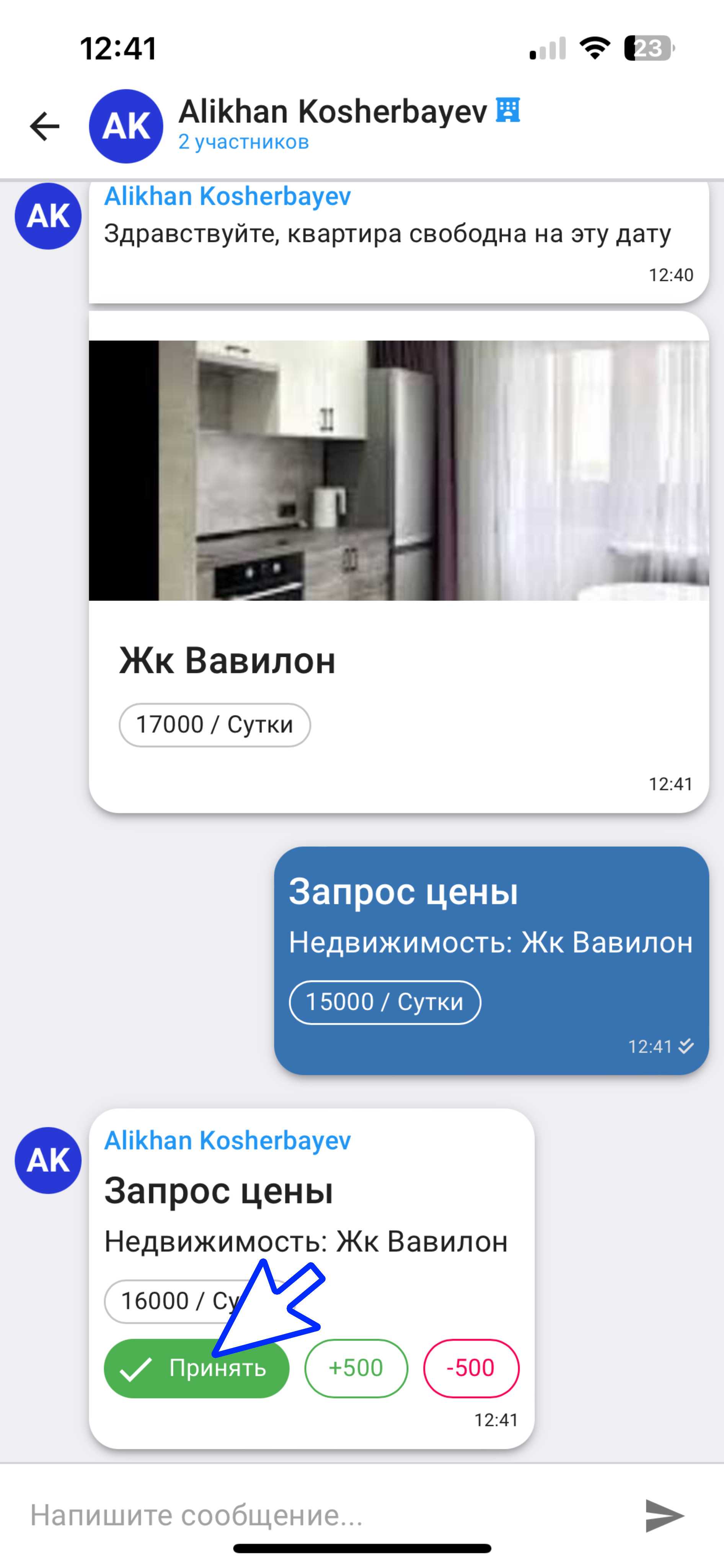
3. If the landlord agrees to the new price, you will receive a confirmation. To complete the agreement, click the "Accept" button.