How to create a cleaning request?
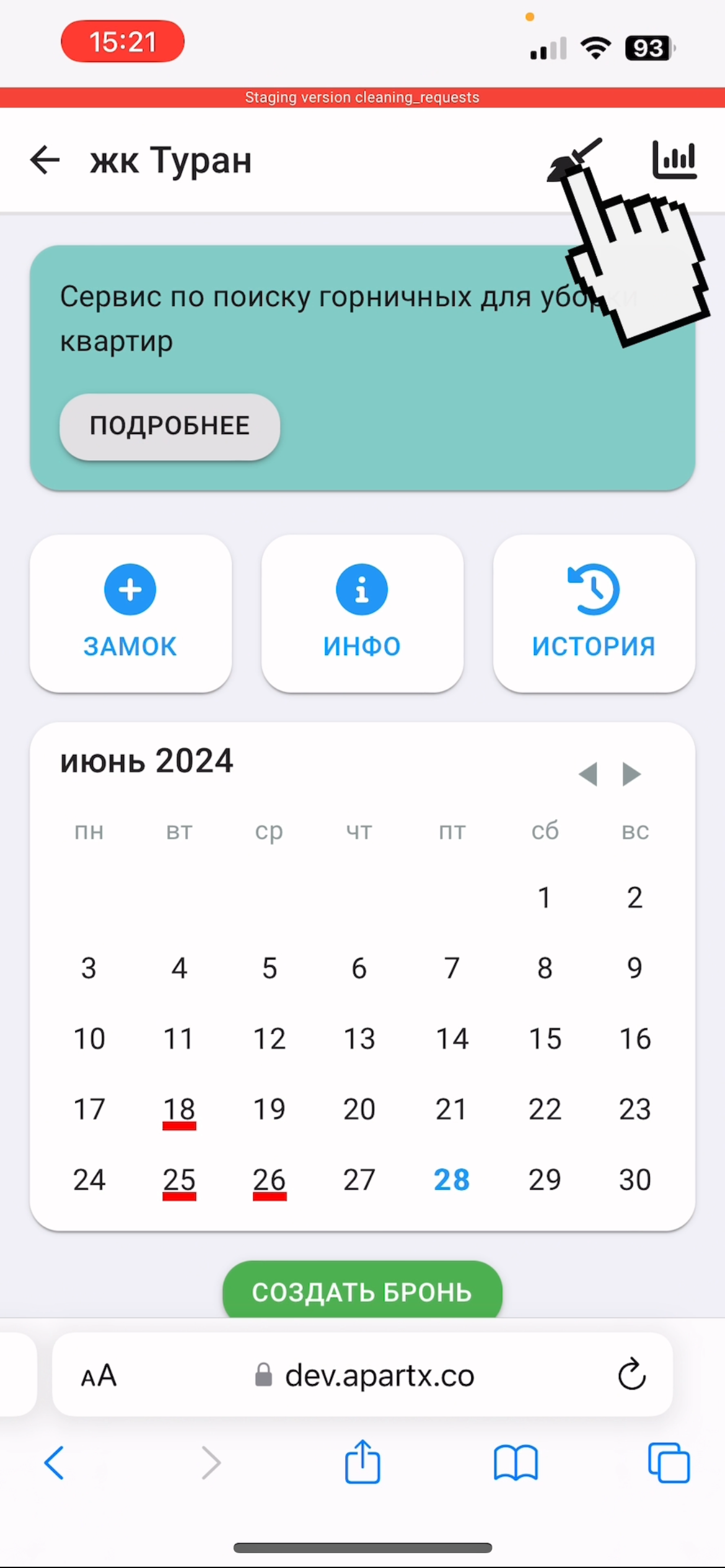
1. In the "Real Estate" section, select your apartment. Then, in the upper right corner, click on the button with the picture of a broom.
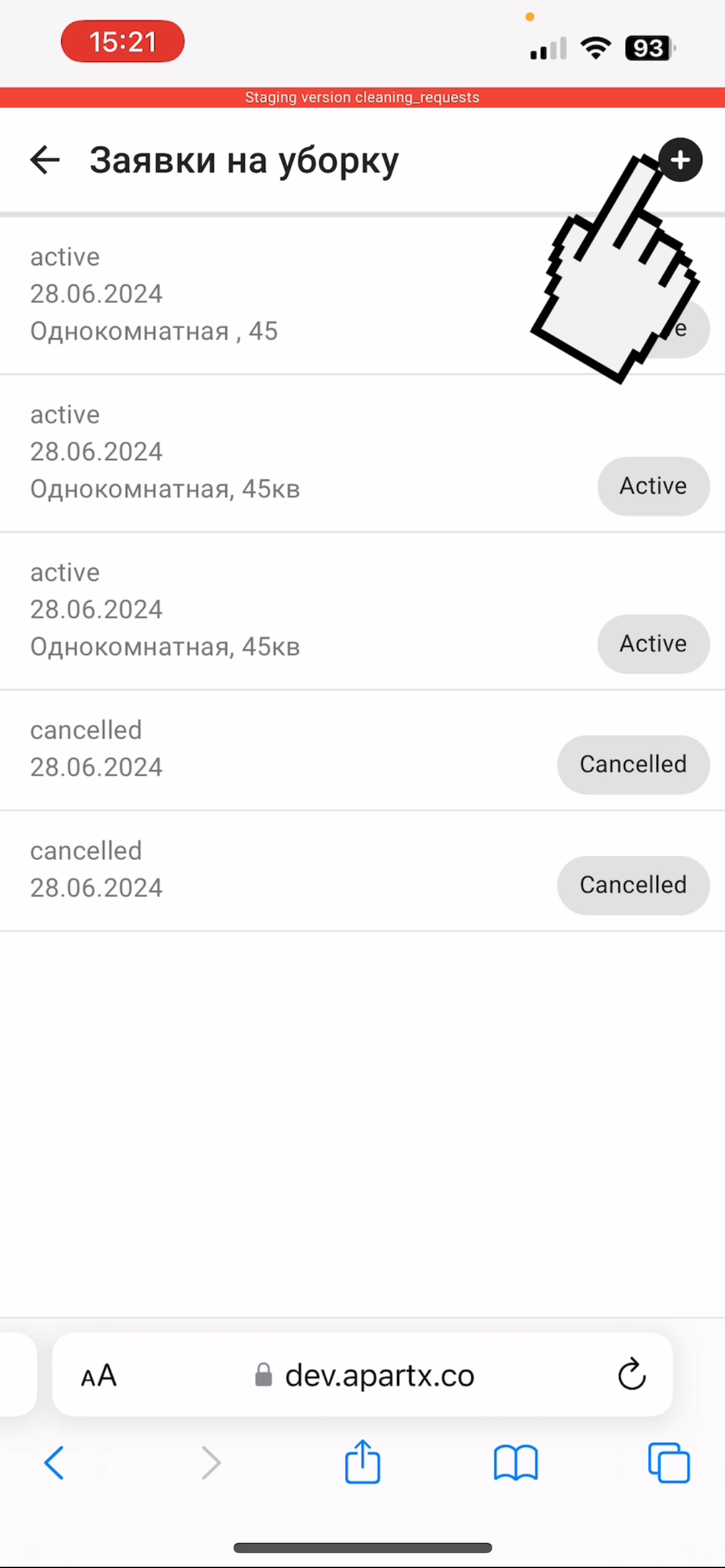
2. To create an application, click on the "plus" in the upper right corner.
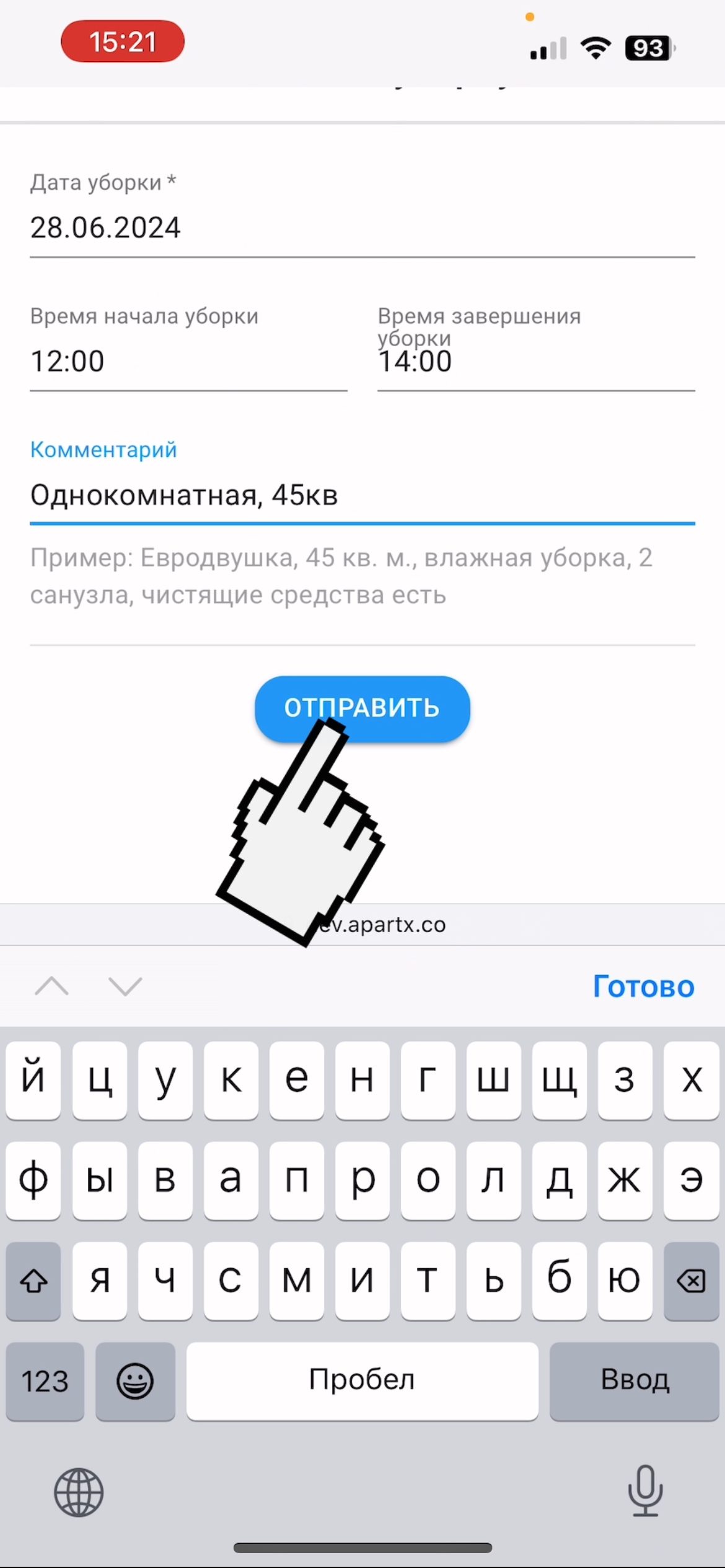
3. Fill out the application, write the details in the comments and click on the "Submit" button
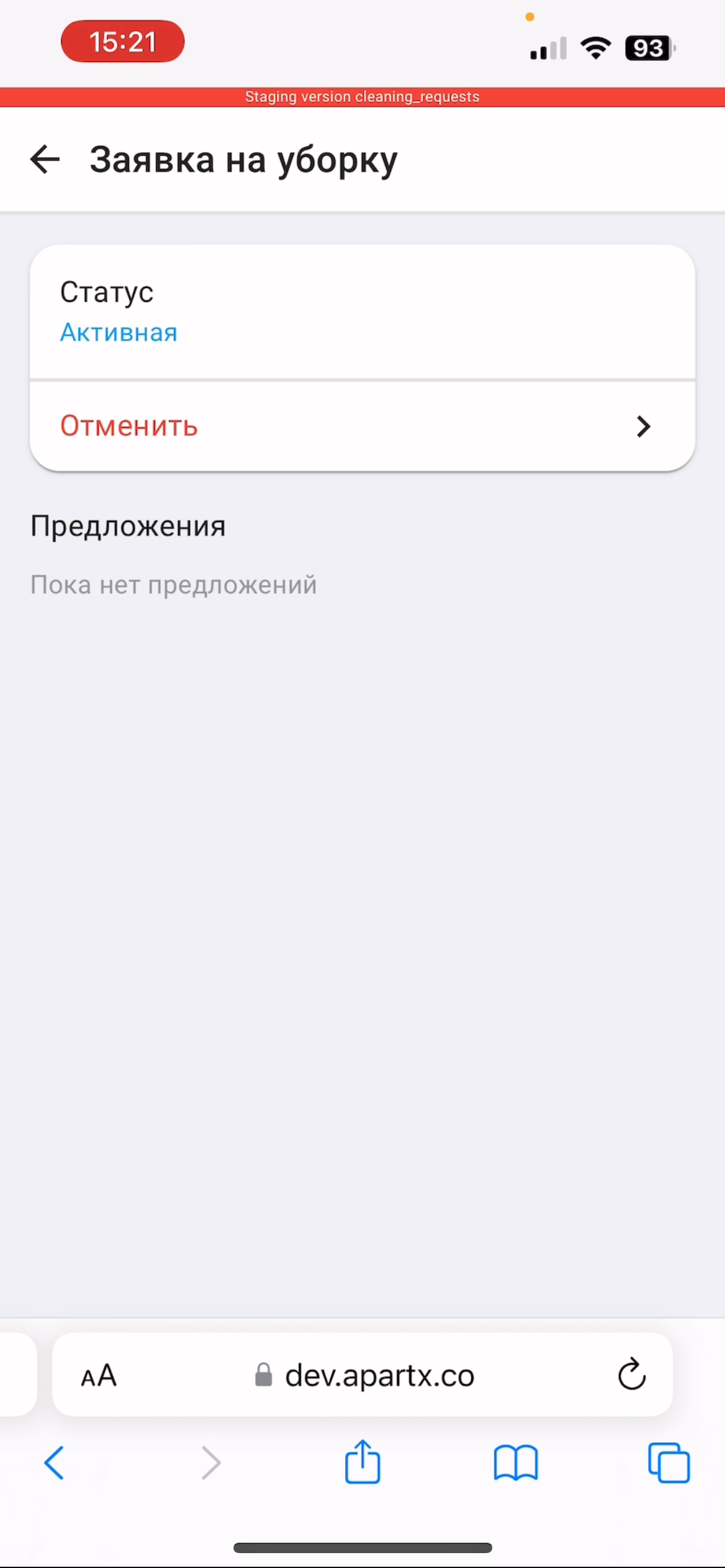
4. The application has been successfully created, in this section you will be able to process incoming applications. To cancel the request, click on the "Cancel" button