Registration via Telegram
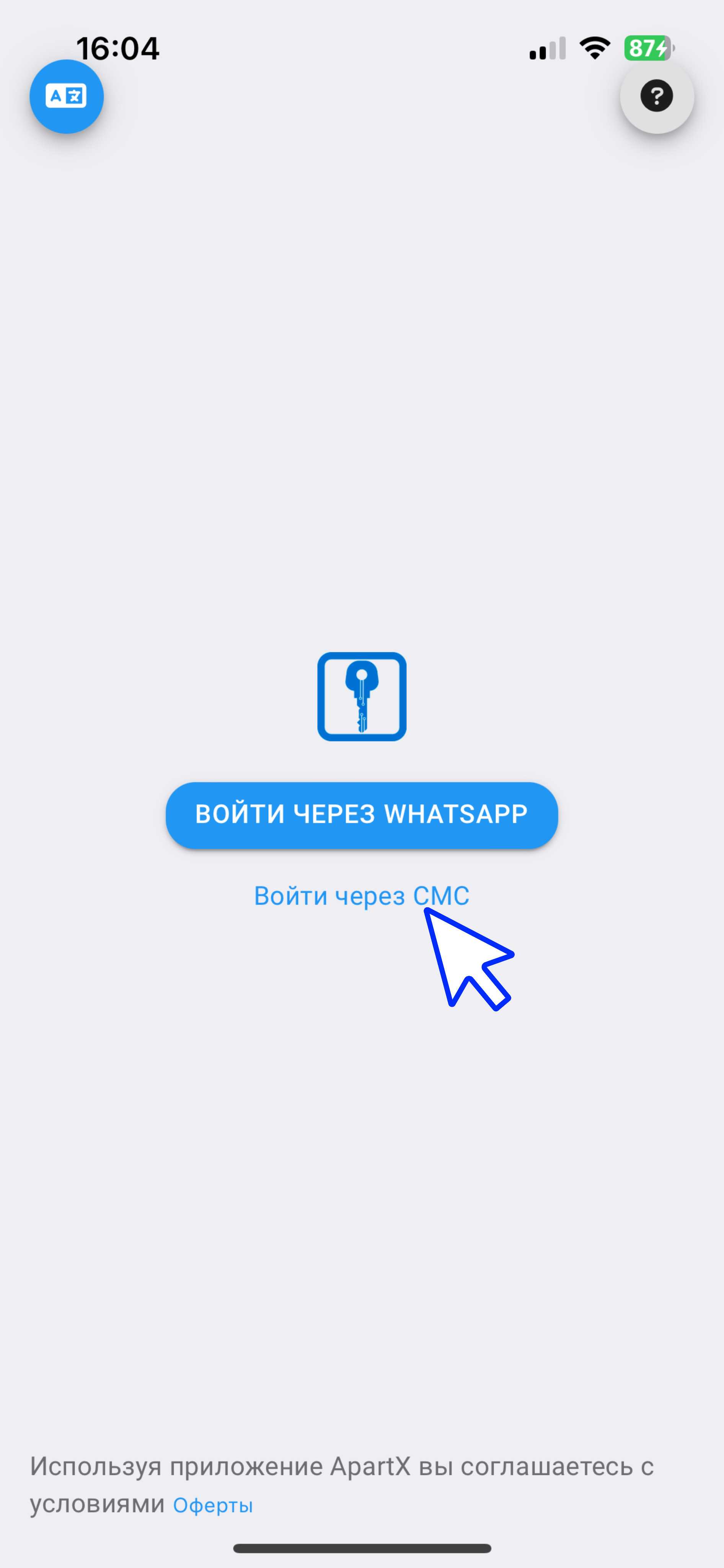
1. Log in to the ApartX app. Click on "Log in via SMS".
(see example below )
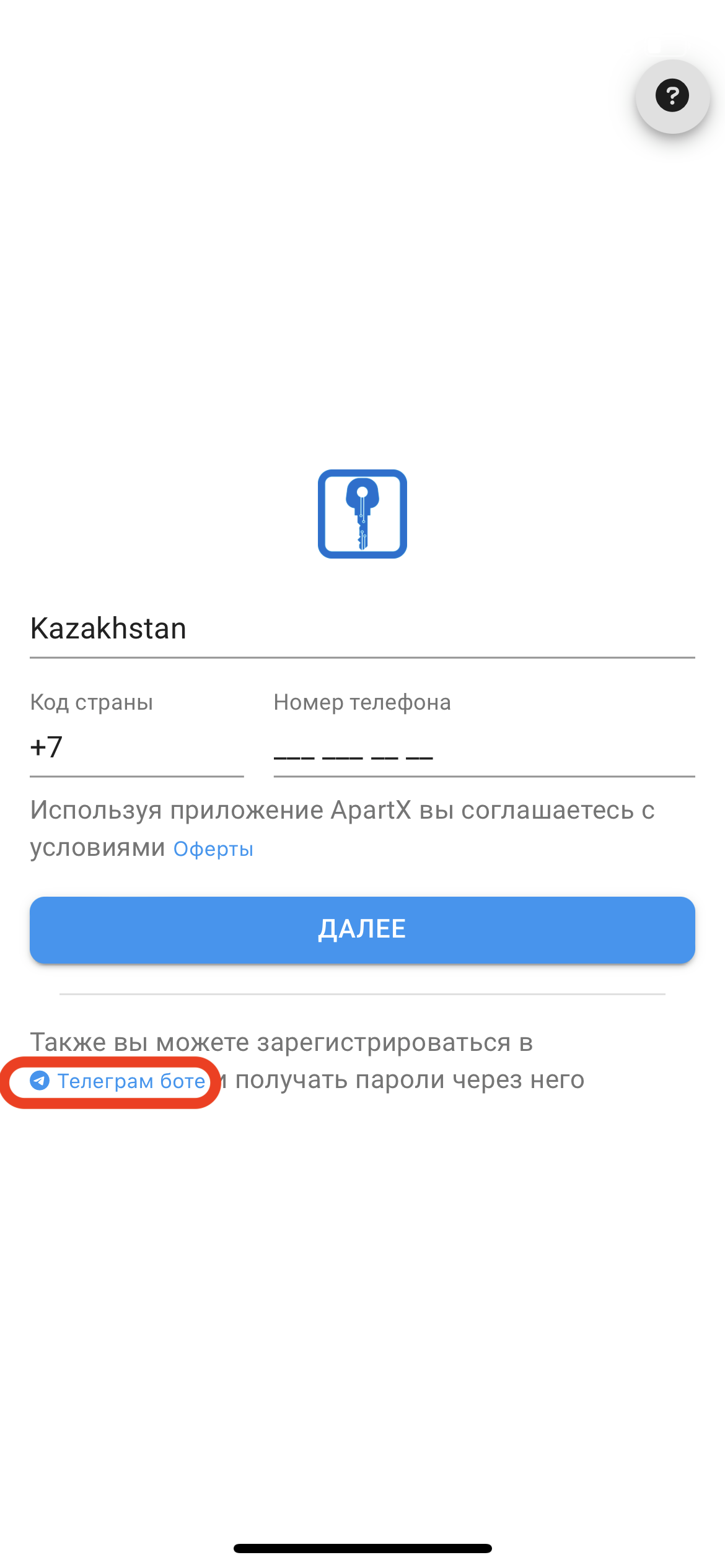
1. Next, click on the "Telegram bot" button.
It is important to have the Telegram app before clicking.
(see example below )
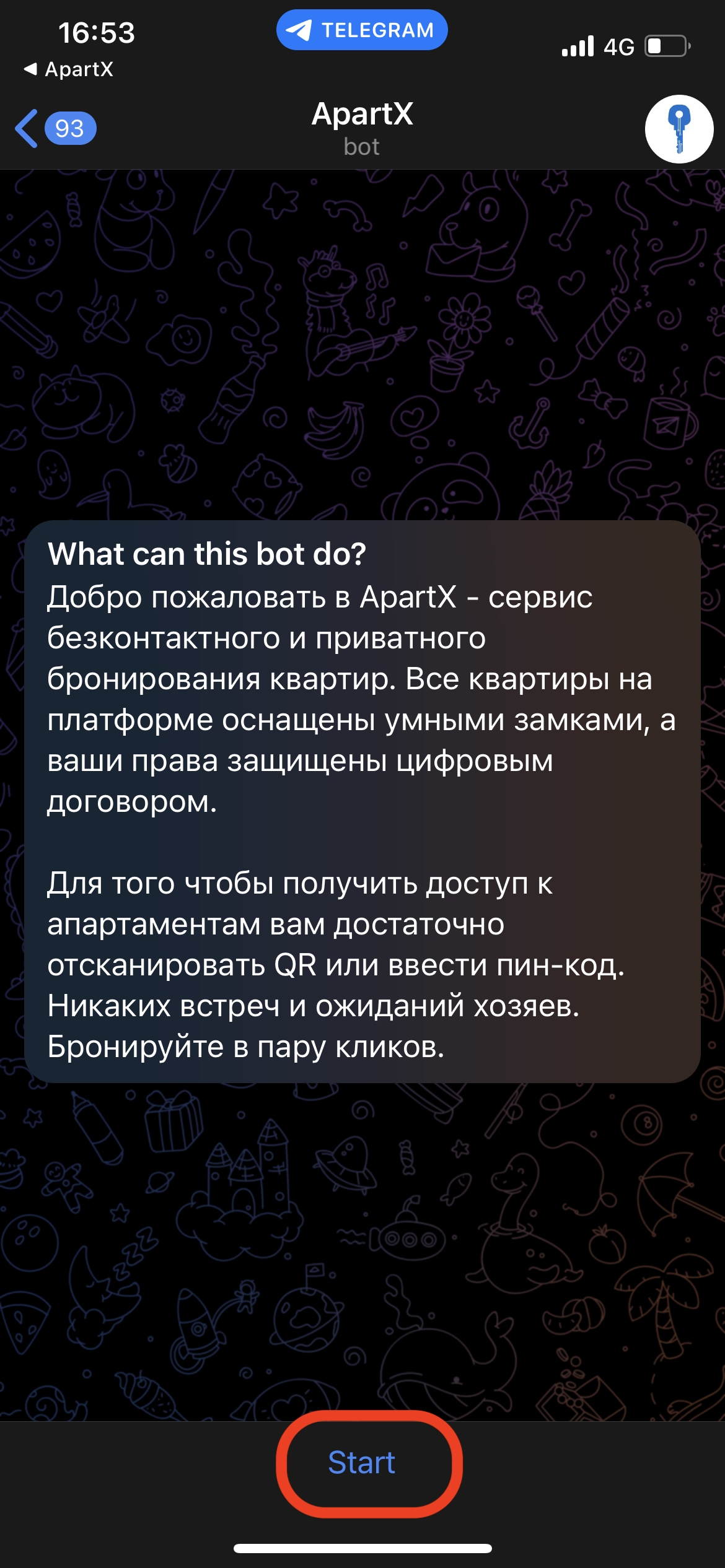
 2. If you have Telegram, you should have a chat with ApartX open.
In the chat, click on the "Start" button.
(see example below )
3. Next, click on the "Registration" button (see example below)
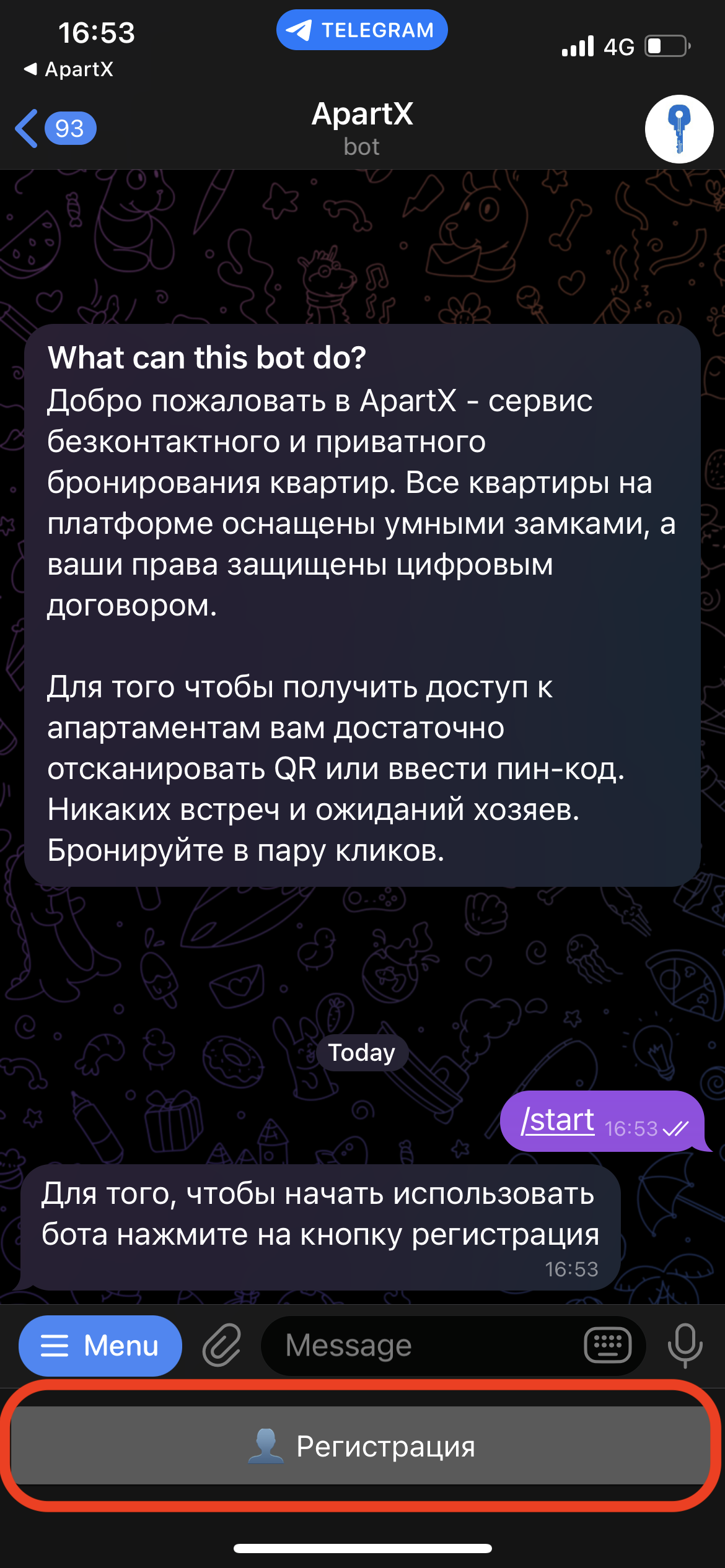
4. If registration is successful, the corresponding messages should appear. (see example below) 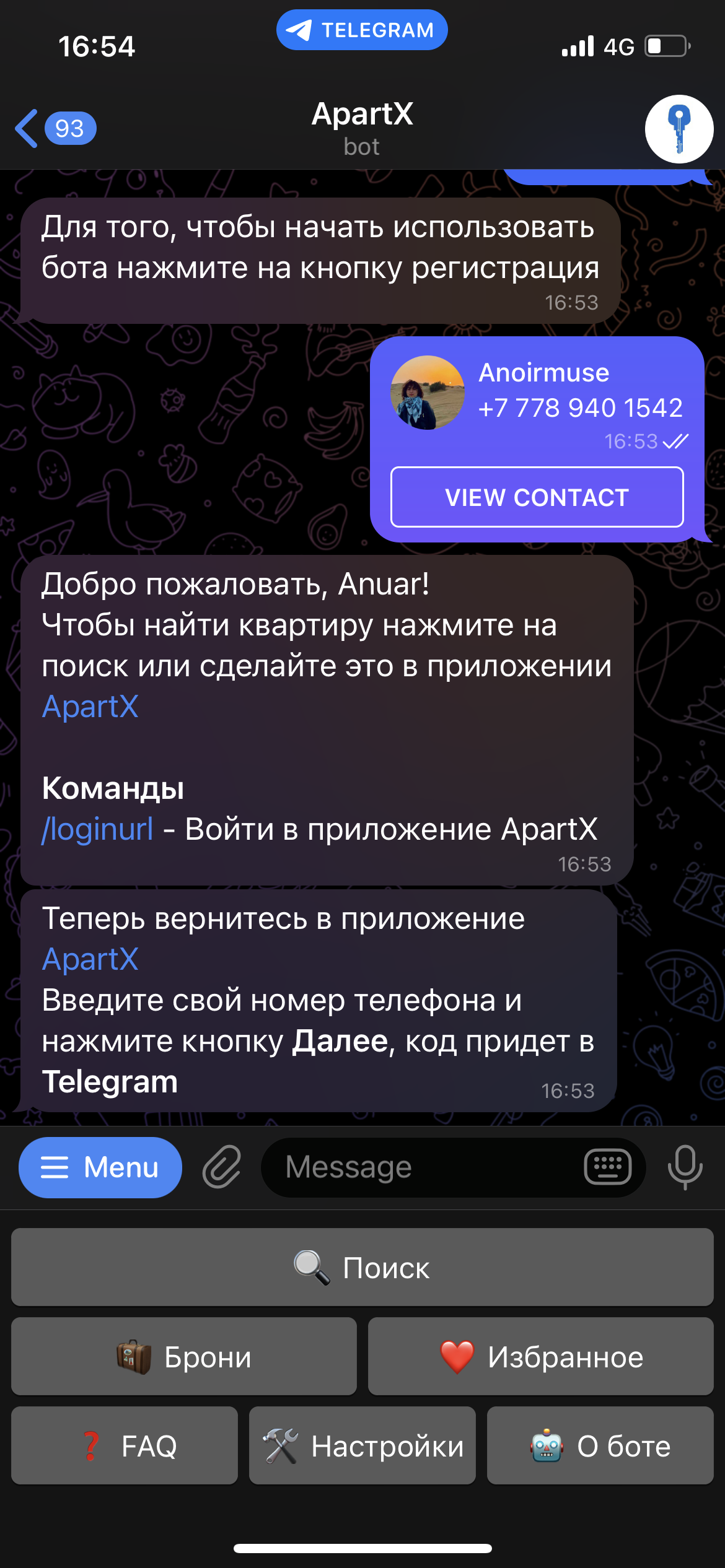
5. Log in to the ApartX app. In the “ Phone Number ” field, enter your phone number and click the “ Next ” button. (see example below )
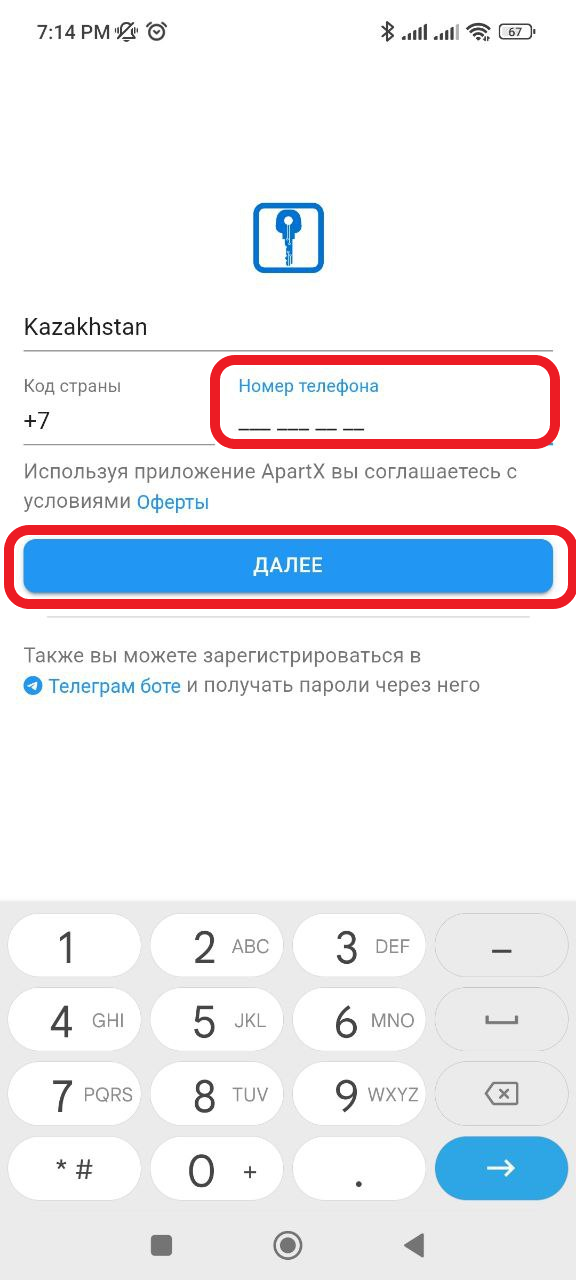
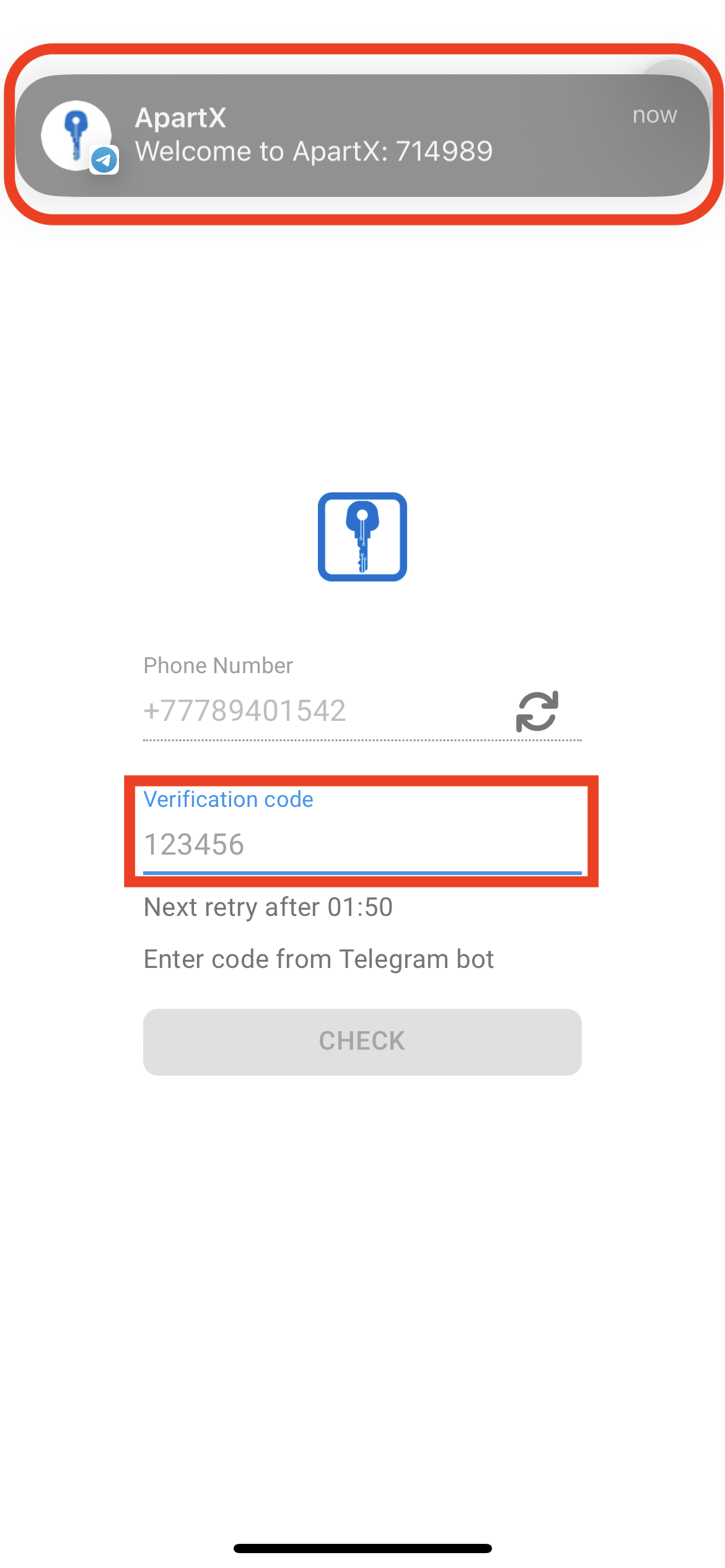
6. A message with a code will be sent to your telegram. You will need to enter the 6 digit code. Then click the “ Check ” button.
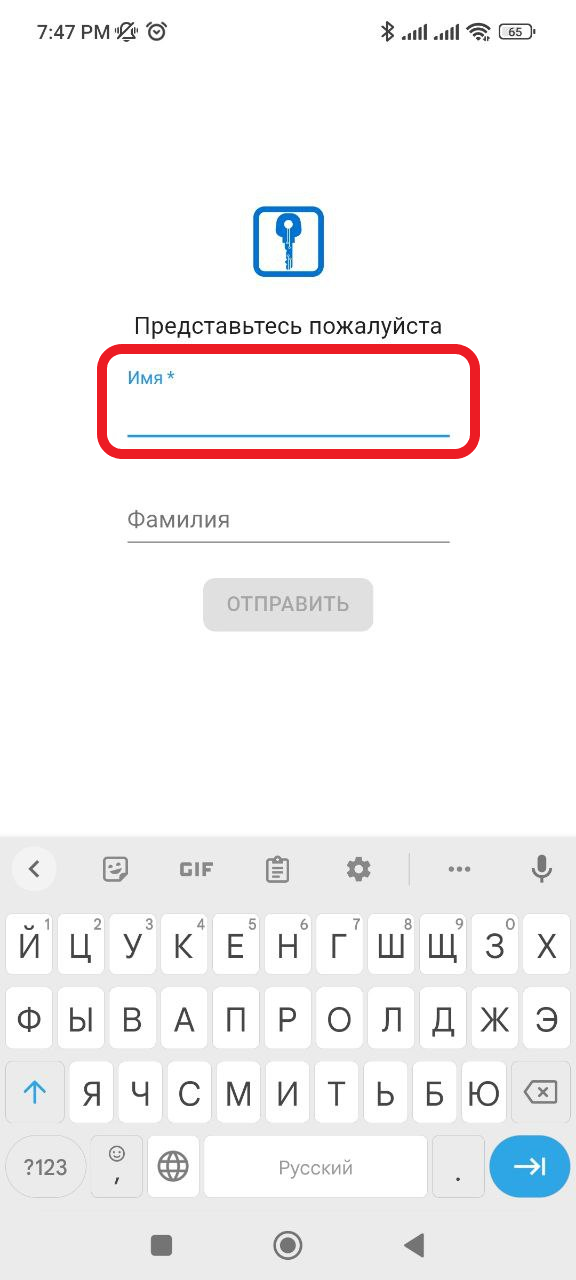
7. Next you will be taken to a window where you will need to enter your First and Last Name. Registration is complete (see example below)