Buy the castle
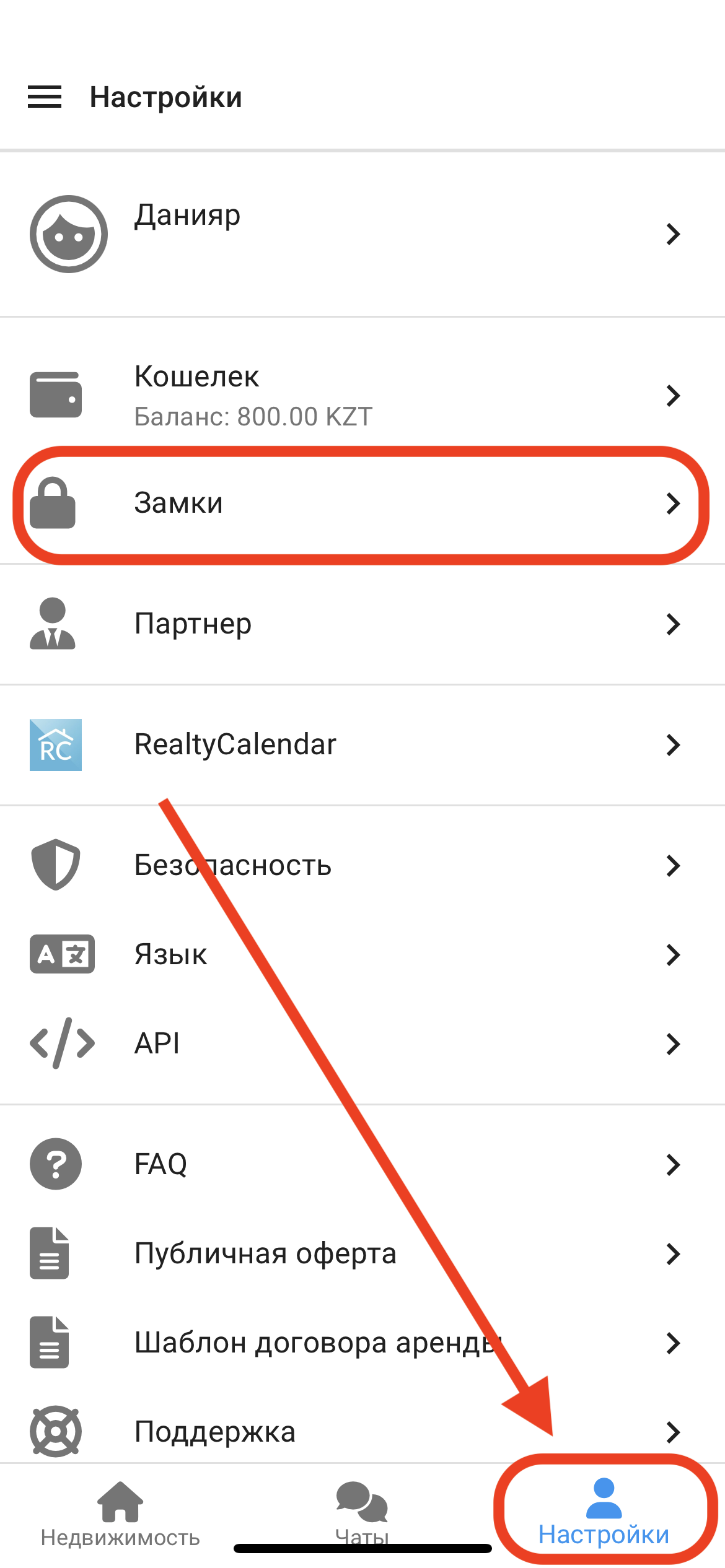
1. In the working window, click on the " Settings " button. Then click on the " Locks " button. (See example below)
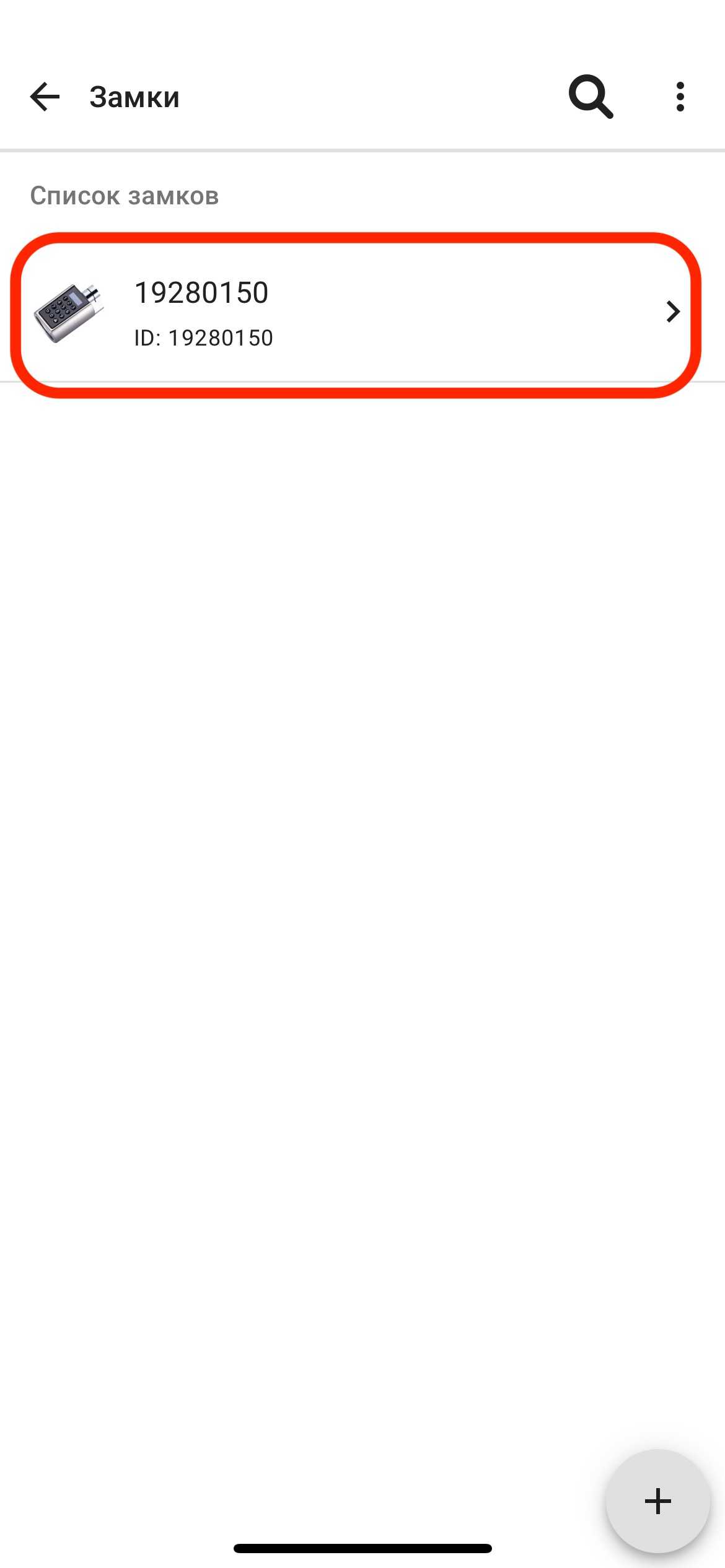
2. In the " Locks " window, click on the appropriate lock . (See example below)
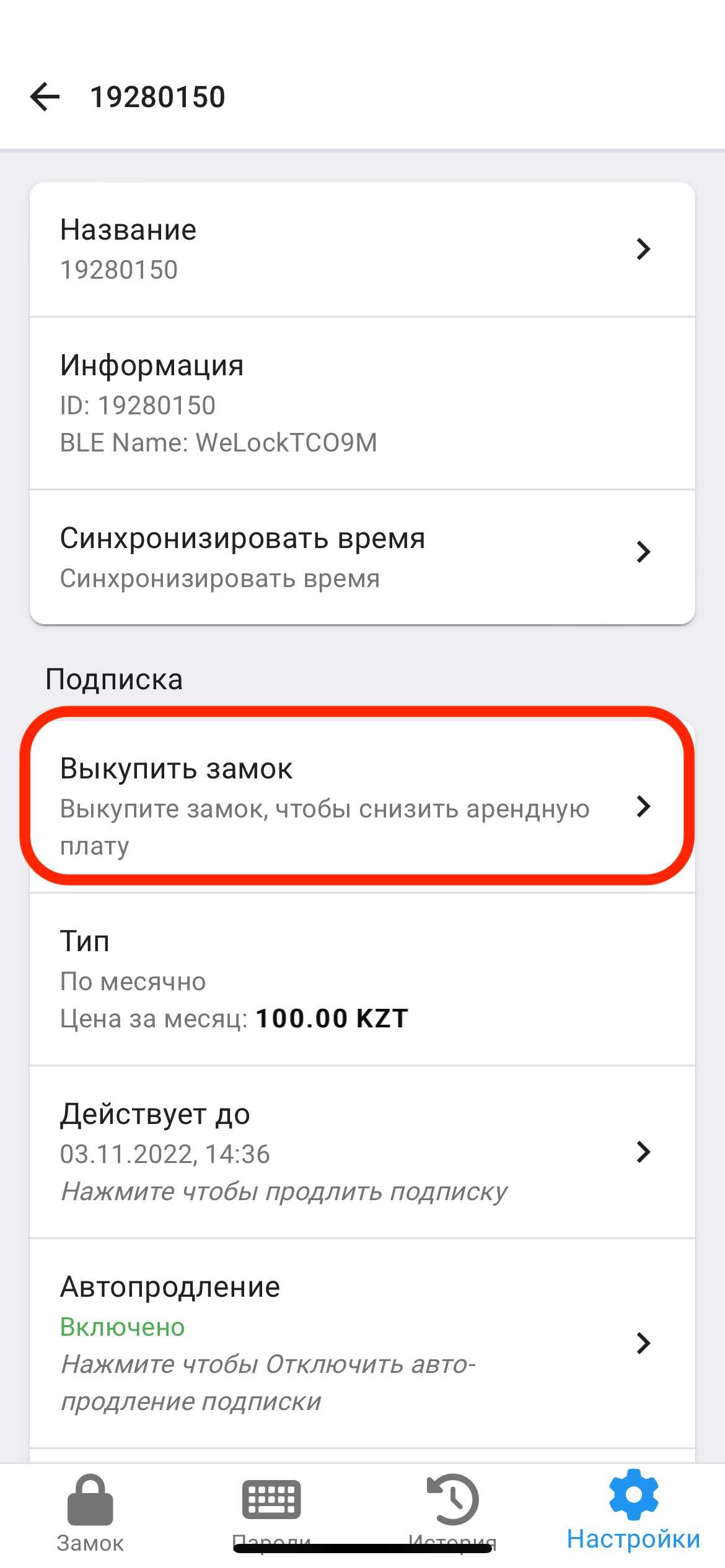
2. Next, click on the " Redeem a lock " window in the " Subscription " section. (See example below)
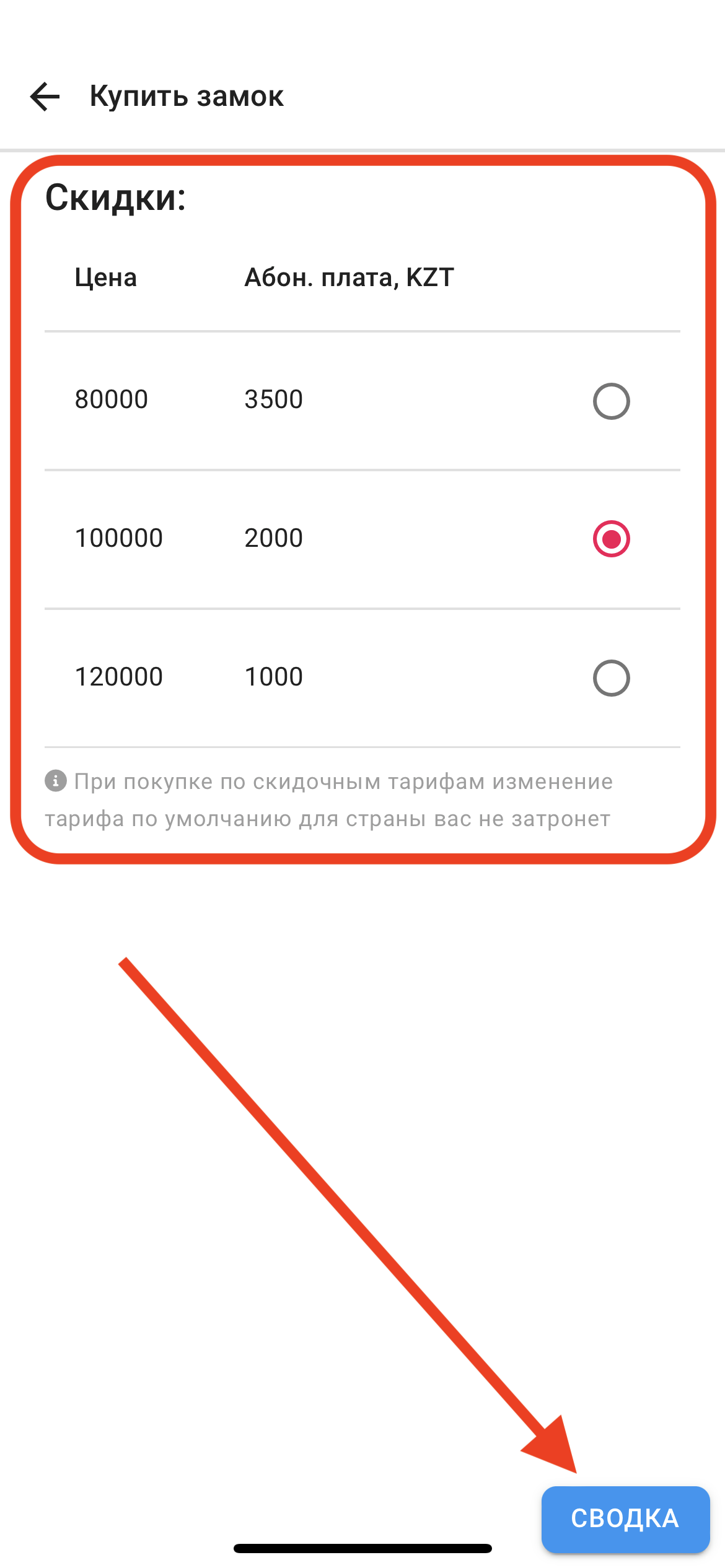
3. Next, you can choose 3 types of prices and tariffs. Please note that the higher the purchase price, the greater the discount on the monthly subscription fee for using the ApartX application .
After selecting the tariff, click on the " SUMMARY " button to continue payment.
(see example below)
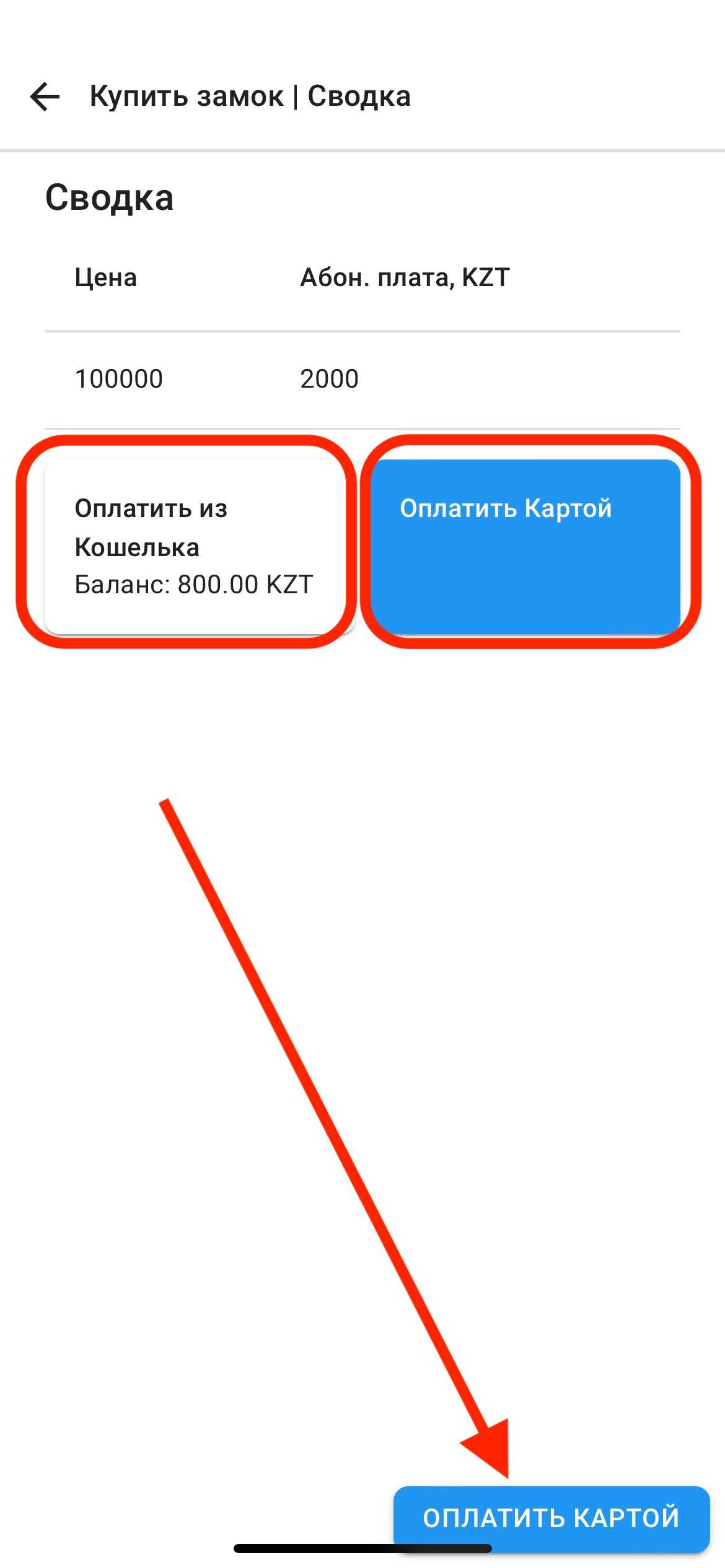
4. Next you can choose 2 types of payment: "Pay from Wallet" and "Pay by Card"
After selecting the payment method, click on the "Pay by Card" or "Pay from Wallet" button in the lower right corner, depending on your payment method.
(see example below)