Transfer/return of the lock to the agent
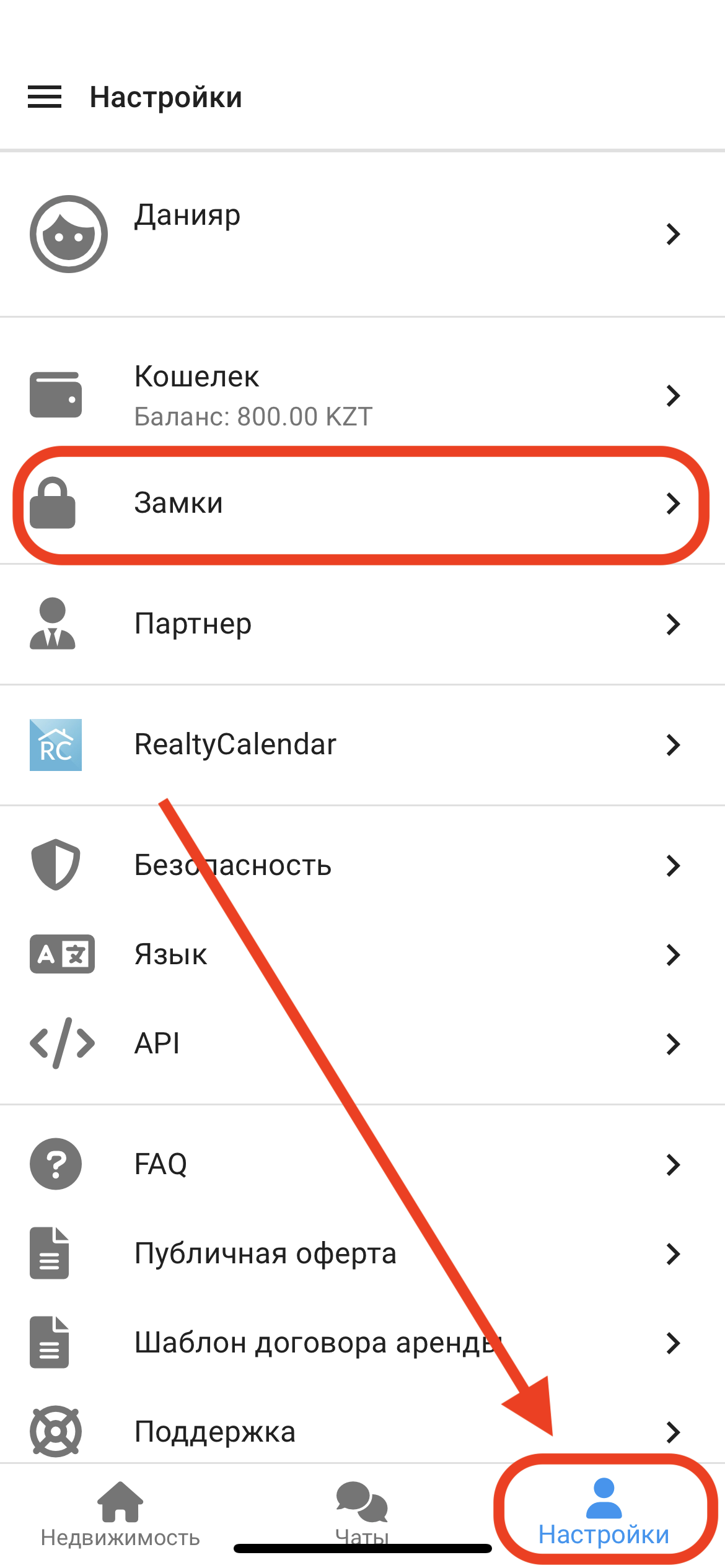
1. In the working window, click on the " Settings " button. Then click on the " Locks " button. (See example below)
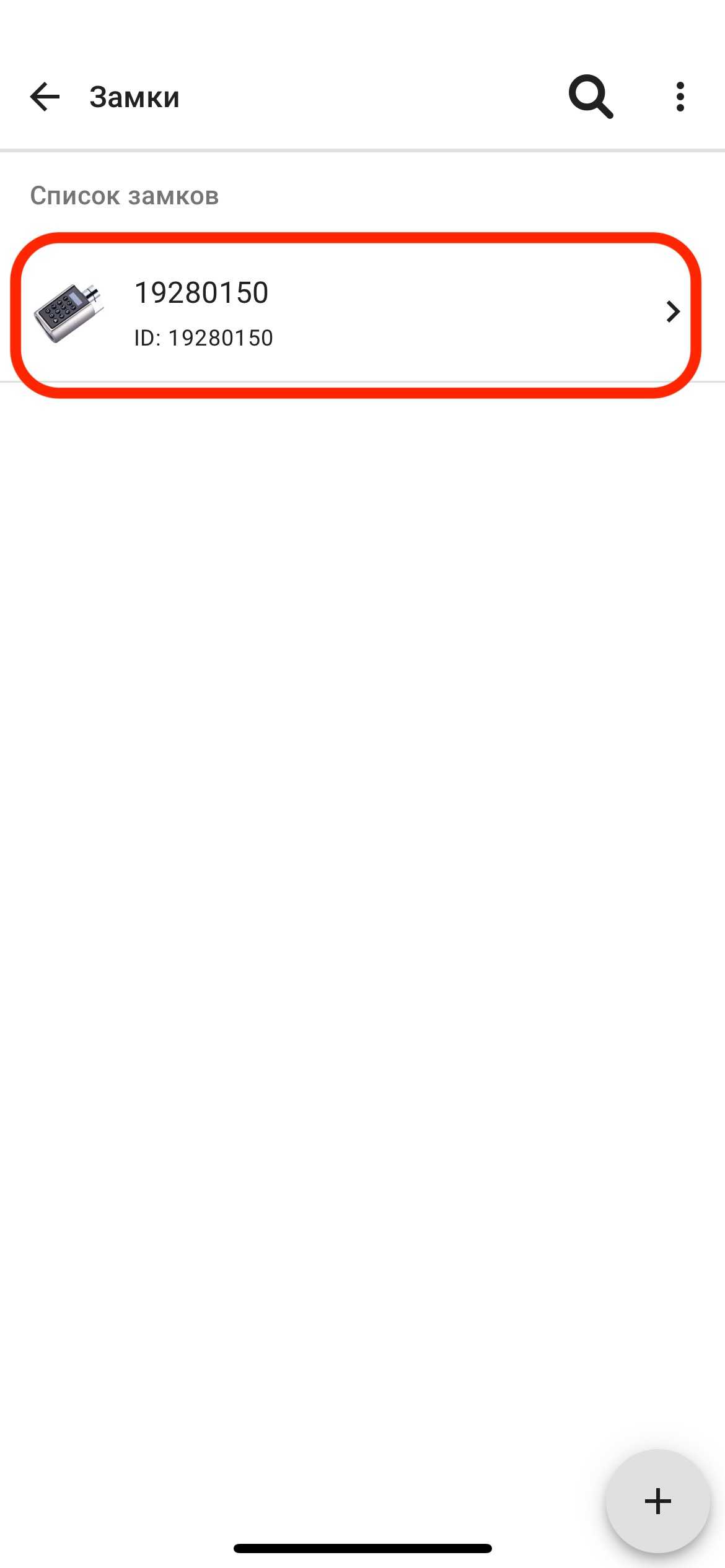
2. In the " Locks " window, click on the appropriate lock . (See example below)
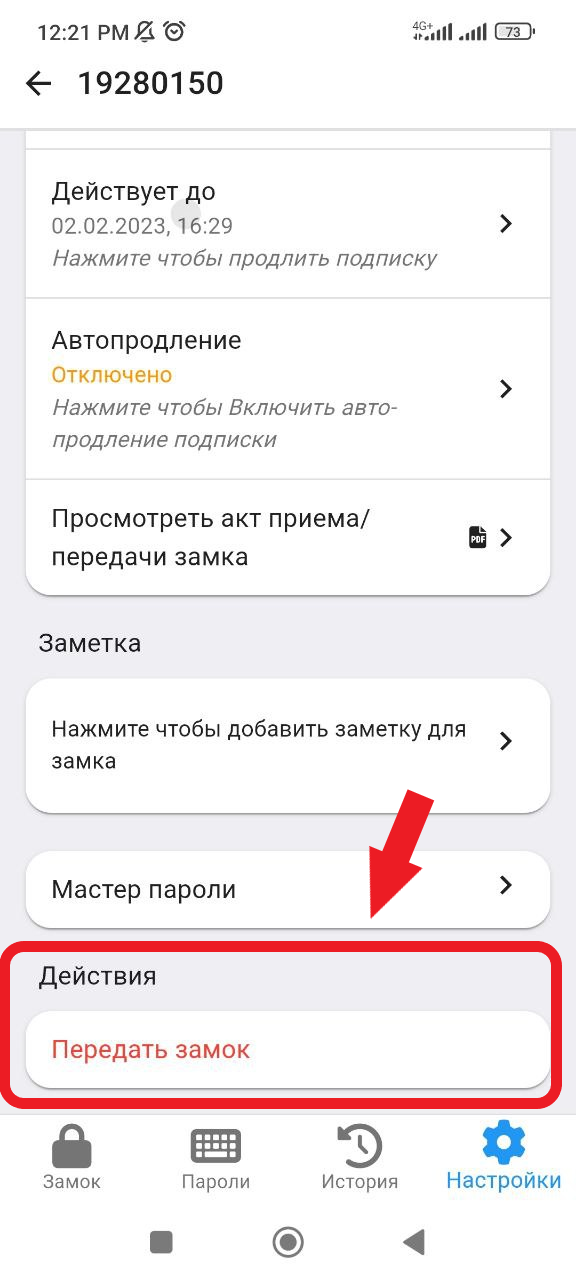
2. Next, click on the " Settings " button in the bottom menu, click on " Transfer the lock " . (See example below)
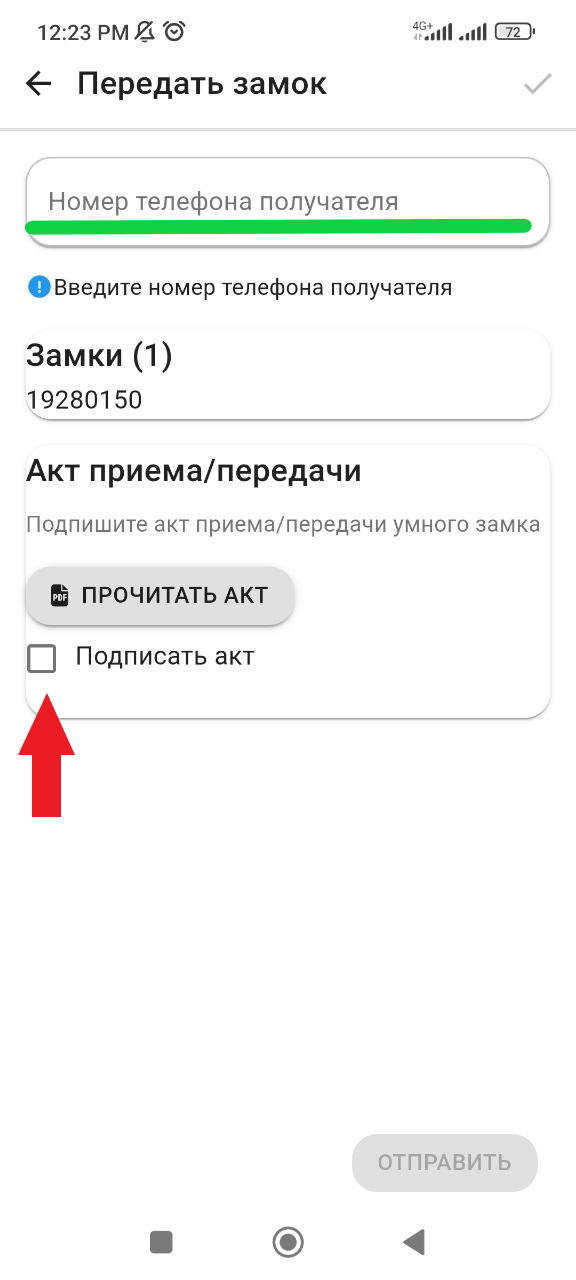
3. Next, you will need to enter the number of the partner/agent from whom you took the lock and select their contact from the list. Then check the box next to "Sign the act". Finally, click the "Send" button.
(see example below)