How to pay for a subscription
1. In the main menu of the ApartX application, click on the "Add apartment" button. Next, you will need to fill in all the required fields in this section. 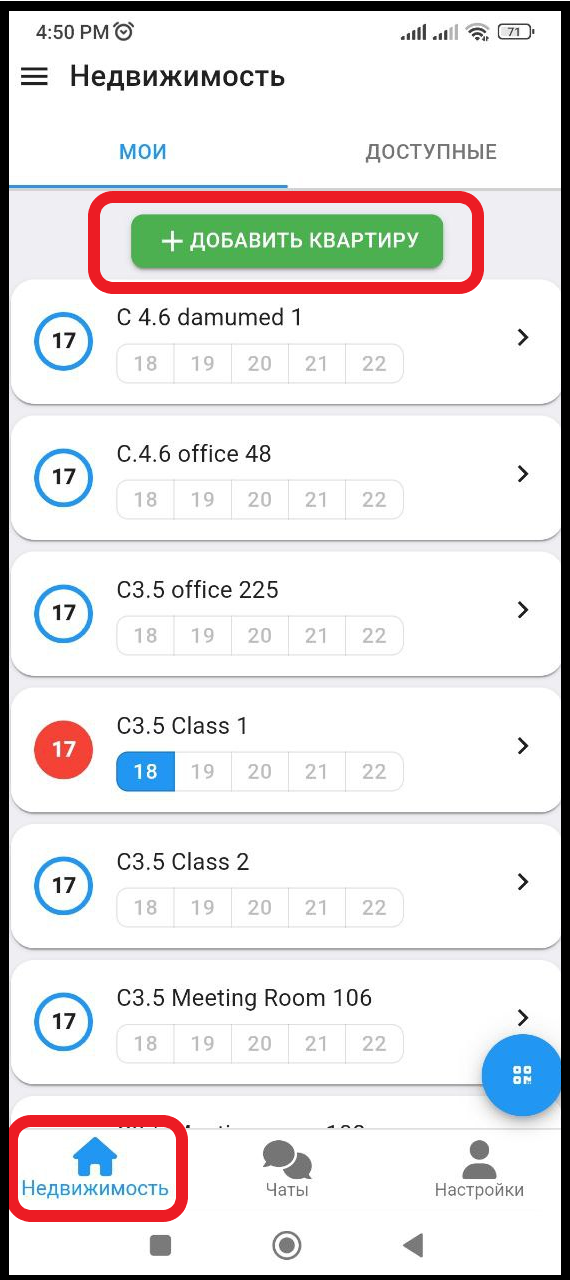
2. After you have filled in all the data about the apartment, you can go to the tariff selection page by clicking on one of the buttons below. "Subscribe" , "Continue" (see example below)
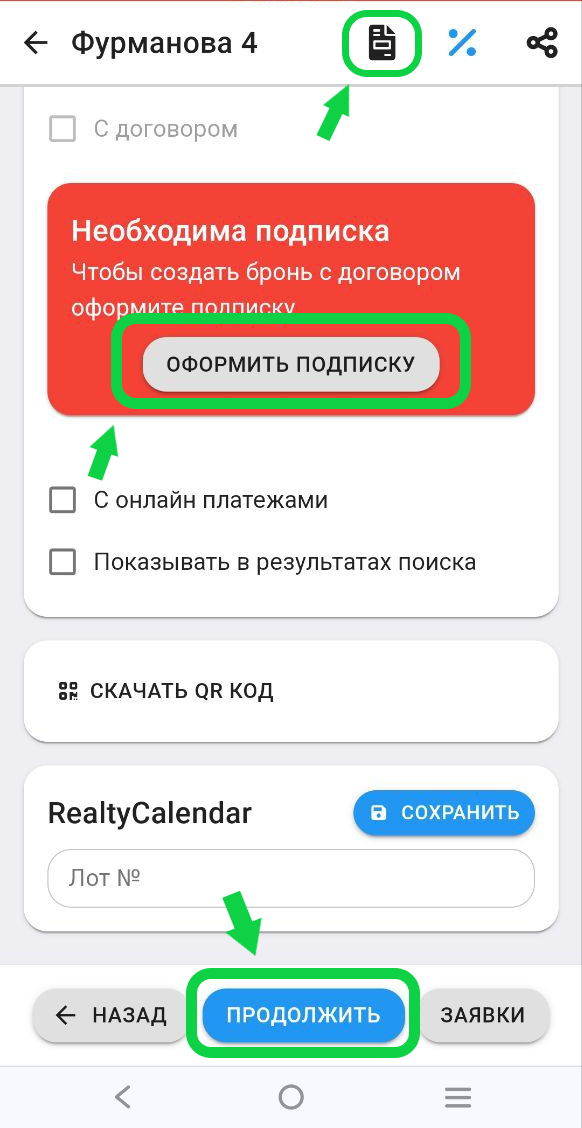
3. In the window that opens, you will need to select the tariff that suits you.
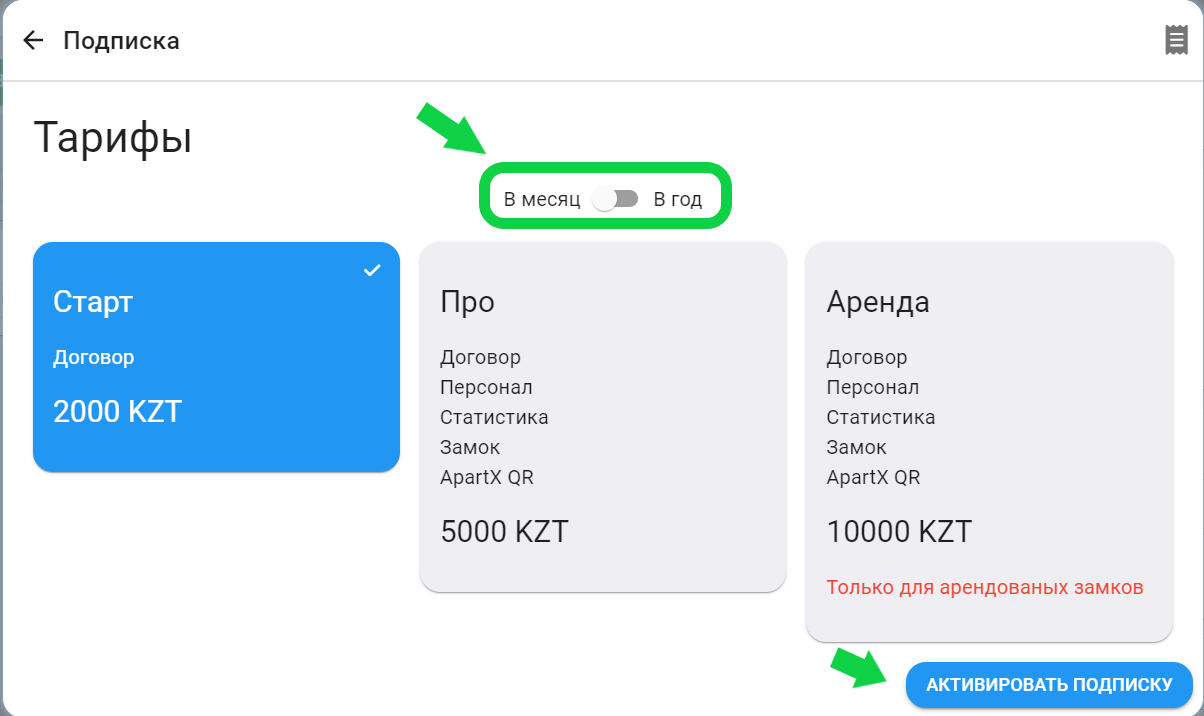
Tariff "Start" - You will be able to use signing of electronic contracts with your clients
Tariff "Pro" - You will be able to use the functions of signing electronic contracts, the "Statistics" section will open, and you will also be able to link your purchased castle to this property.
"Rent" tariff - Purchase of a rental lock from one of ApartX partners, where all functions are included as in the "Pro" tariff. The rental tariff can be paid only if the rental lock is linked to the apartment. * To apply for a rental lock for a new apartment, click on the rental tariff and confirm sending the application to our department. Our manager will contact you
*When paying for the "Start" and "Pro" tariffs, they are assigned to the apartments in which they were paid and cannot be transferred between apartments
* When paying for the "Rent" tariff, the tariff is assigned to the lock itself, which you purchased for rent. A rented lock can be attached to any of your apartments, if you attach a rented lock to an apartment with a different tariff, then the previous tariff does not go anywhere, in order for the previous tariff, you will need to unattach the rented lock.
Tariffs can be purchased for a month or a year, the choice of term is made by switching the toggle switch, as shown in the picture below. To purchase a subscription, click the "Activate subscription" button
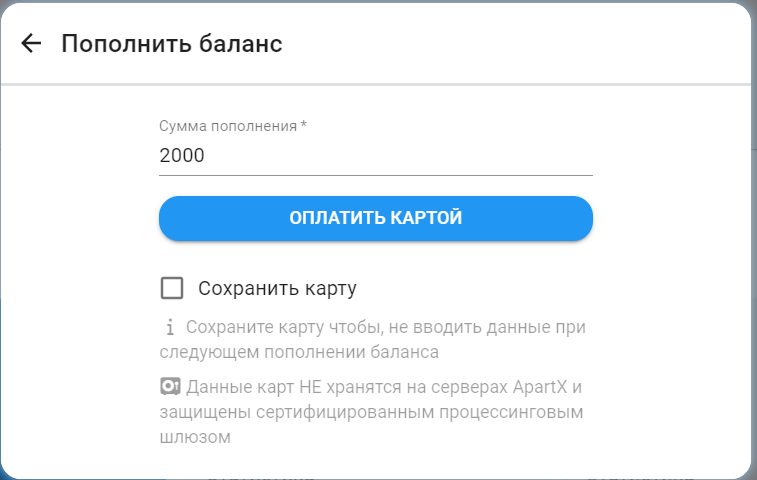
4. Then after confirming the subscription payment, if you do not have a sufficient amount in the "Krwallet", a payment window will appear. You will be able to save your card for quick payment of subscriptions. These cards are not stored on ApartX servers and are protected by a certified processing gateway. After replenishing the balance, the castle subscription will be automatically extended. Money is NOT withdrawn from the card automatically every month