Tenant/Landlord Identity Verification
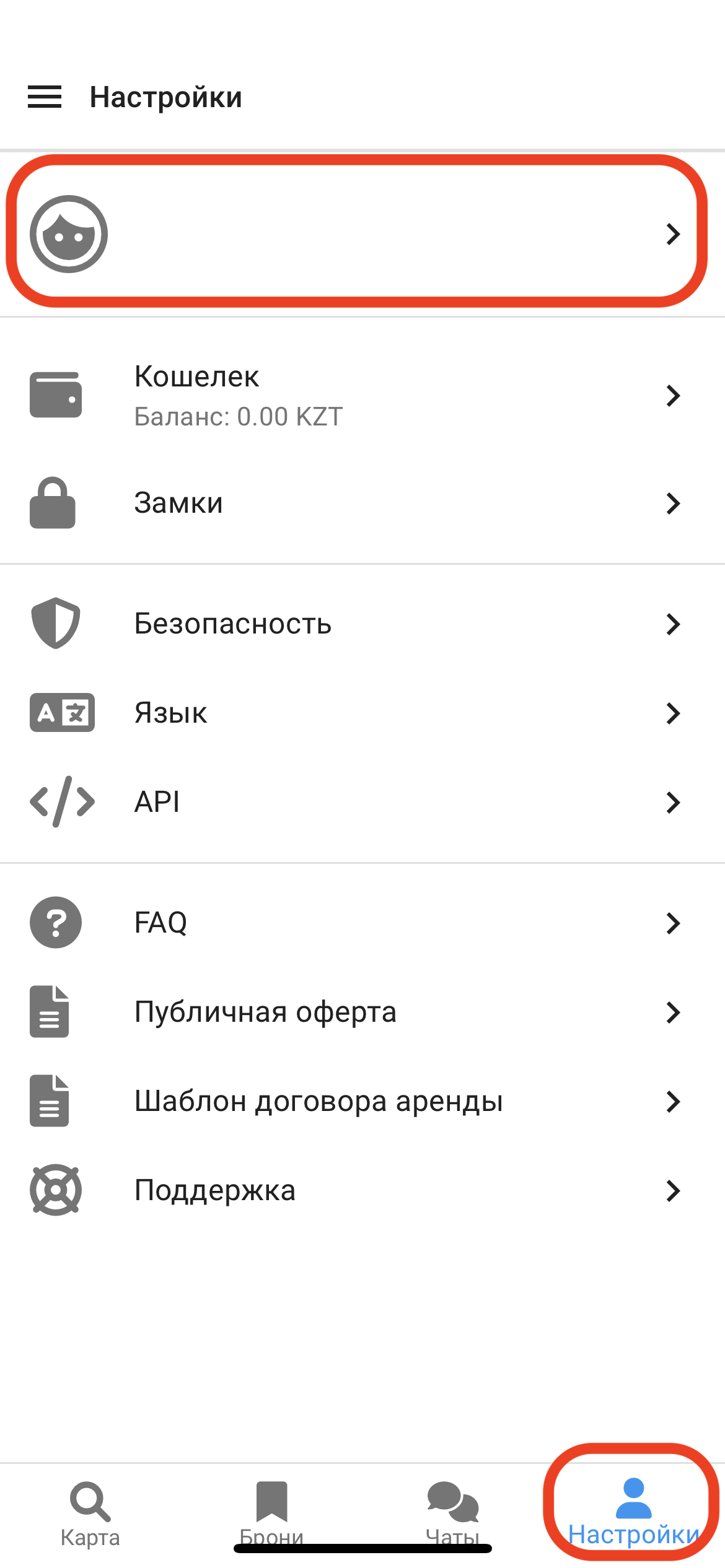
1. In the lower right corner, click on the "Settings" window. Then click on your profile with your full name and phone number . (See example below)
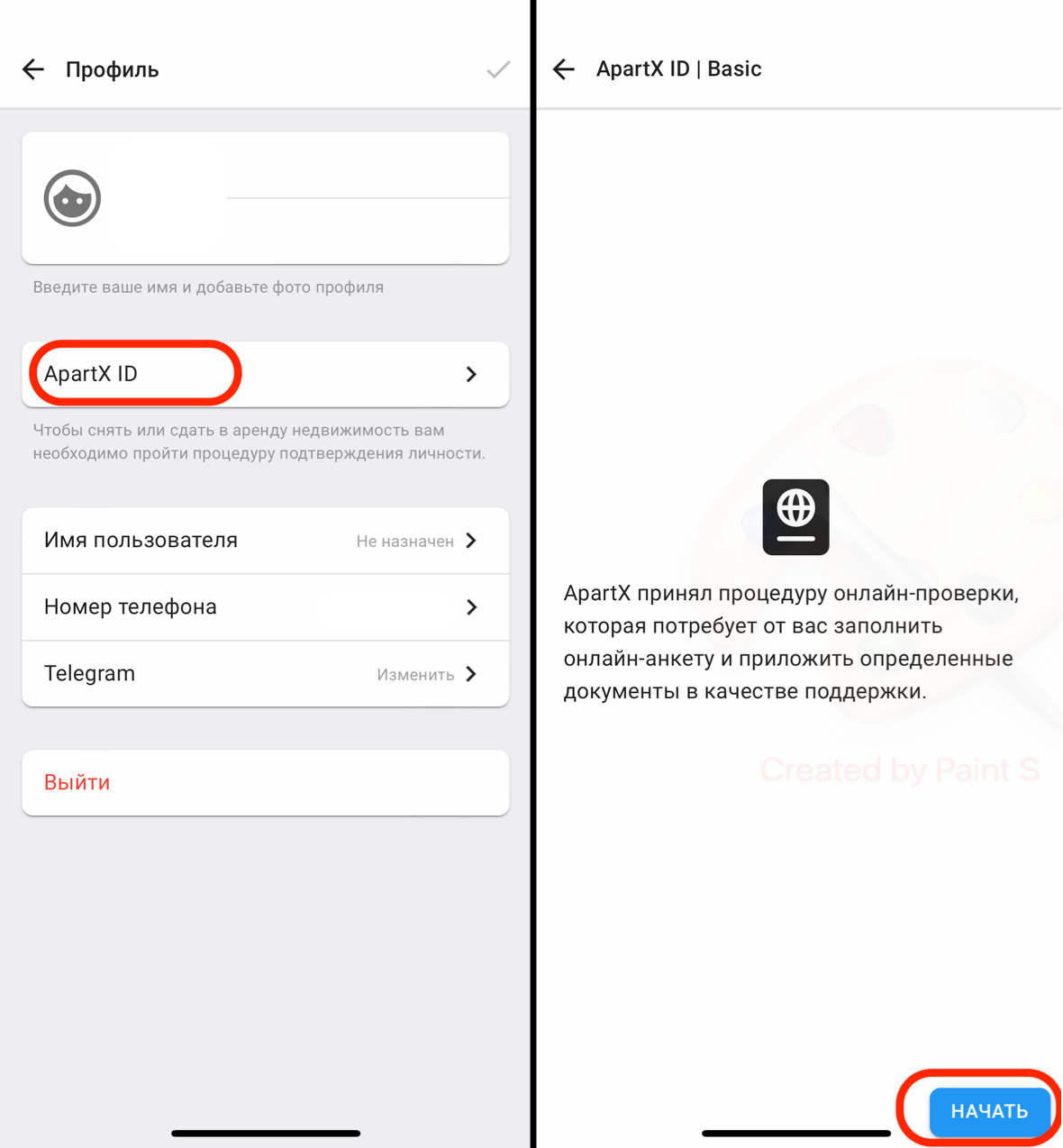
2. In the window that opens, click on the button " ApartX ID ", then to confirm your identity, click on the button " Next " (see example below)
2. After completing the registration, in the window that opens, click on the " Proceed " button, then to confirm your identity, click on the " Next " button (see example below) 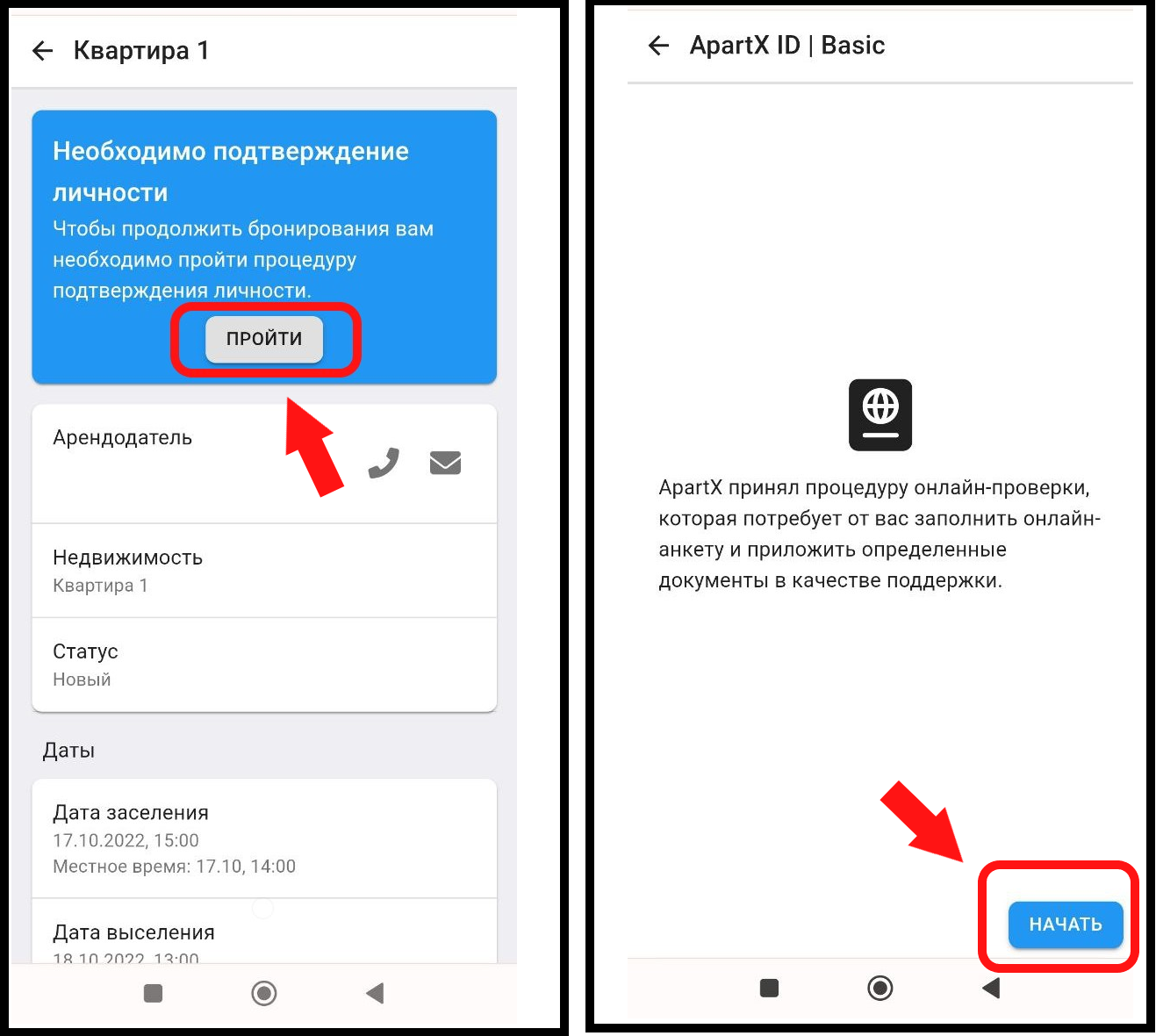
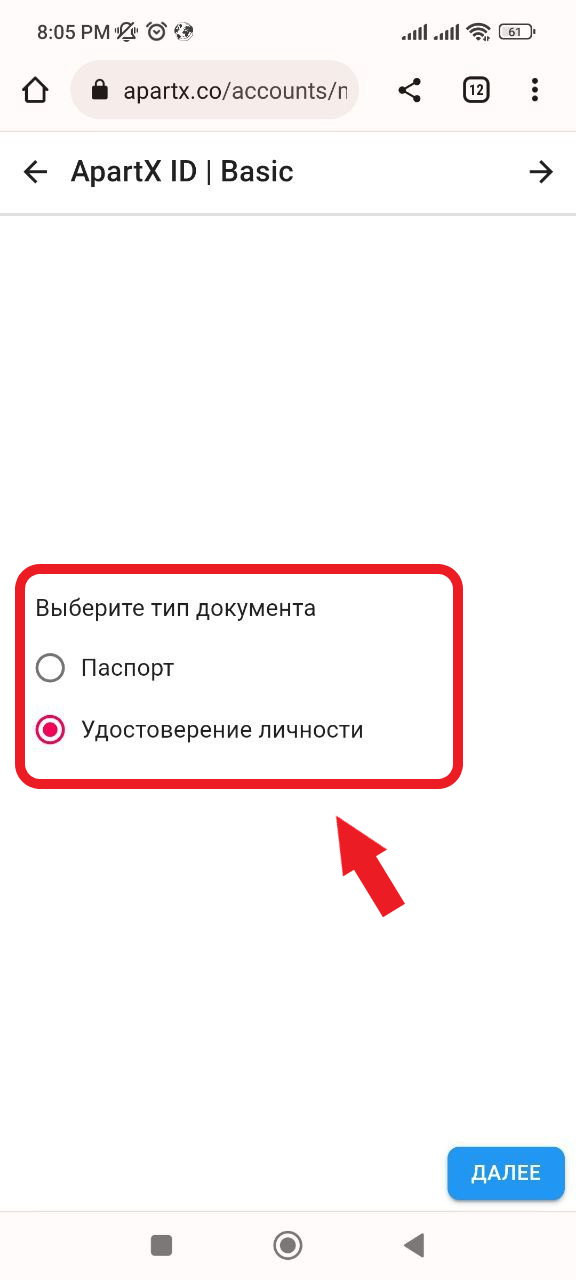
3. In the window that opens, select which type of document you will upload. (See example below)
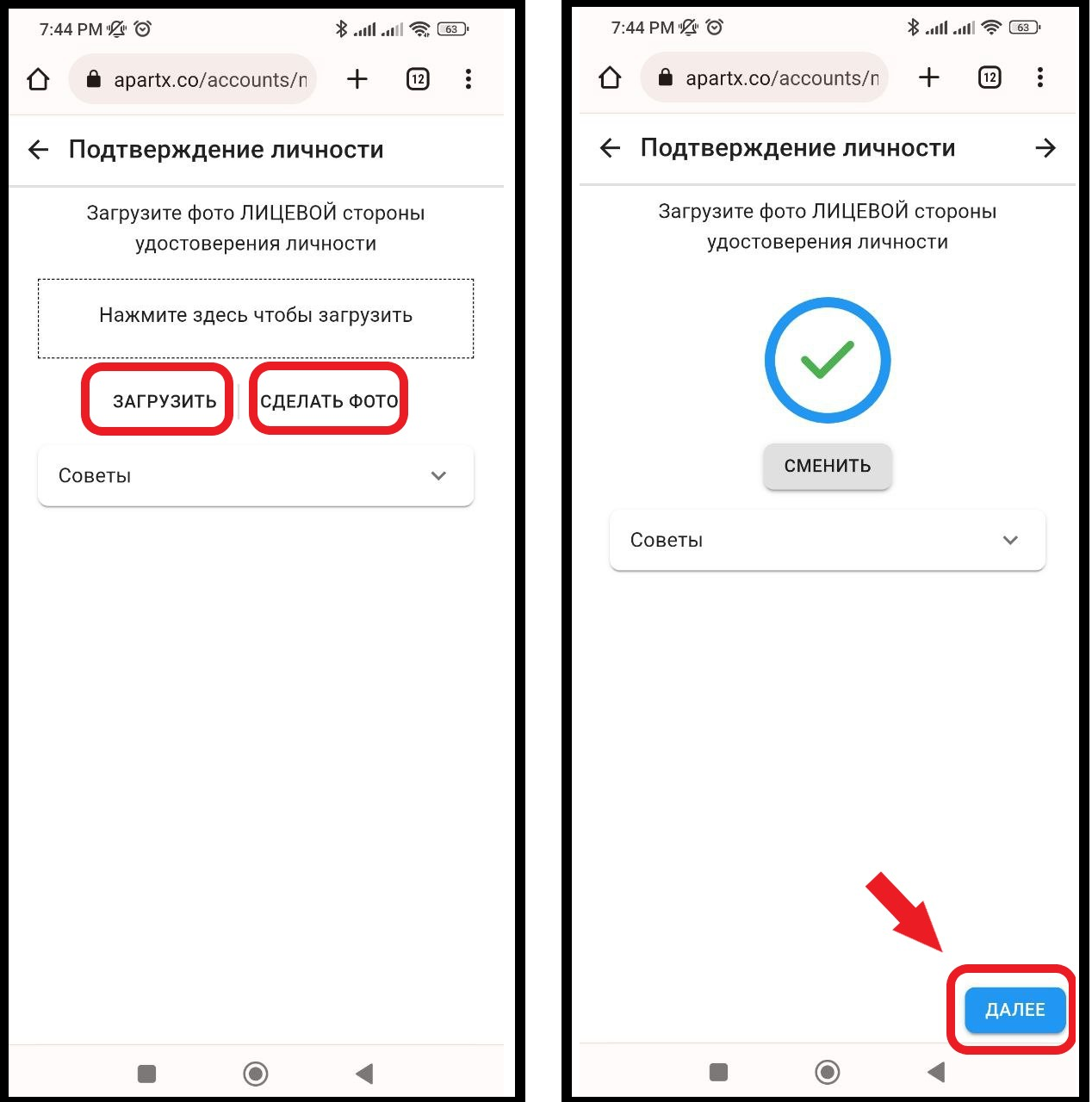
4. Next, in the window that opens, you will need to " Upload " or " Take a photo " of the front and back sides of the document that you selected earlier. After uploading the documents, click the " Next " button in the lower left corner of the application (see example below)
4.1 You will also need to take a selfie by clicking on the " Take a photo " button to accurately confirm your identity. To continue confirming your identity, click on the " Next " button (see example below) 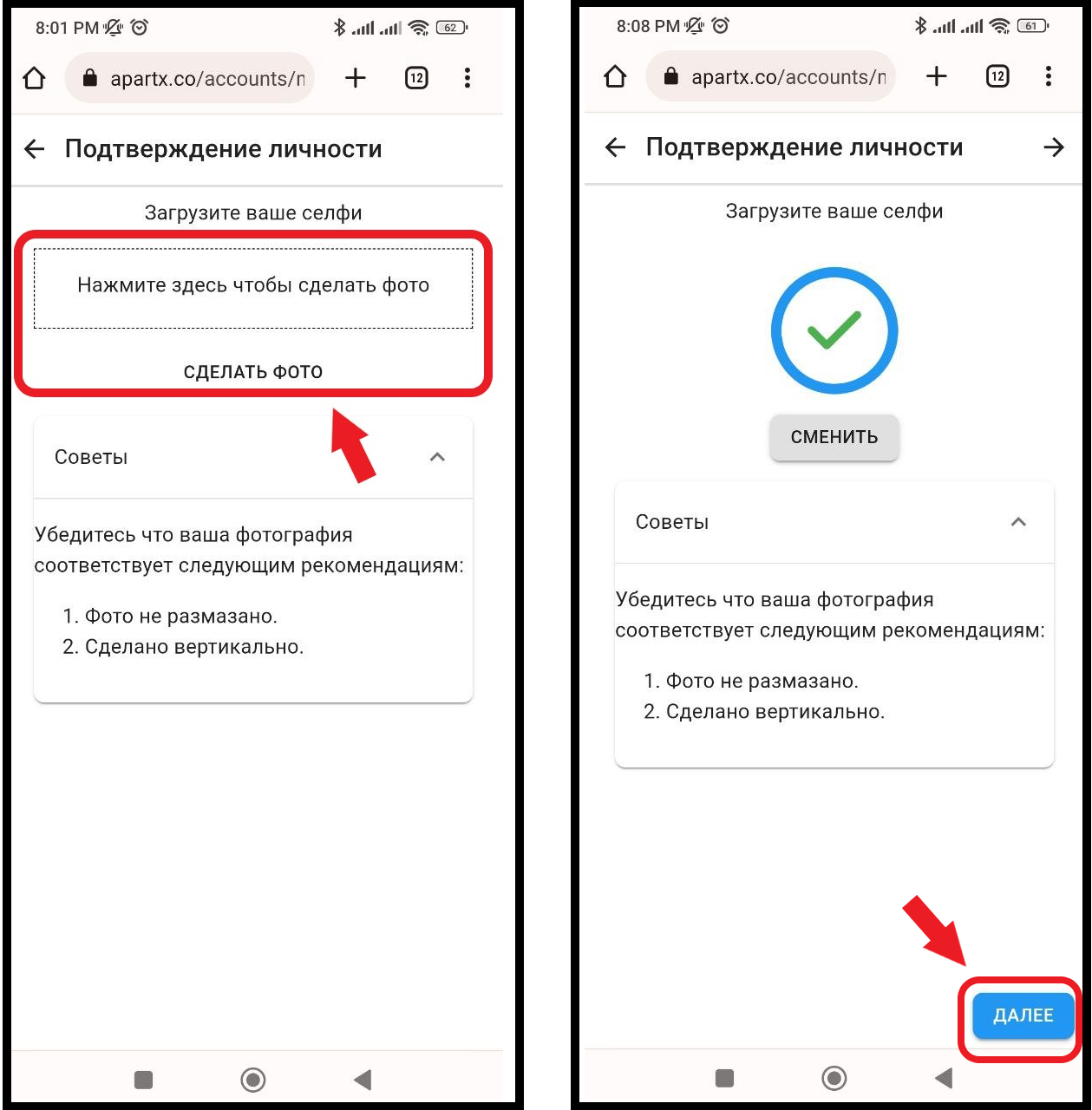
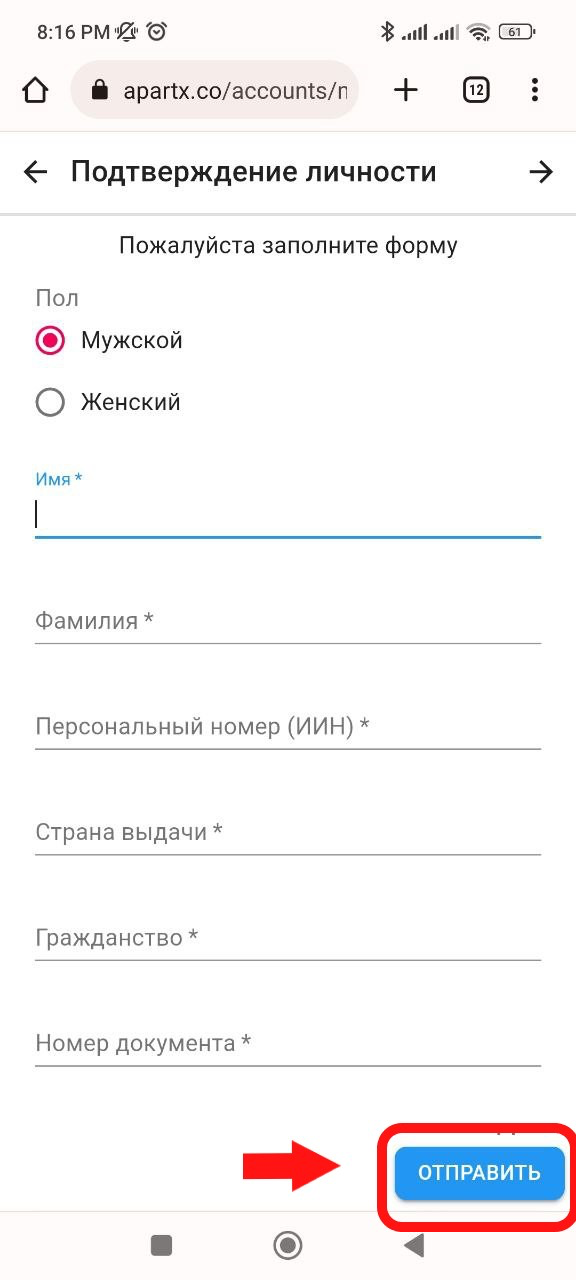
5. Next, in the window that opens, you will need to fill out the form and after filling out, click on the " Send " button. * Our system automatically inserts data from uploaded documents, for more accurate information, double-check the data yourself . (see example below)